
What's Fresh?
7 October 2026
Instagram Mentions in the Social Inbox
Mentions, already available for Facebook, now work for Instagram too. When another account tags your brand in a post or a comment, it lands in Social Inbox as its own ticket, with a link to the source on Instagram.
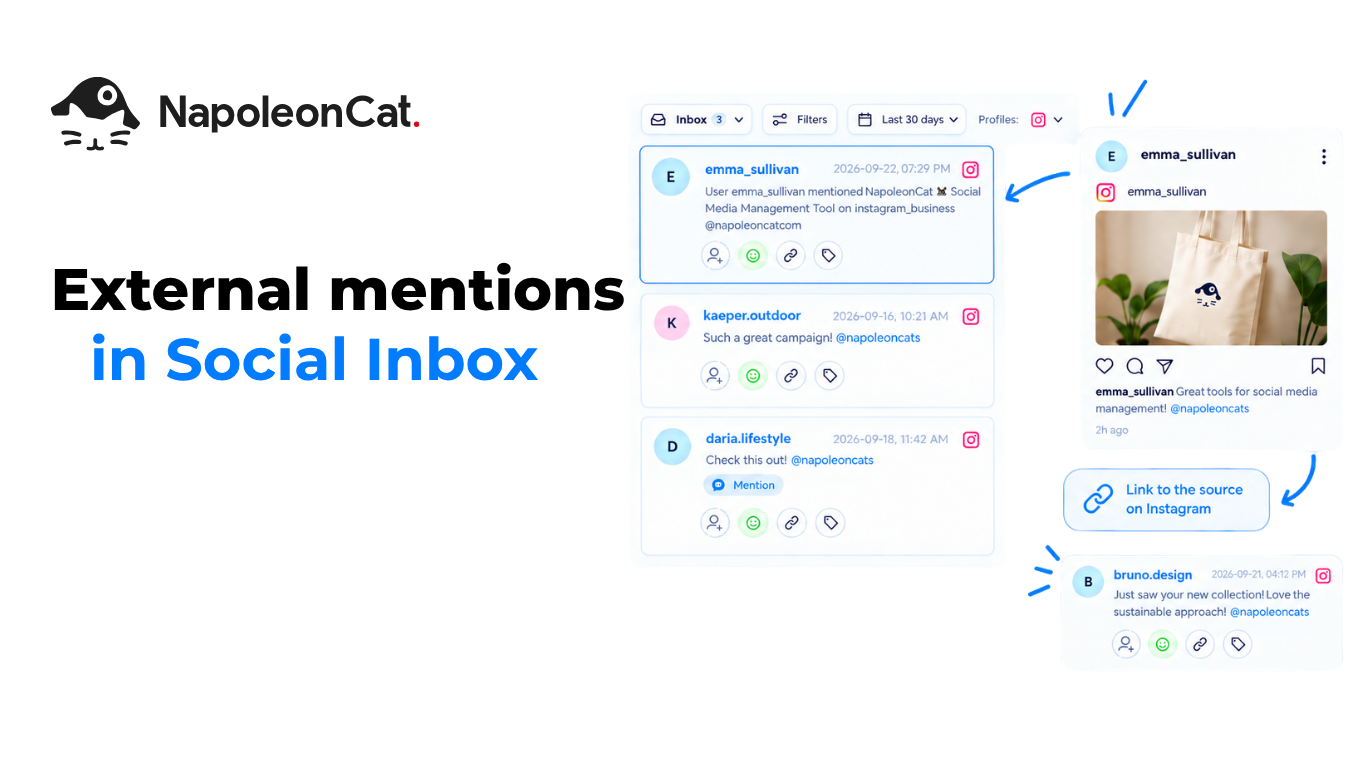
New: Mentions tickets for Instagram
A mention from another account arrives in the Inbox as a ticket of the Mentions type, so you can see who tagged your brand without checking Instagram by hand. It covers two cases:
- Another business account tags your brand in a post caption.
- Another business account tags your brand in a comment under someone else’s post.
Every mention is its own ticket
Each mention creates a separate ticket. Mentions aren’t grouped into threads.
Mentions under your own posts stay Comments
A mention in a comment under your own post still arrives as a regular Comment. That keeps the context of the post, and it doesn’t create a second Mentions ticket for the same thing.
Open the source on Instagram
Each Mentions ticket shows the author and a link to the original on Instagram. For comments, the ticket points to the specific comment.
What you can do with a mention
Mentions are informational. You can’t reply to, like, hide, delete or block them from NapoleonCat. Internal actions still work: tags, assignment, sentiment and notes. To respond, open the source on Instagram.