What's Fresh?
29 October 2026
Social Inbox: work your way with adjustable views
Now you can adjust the columns in Social Inbox to quickly pre-moderate before you get into the detailed work
Social Inbox: collapsible Social CRM panel
Use the arrow in the top-right corner of the Social CRM panel to collapse it into a narrow strip, then click the strip to expand it again. Your choice is remembered in your browser. The panel is expanded by default.
Moderation actions on tiles
With Social CRM collapsed, tiles show Delete, Hide, and Like. With it expanded, tiles look the same as before. DM tiles show only Done, and review tiles don’t have Delete, Hide, or Like.
Adjustable list width
Drag the divider between the list and the details to set the list width from 300 to 640 px. The maximum depends on your screen width. You can also adjust the width using the arrow keys, and a double-click restores the default width of 348 px. The width is remembered in your browser.
22 October 2026
Latest improvements to NapoleonCat’s Social Inbox
Latest improvements to NapoleonCat include
Social Inbox:
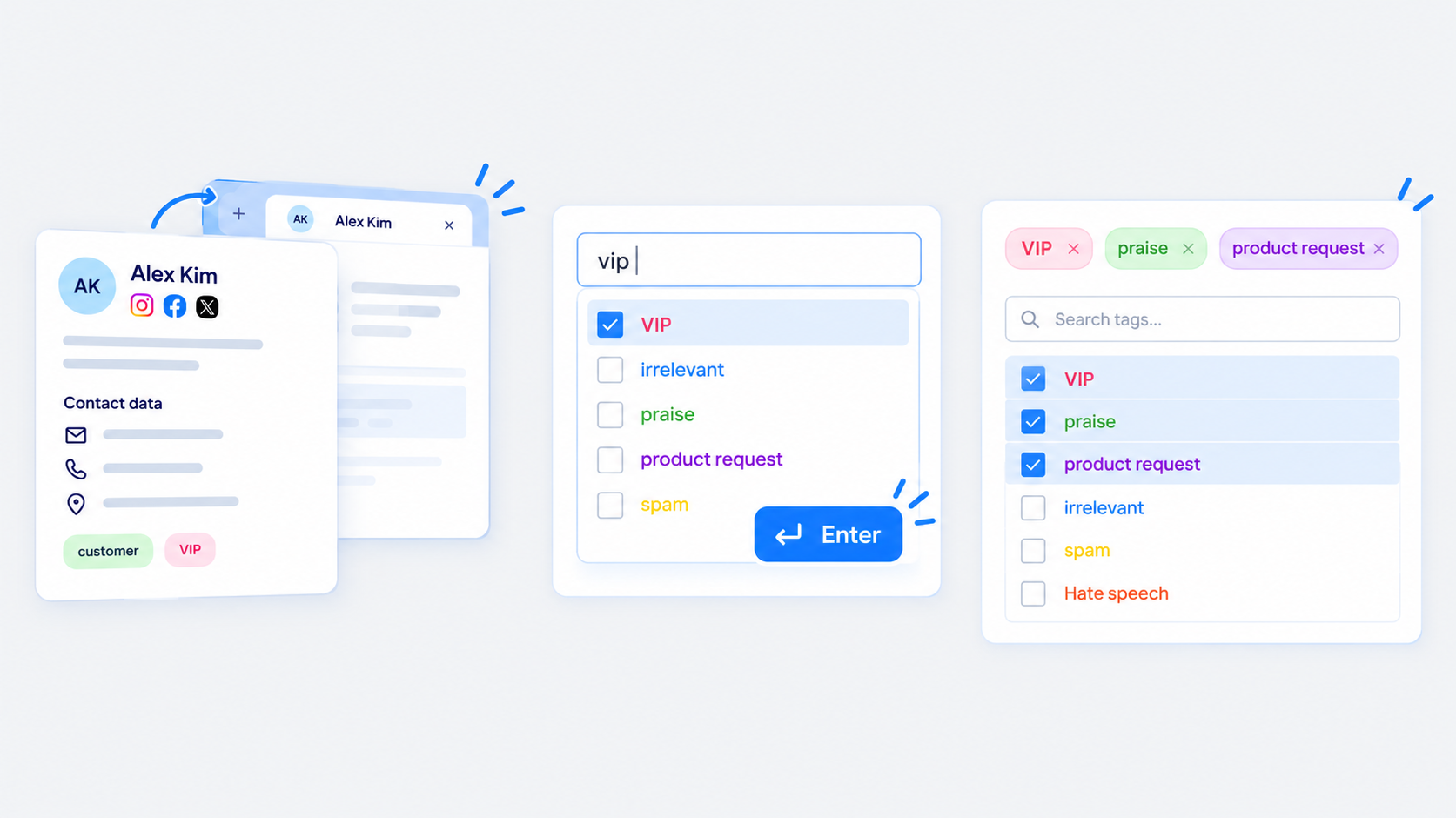
Social CRM profiles open in a new tab
Opening a user profile in the Social CRM module now opens it in a new tab, so the list you were working from stays where it was.
Confirm a tag with Enter
Type part of a tag name and press Enter to apply it when only one tag matches. This brings back the behavior from the old Inbox and saves you the switch from keyboard to mouse.
Selected tags at the top of the list
Tags already selected now appear at the top of the tag list, so you can deselect them without scrolling through the whole list.
Fixed: AI Reply Suggestions in reviews
AI Reply Suggestions now works for Google My Business, App Store, and Google Play reviews. The AI icon was visible in these views but couldn’t be used.
Analytics:
Removed: New fans by reach type
The metric was removed from the API, so there’s no data to show. We removed the New fans by reach type section.
7 October 2026
Instagram Mentions in the Social Inbox
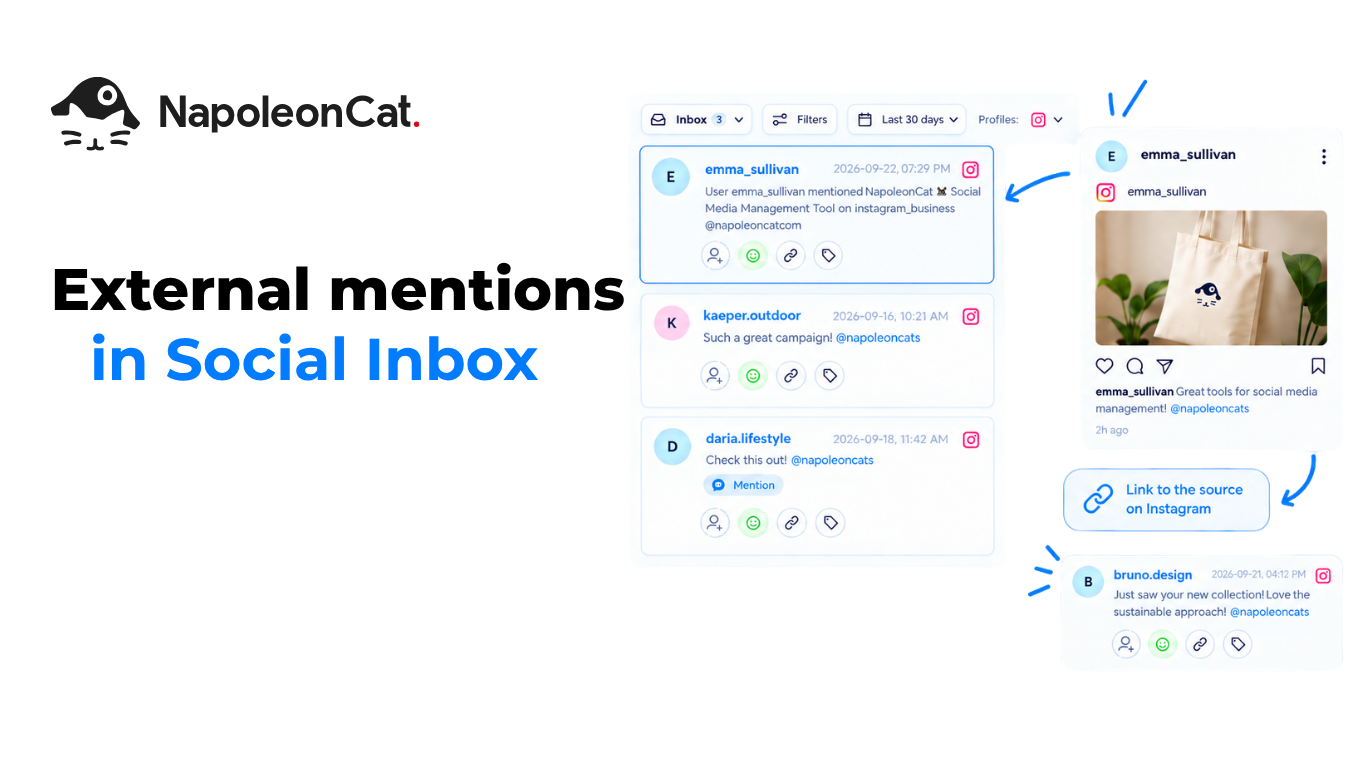
Mentions, already available for Facebook, now work for Instagram too. When another account tags your brand in a post or a comment, it lands in Social Inbox as its own ticket, with a link to the source on Instagram.
New: Mentions tickets for Instagram
A mention from another account arrives in the Inbox as a ticket of the Mentions type, so you can see who tagged your brand without checking Instagram by hand. It covers two cases:
- Another business account tags your brand in a post caption.
- Another business account tags your brand in a comment under someone else’s post.
Every mention is its own ticket
Each mention creates a separate ticket. Mentions aren’t grouped into threads.
Mentions under your own posts stay Comments
A mention in a comment under your own post still arrives as a regular Comment. That keeps the context of the post, and it doesn’t create a second Mentions ticket for the same thing.
Open the source on Instagram
Each Mentions ticket shows the author and a link to the original on Instagram. For comments, the ticket points to the specific comment.
What you can do with a mention
Mentions are informational. You can’t reply to, like, hide, delete or block them from NapoleonCat. Internal actions still work: tags, assignment, sentiment and notes. To respond, open the source on Instagram.
28 September 2026
YouTube Ads comments, translations, and TikTok Ads connection
New capabilities shipped to Social Inbox. Here’s what changed:
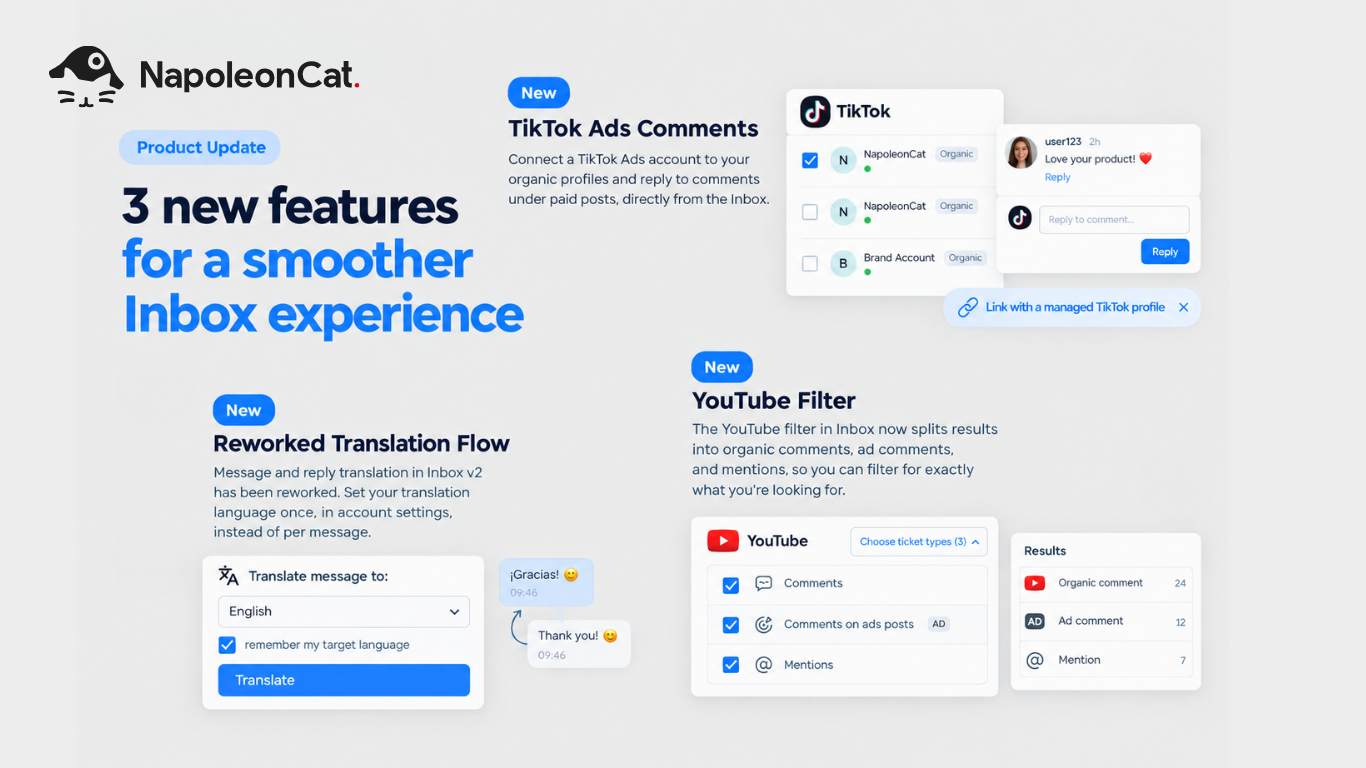
New: TikTok Ads Comments
Connect a TikTok Ads account to your organic profile in NapoleonCat. Comments from ads land in the Inbox alongside your organic ones, so you can reply to both in one place instead of switching to TikTok Ads Manager.
New: Reworked Translation Flow
Translation in Inbox v2 now covers both incoming messages and your replies. Set your translation language once, in account settings, and it applies across the whole Inbox, no need to pick it per ticket.
New: YouTube Add comments and filter
The YouTube filter now splits results into three types: organic comments, ad comments, and mentions. Moderate just the ad comments, for example, without digging through everything else.
24 September 2026
Inbox Analytics: rebuilt and expanded
Inbox Analytics now matches the new Inbox. Everything that existed before the migration is back, and three new views join it.
New: New Conversations
Track the number of new conversations over time.
New: Conversations by Tag
See how topics and categories break down across the conversations coming through the Inbox.
New: Conversations by Sentiment
Watch sentiment shift over time and see how customers are responding to your communication.
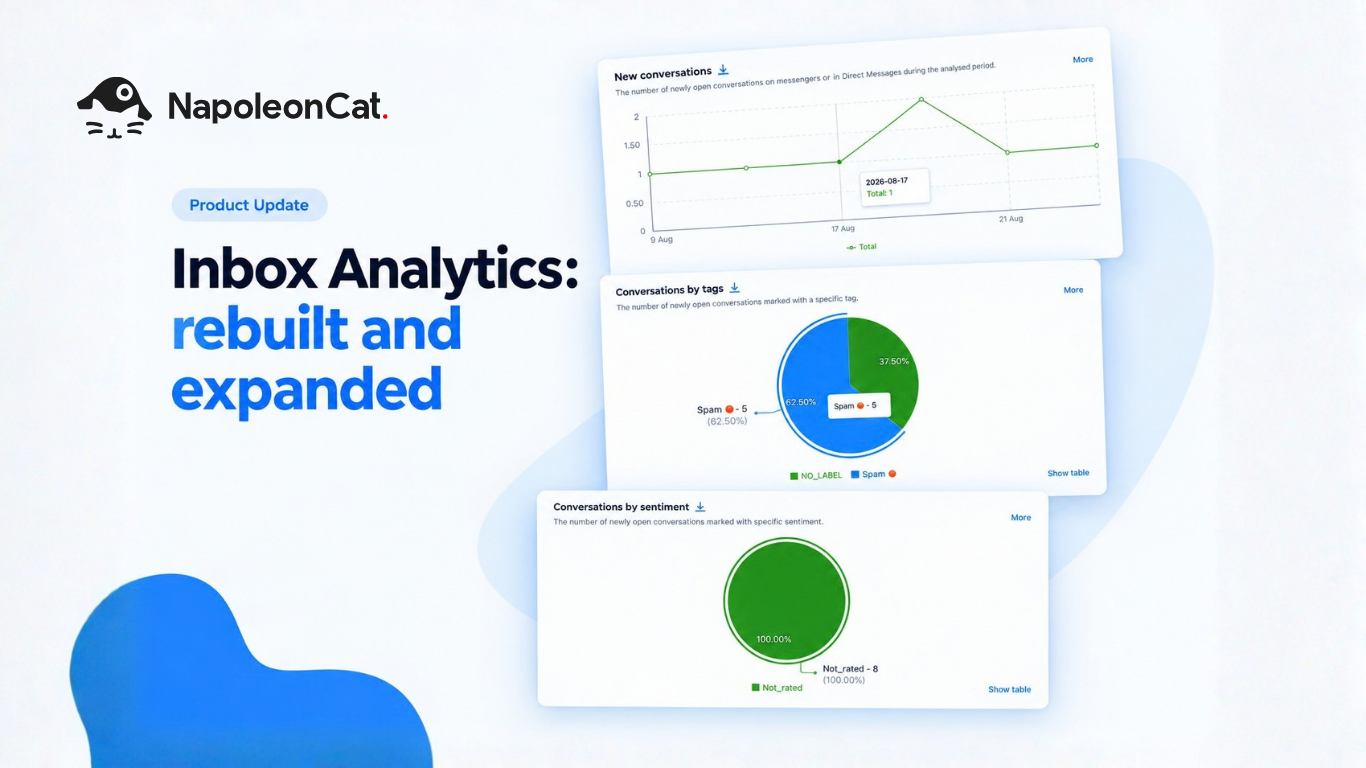
It makes it easier to catch trends and see what topics are actually driving conversation volume. It also gives you a quicker read on how well conversations are being handled.
Where to find it
All of it lives in the Analytics section.
23 September 2026
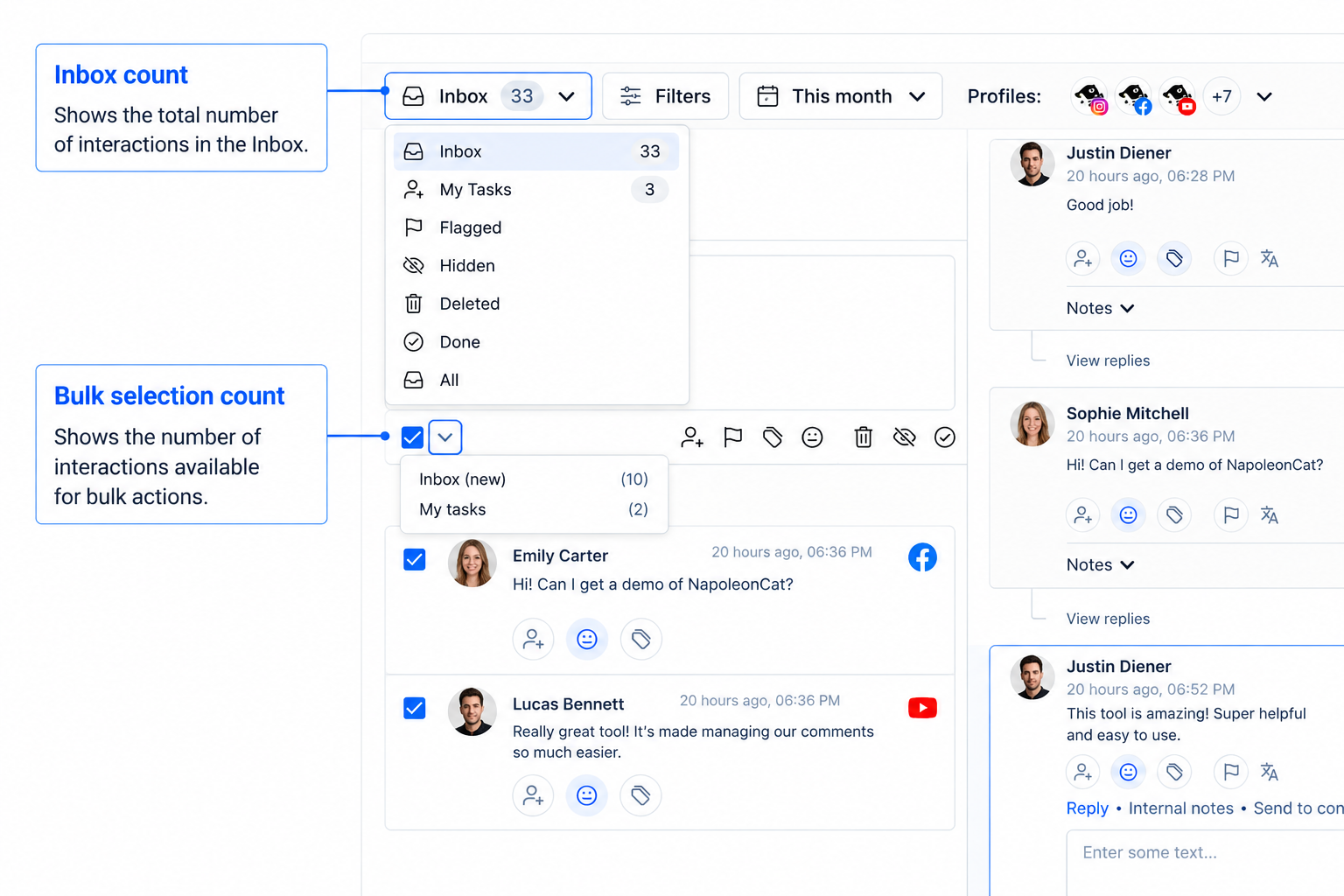
New counters on Inbox and My tasks
The tab badge shows the number of tickets across your full filtered view. The bulk select counter shows how many you can select right now, based on what’s already loaded on screen.
These two numbers won’t always match. Expect a gap when extra filters are active (tag, sentiment, assignment, search), when you haven’t scrolled to the bottom of the list yet, or when DMs are in the mix, since bulk actions don’t include them.
Use the badge to see how big the queue is. Use the select counter to see what’s actually in front of you to act on.
9 September 2026
Sentiment and Tags on Individual Messages: What’s New
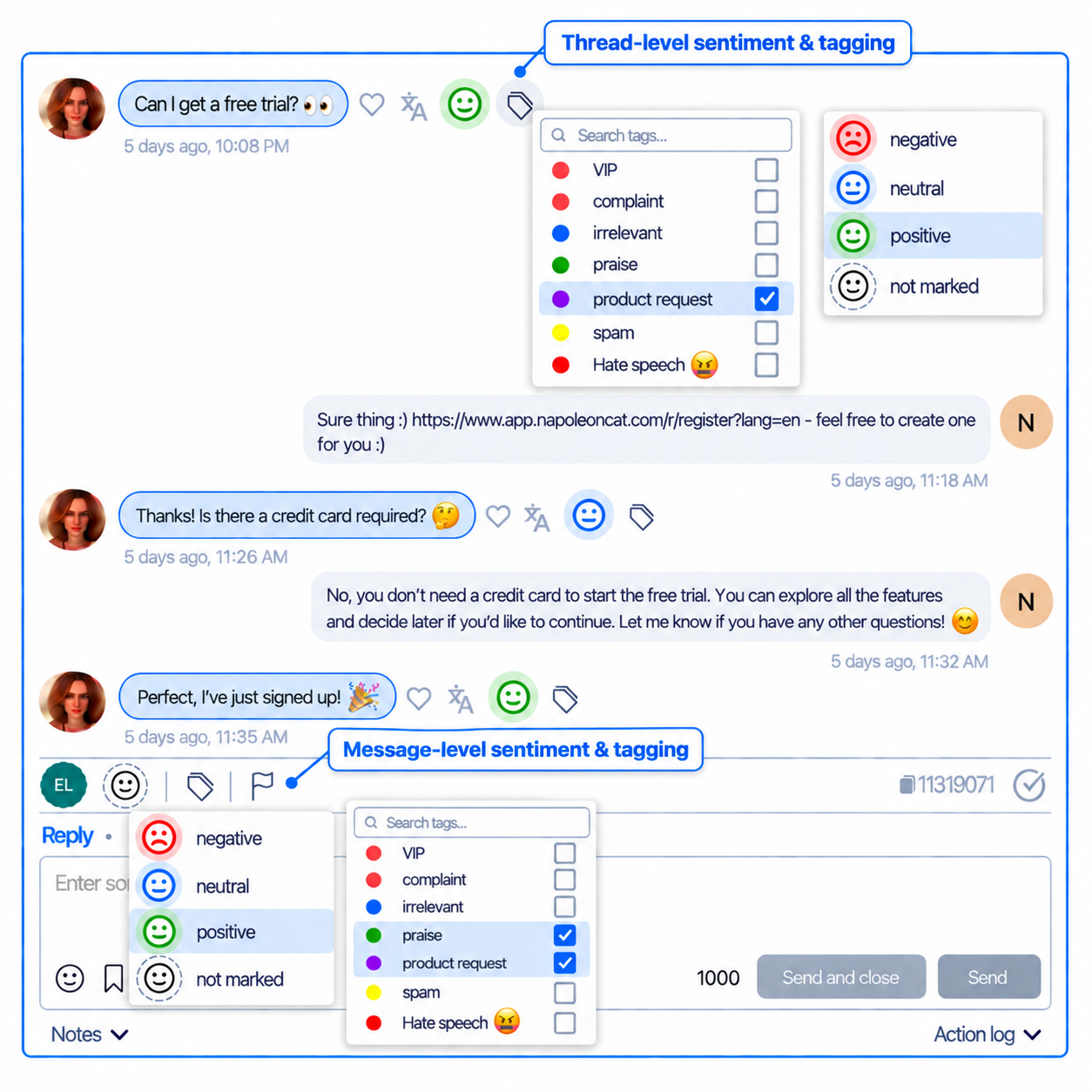
We have improved how you can mark messages and entire threads.
Message-Level Sentiment and Tags
Apply sentiment and tags directly to a single message inside a conversation (Messenger, Instagram DM, and similar channels), not only to the conversation as a whole.
Conversations Surface on a Single Matching Message
Filtering by sentiment or tag now surfaces a conversation if even one message inside it matches, not only when the whole conversation carries that label.
Auto-Apply Conversation Sentiment and Tags to Every Message
Setting a sentiment or tag on a conversation now applies it to every message in that conversation.
12 August 2026
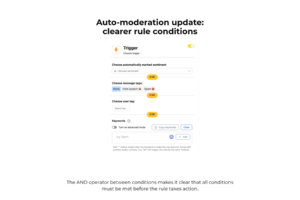
Auto-moderation: clearer rule conditions
When you combine multiple conditions in a rule, sentiment, message tags, user tags, and keywords are now connected with “AND” labels. You can see at a glance that every condition you set has to match before the rule runs.
This change follows recurring customer questions about how rule conditions combine. No action needed; it applies to new and existing rules automatically.
News
29 July 2026
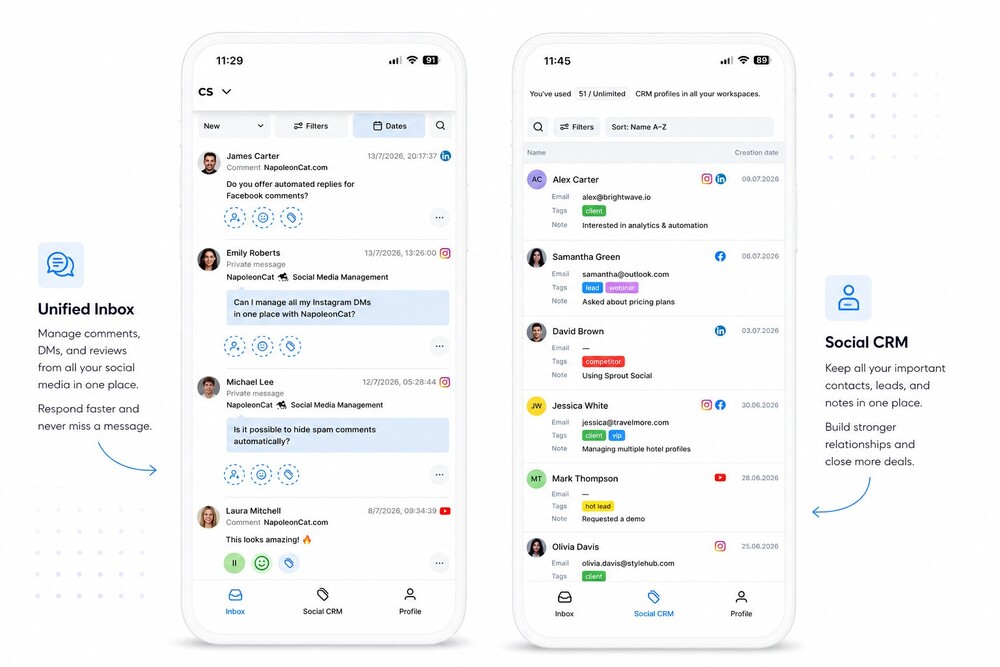
NapoleonCat Mobile: New Inbox and Social CRM are here
The new Social Inbox is now available on mobile, along with Social CRM. Here’s what’s new.
Full Inbox 2.0 on mobile
Comments, DMs, and reviews from all your social media, in one place. Filter by status, date, or platform, and use tags to organize conversations, all from your phone.
New: Social CRM on mobile
See full conversation context right in the app: customer profile, message history, and post details, without switching screens.
Take action from anywhere
Reply, manage, add notes, or consult your team, right from mobile. Same actions you’d use on a desktop, now in your pocket.