
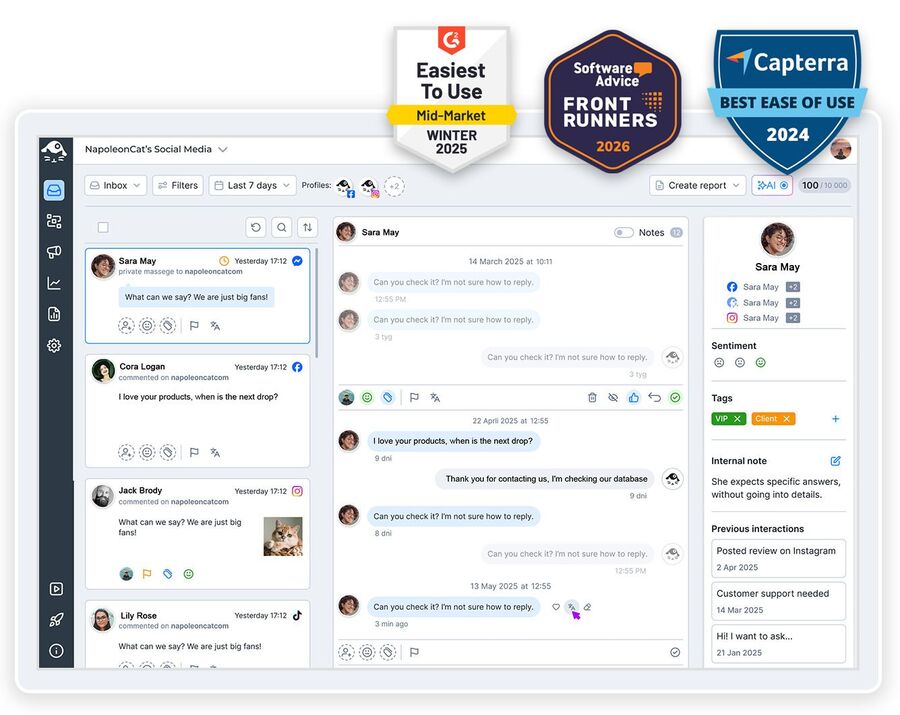
Need to manage multiple Facebook accounts without five tabs open and the nagging feeling you’ve missed a comment somewhere? You only get one personal profile, but it can run as many Pages as you like. Here’s how to handle them all from one screen.
Manage Multiple Facebook Accounts – All Pages, One Dashboard
Trusted by:




Supported platforms








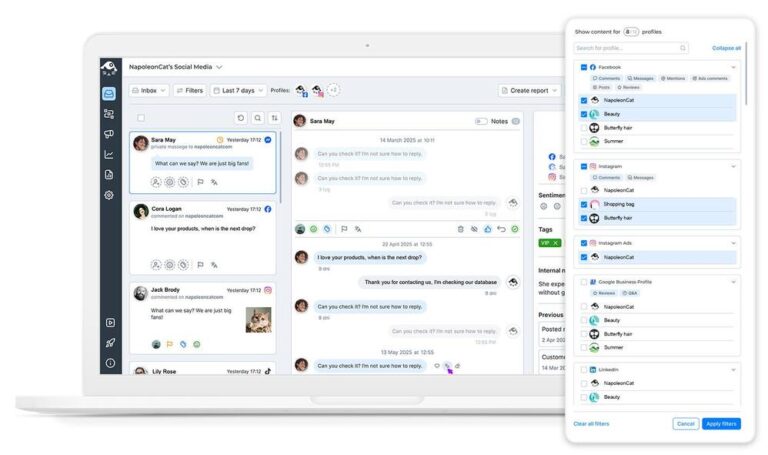
Social inbox: Answer every Facebook Page you run without opening a single one of them
Comments, ad comments, private messages, visitor posts, mentions and reviews from every Page land in the same Social Inbox, oldest to newest, with the Page name on each one.
You reply, hide, tag or hand it to a teammate from there. No logging into Business Suite, and no wondering which Page that angry review was under.
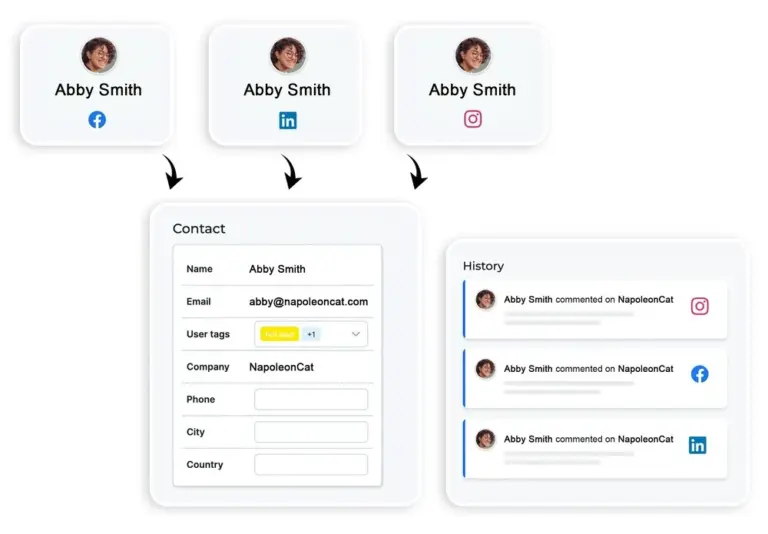
Social CRM: Recognise a returning customer even if they wrote to a different Page last time
What if everyone who comments on any of your Pages arrived with their history attached? That’s what Social CRM does.
It collects the full interaction history for each commenter across all your Pages and your other channels, along with your team’s tags and notes. So you know who you’re talking to before you reply.
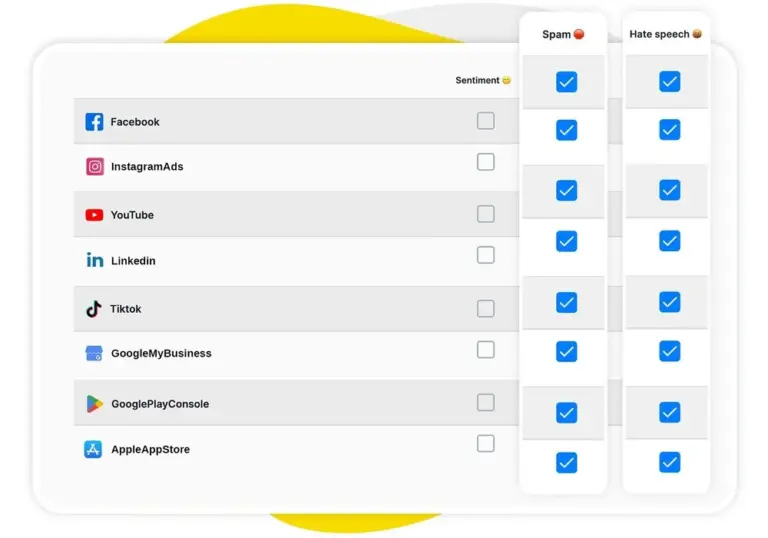
AI assistant: See what needs answering first across every Page, not just the newest comment
Ten Pages means the important comment is rarely the newest one. Your AI Assistant reads everything as it arrives and tags spam, hate and sentiment, so you open the inbox and see at a glance what’s angry, what’s a sales question, and what can wait until Monday. (It’s usually more than you’d think.)
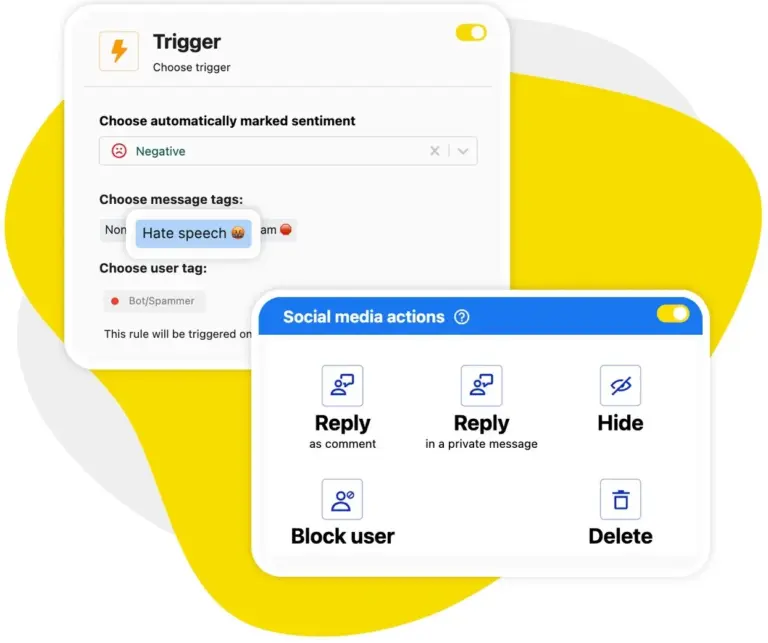
Auto-moderation: Hide spam on all your Facebook Pages with one rule, 24/7
Spam doesn’t pick a favourite Page, and it doesn’t wait for office hours. Set up an Auto-moderation rule once and apply it everywhere: it hides or deletes the junk instantly, on organic posts, on ads, and on the Pages nobody looked at this week. (Especially those.)
Facebook also gets two things no other network does. Your rules can handle reviews, by keyword or by sentiment.
And when someone stops being a nuisance and starts being a problem, a rule can block them from your Page automatically, so a troll doing the rounds of all your Pages is dealt with before anyone on your team has to read it.
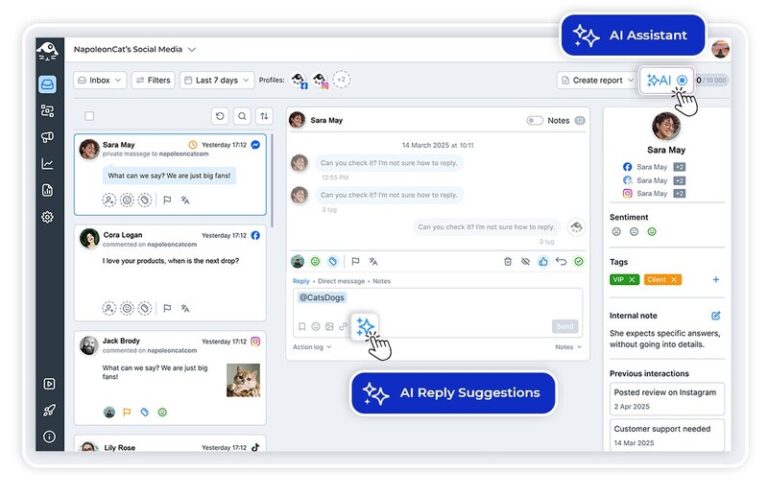
AI reply suggestions: Draft the answer from what your team has already replied, on any Page
The same question turns up on four Pages and somebody has already answered it well. AI Reply learns from your reply history and whatever brand material you feed it, then drafts the response for you. Not robotically. You read it, change what you want, and send.
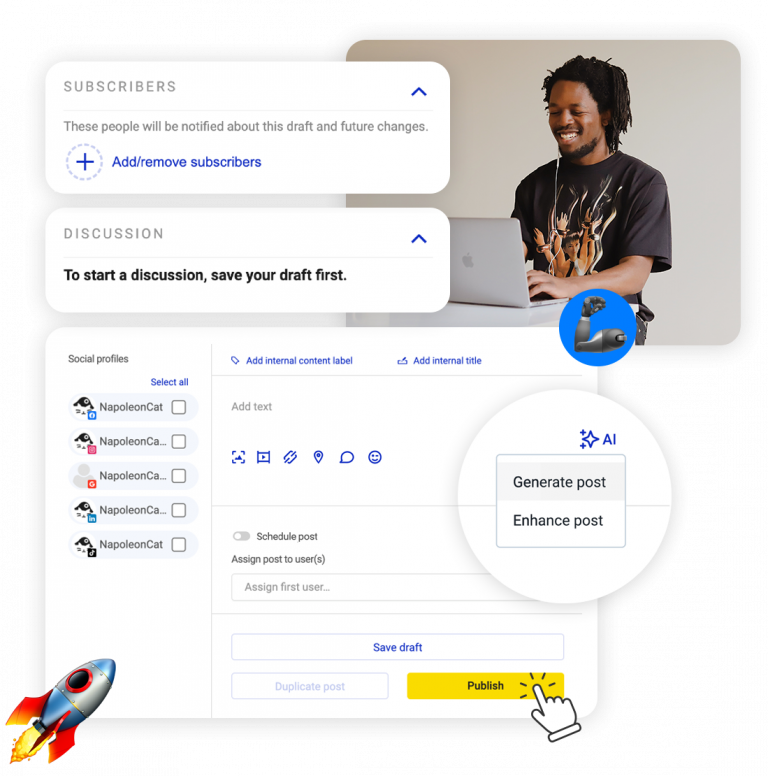
Publisher: Plan a month for every Facebook Page on one shared calendar
Plan the whole month in the Publisher and watch it fill up across every Page in one calendar. Schedule, auto-publish, send a post for approval before it goes out, and pick the Page from a dropdown instead of logging in somewhere and hoping. That’s one fewer way to post to the wrong audience.
Your Instagram, LinkedIn and TikTok posts sit in that same calendar too, so you manage all social media in one place rather than one network per tab.
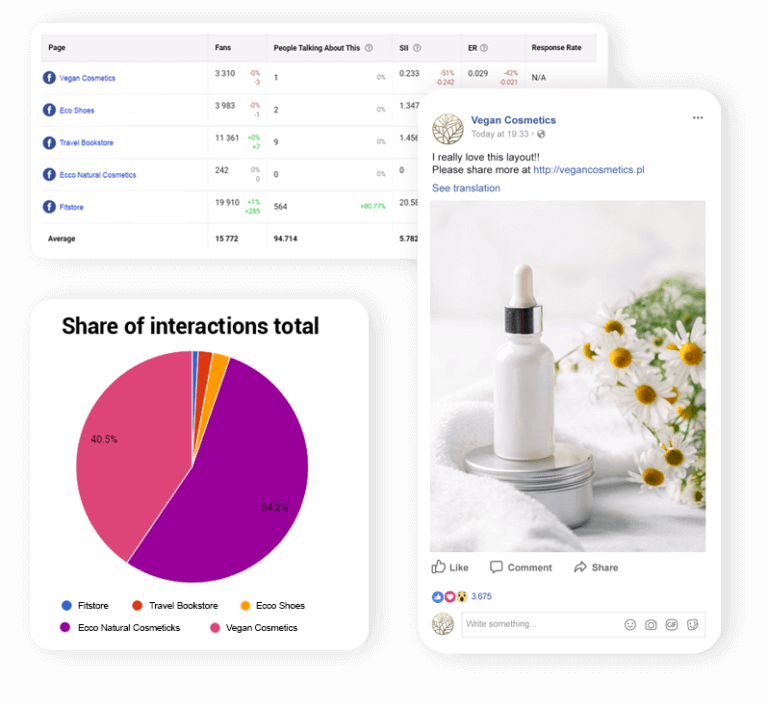
Analytics: Put your Facebook Pages next to each other instead of checking them one by one
Checking your Pages one at a time tells you a separate story for each one. Build a set and multiple Pages line up side by side in one table over the same dates: followers, engagement rate, posts, reactions, with the average underneath. So you can actually see which Page is pulling its weight and which one has gone quiet.
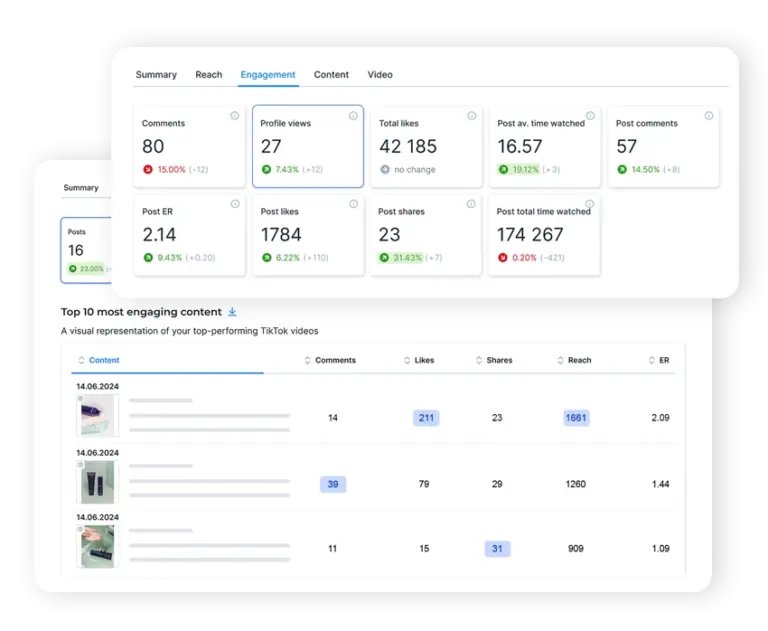
Automated reports: A separate report for every Page, emailed without you building it
We don’t have to tell you how the monthly report goes. Set it up once and NapoleonCat packages each Page’s numbers into a PDF with the graphs drawn, white-labeled, and emails it on the schedule you picked. You stop building decks. Your client stops asking.
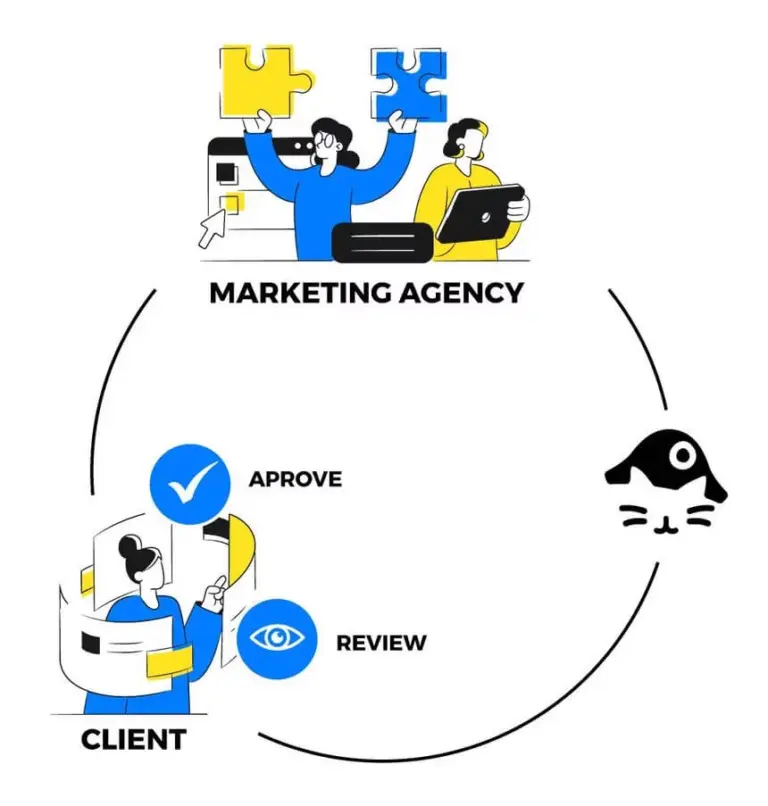
Workspaces: Keep every client’s Facebook Pages, team and numbers apart
Managing multiple Facebook Pages for different clients? Give each one its own Workspace, with its own team and its own permissions.
A freelancer you brought in for one brand sees that brand and nothing else, and no client’s numbers ever wander into another client’s report. Removing someone takes a click, and nobody has to hand round a password.
One login, every Facebook Page, nothing missed




Here’s why our clients love NapoleonCat
Join teams running every Facebook Page they manage from a single dashboard.

NapoleonCat saves up to one-third of a full-time position. That’s time we would otherwise spend manually moderating thousands of comments each month using the Meta Business Suite, profile by profile and comment by comment. Time we can now use for growth. NapoleonCat is the best tool of its kind on the market, and it’s still constantly evolving and improving by introducing new AI features.

It’s hard to imagine our work without a tool that includes so many valuable features. It won’t be an overstatement when I say that NapoleonCat saves us multiple full-time positions that would be dedicated to just moderating comments or manually generating reports.

NapoleonCat gives us the full picture of social media interactions. It’s easier to pick up urgent threads that need taking immediate action. And with conversation history, it’s much easier to continue the work of another team member while they’re out of office.

We work with multiple clients, and with NapoleonCat, we don’t waste time switching between multiple software tools. We can also deliver reliable data from a single source. We tested other social media moderation and analytics tools before, but none of them lived up to what NapoleonCat delivers. They’re the best, and I personally love using the tool. 🙂

NapoleonCat is now an indispensable tool that we use for moderation and analytical purposes, as well as content publishing. We’re curious to see new capabilities of the tool and test its new uses, for example, to moderate TikTok ad comments, as we predict this social media channel to become more and more important for our clients.

It’s the first social media engagement tool we have ever tried that is truly intuitive and that makes it easy for us to include the clients in the process. The service and support is great and personal. And the value for money is great!

We were looking for a tool that would allow us to consolidate and manage comments and private messages from Messenger in one place. Analytics and reports were also very important to us, as they would show us the level of our social media customer service. That’s why, in 2017, we decided to choose NapoleonCat.
See how NapoleonCat compares to its alternatives:
| Feature | NapoleonCat | Hootsuite | Sprout Social | Sendible |
|---|---|---|---|---|
| One inbox for every Page’s comments, messages and reviews | ✅ Yes | ✅ Yes | ✅ Yes | ⚠️ Basic |
| Rule-based Auto-moderation across all your Pages | ✅ Yes | ⚠️ Limited | ⚠️ Limited | ❌ No |
| AI spam and hate auto-removal | ✅ Yes, AI-based | ⚠️ Third-party add-on only | ❌ No | ❌ No |
| Automatically block a user from your Facebook Page | ✅ Yes | ❌ No | ❌ No | ❌ No |
| Sentiment tagging on incoming comments | ✅ Yes, AI-supported | ⚠️ Basic sentiment | ⚠️ Sentiment labels | ❌ No |
| A CRM profile for every person who contacts you | ✅ Yes | ⚠️ Basic | ⚠️ Basic | ⚠️ Basic |
| Competitor benchmarking next to your own Pages | ✅ Yes | ⚠️ Higher tiers | ✅ Yes | ⚠️ Limited |
| Users included in the entry plan | ✅ 2 users | 1 user | 1 user | 1 user |
| 1:1 onboarding and training | ✅ Included | ❌ Enterprise only | ⚠️ Add-on or enterprise | ⚠️ Limited onboarding |
| Live chat support | ✅ Yes | ⚠️ Depends on plan | ⚠️ Depends on plan | ⚠️ Depends on plan |
| EU-based, GDPR-first hosting | ✅ Yes | ❌ Canada-based | ❌ US-based | ❌ UK-based |
FAQs
How many Facebook Pages can you have?
Meta doesn’t publish a hard cap. How many business Pages can you have on Facebook? In practice, as many as you need. Can a business have 2 Facebook Pages? Yes, and a good deal more than two, one per brand, location or product line. How many Facebook Pages can one account create? There’s no fixed number there either. The limit you actually run into is how many you can keep answered, and that’s the part NapoleonCat takes off your hands.
What is Facebook’s policy on multiple accounts?
If you’re checking Facebook’s multiple accounts policy in 2026, this is the bit people trip over. You get one personal profile, and creating a second profile to run more Pages goes against Meta’s terms. Pages are a different thing entirely. That single profile can create and administer as many Pages as you like, and you can give other people access to them without anyone ever touching your personal profile. So the safe way to run several brands is more Pages, not more accounts.
How to manage multiple Facebook accounts?
Connect every Page to one tool and work from there instead of from Facebook. The best way to manage multiple Facebook Pages is to stop opening them one at a time: comments, private messages, ad comments, visitor posts, mentions and reviews from all of them arrive in a single inbox, automated rules clear the spam on every Page at once, and each brand or client sits in its own Workspace with its own team. The same setup carries over to your other networks, so you can manage multiple TikTok accounts from the same inbox.
How do I log in to multiple Facebook accounts?
You don’t need to, and that’s rather the point. You connect each Page to NapoleonCat once, then work from one screen: no logging in and out, no switching between Business Suite tabs, and no replying from the wrong Page because you lost track of which one you were in. Your personal Facebook login stays exactly where it is.
How can multiple people manage a Facebook Page?
Add them as team members and give each one a role. Several people can work on the same Page at the same time without sharing a login, and you can assign a comment or a message to a specific moderator, leave internal notes on it, and see who replied to what. Nobody needs your password, and removing somebody’s access takes one click.
How do I let someone else manage my Facebook Page without giving them my account?
Put them in a Workspace. Each Workspace holds its own Pages, its own team and its own permissions, so a freelancer or an agency sees the brand they work on and nothing else. They never touch your personal Facebook profile, and when the project ends you remove them from that Workspace and the access goes with it.
Is this a Facebook page management tool for agencies?
It’s built for anyone running more than one Page, and agencies are the heaviest users of it. A Facebook page management tool that only schedules posts leaves you doing the hard part by hand, so NapoleonCat covers the moderation side too: one inbox for every Page, automated rules that clear spam around the clock, separate Workspaces per client, and a white-labeled report that goes out on its own. Agencies rarely stop at Facebook either, so the same Workspaces hold the clients whose manage multiple YouTube channels you look after.
Does it work on Facebook reviews as well as comments?
Yes. Reviews land in the same Social Inbox as comments, ad comments, private messages, visitor posts and mentions, so you answer them in the same place. Facebook is also the one network where Auto-moderation rules can act on reviews, replying by keyword or by sentiment rather than leaving them for somebody to find later.
Run every Facebook Page you manage from one place
Free 14-day trial: full access, zero commitment.
No credit card required