
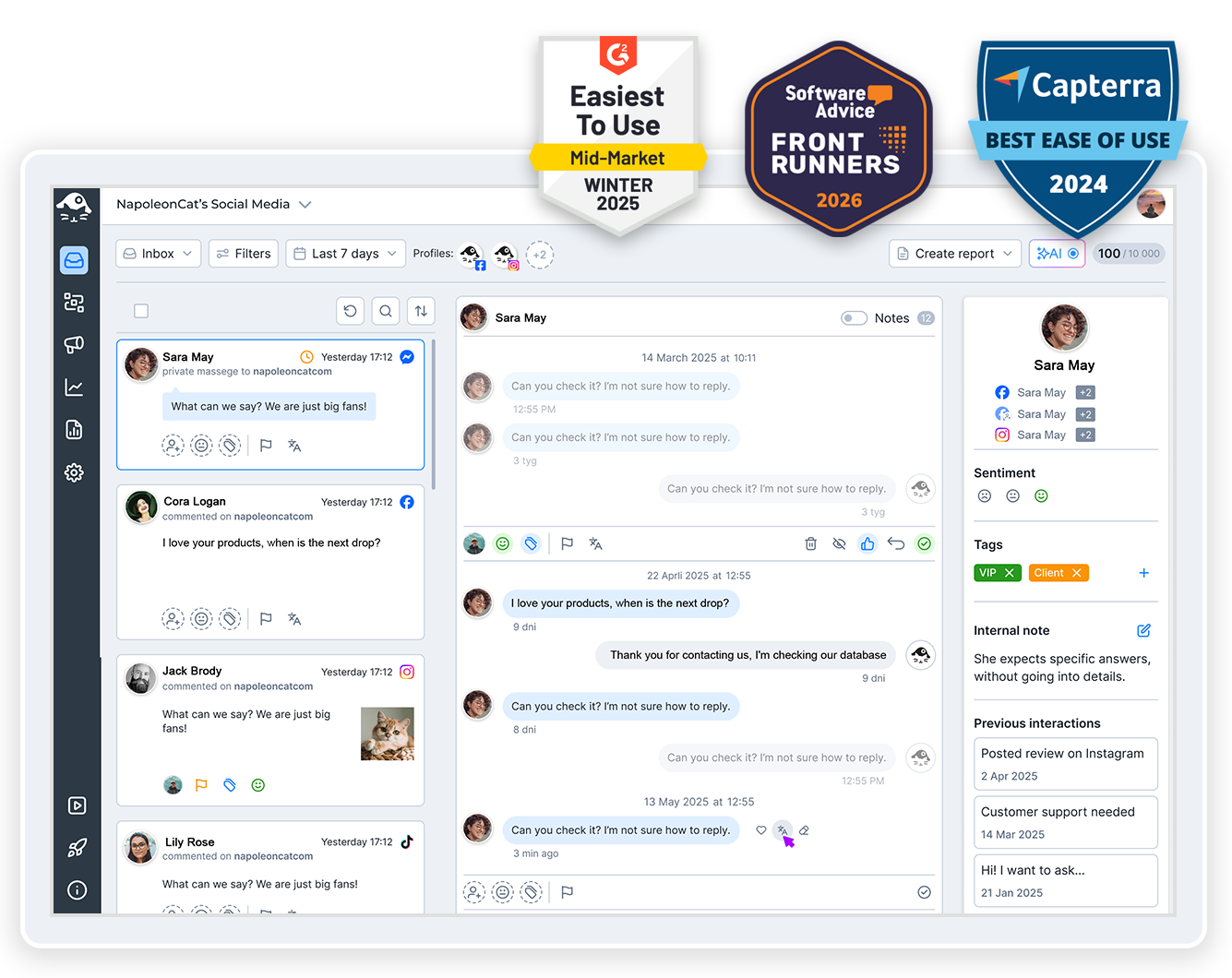
YouTube Studio shows you one channel at a time, which is fine right up until you’re running four. NapoleonCat lets you manage multiple YouTube channels from a single dashboard, with every channel’s comments, moderation, and reporting in one place.
Manage Multiple YouTube Channels – All in One Dashboard
Trusted by:




Supported platforms








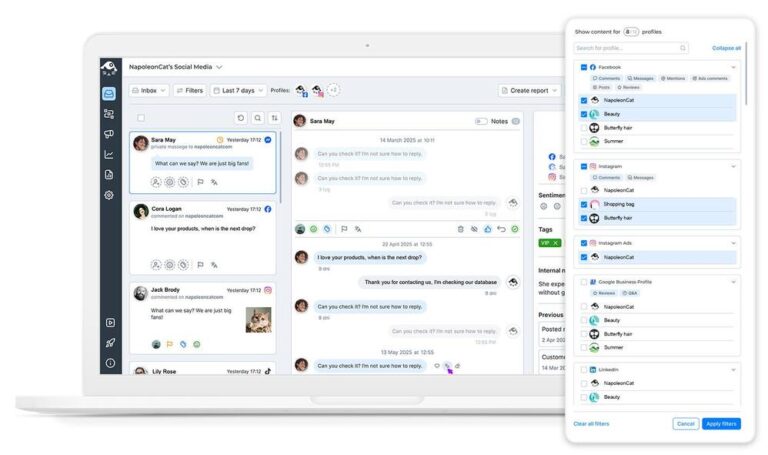
Social inbox: Reply to comments from every channel without switching accounts in Studio
All your channels’ comments arrive in the Social Inbox, in one chronological list alongside your other platforms. Reply, hide, delete, tag, or pass a comment to someone on your team – and never sign out of one channel to go and deal with another.
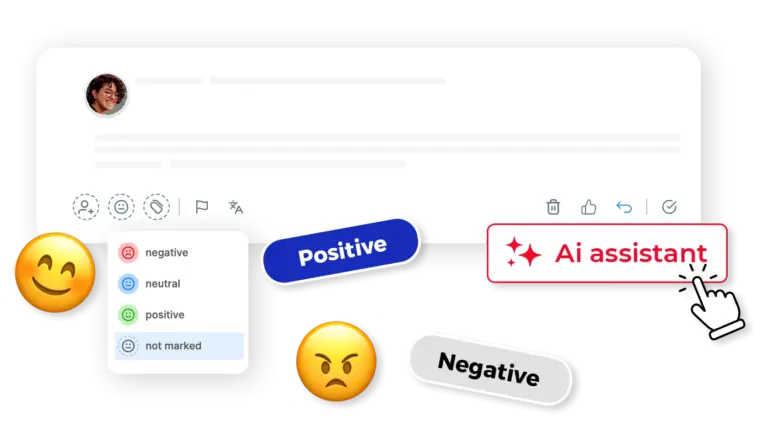
AI assistant: See which comments are spam or hate speech without opening the video
Which of last night’s comments actually need you? Your AI Assistant tags spam, hate speech, and sentiment as they come in, on every channel you’ve connected – so the ones worth your time surface instead of piling up under a video you forgot you posted.
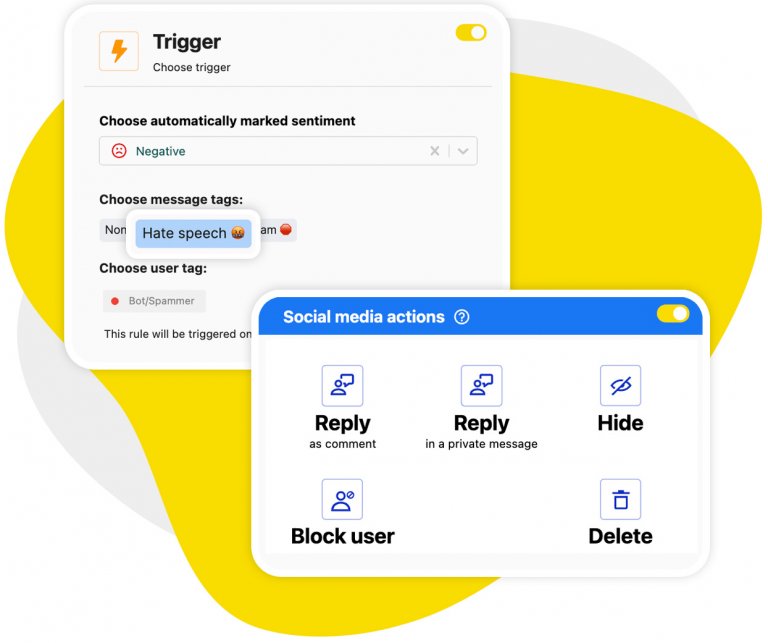
Auto-moderation: Hide or delete spam as it arrives, on your newest video and your oldest alike
Spam doesn’t wait for you to log in. Auto-moderation watches every channel and acts the moment a comment lands, hiding it, deleting it, or replying to it, based on keywords or the AI Assistant’s tags.
It runs on comments as they arrive – so a video you posted three years ago is covered by the same rule as the one you uploaded this morning.
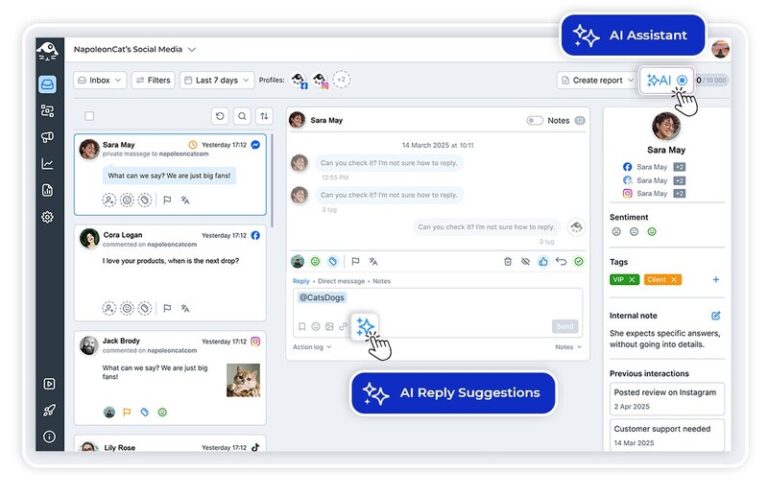
AI reply suggestions: AI writes the first version of your reply, you send it or fix it
Answering the same question for the tenth time this month? AI drafts the reply from your own reply history and whatever brand or FAQ material you give it, so it reads like your channel and not like a template. Read it, change what you like, hit send.
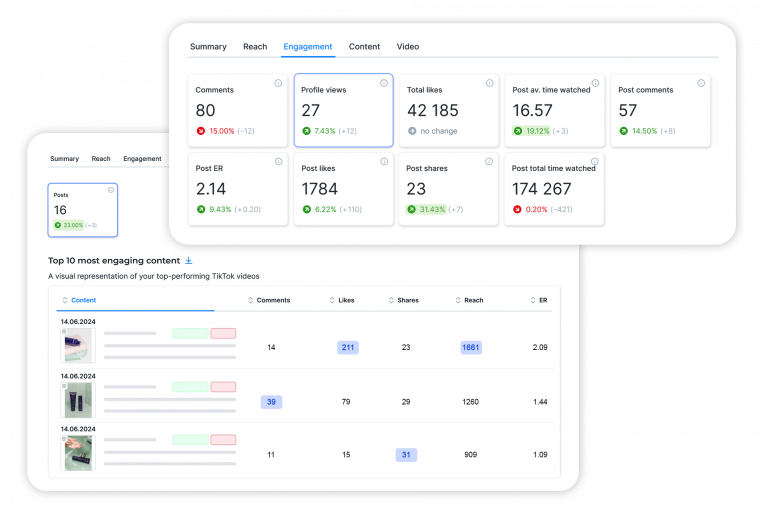
Analytics and reports: Send the person who runs each channel their own numbers, on a schedule
Analytics covers every connected channel, and reports turn the numbers into a PDF that goes out weekly, monthly, or quarterly, straight to whoever runs that channel.
The record starts the day a channel goes in, so the sooner they are all connected, the more you have to compare.
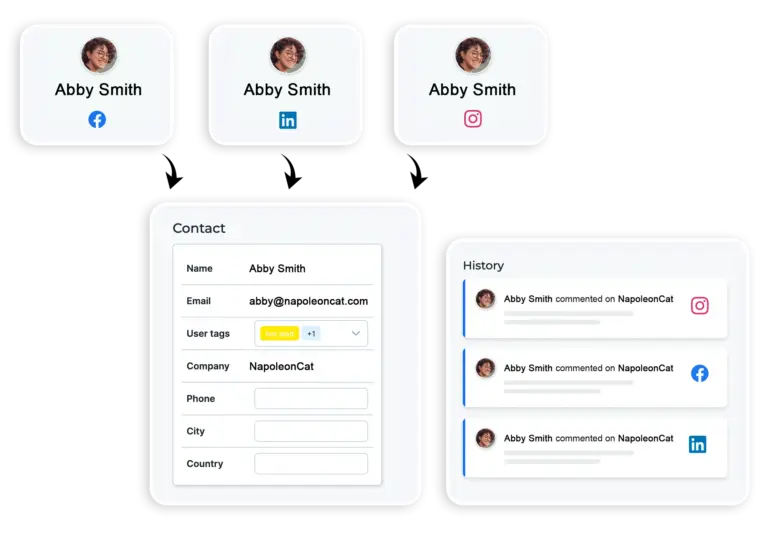
Social CRM: Check who you’re replying to – past comments, replies, and notes in one profile
Open a Social CRM profile before you answer. It holds every previous conversation with that person across your channels and your other platforms, whatever your team noted about them, and the sentiment on the relationship.
Useful when someone has been turning up in your comments for years – on an older channel, plenty of them have.
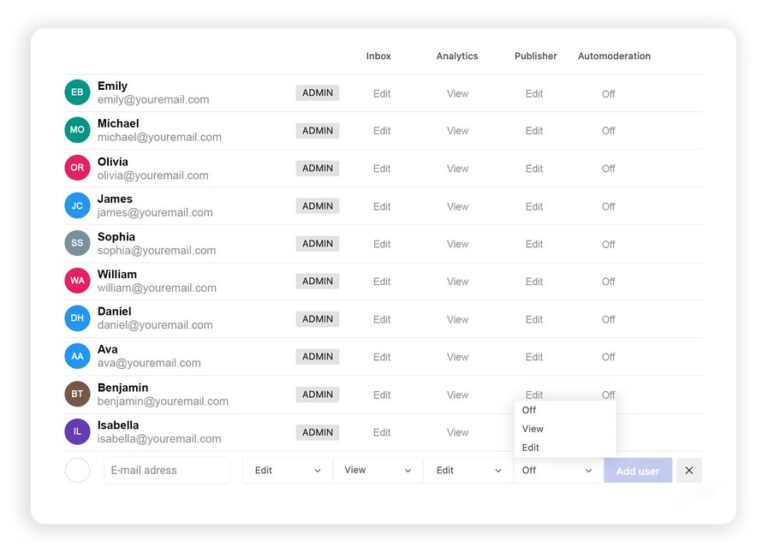
Roles and permissions: Decide who can reply and who can only look
A moderator and a freelance editor don’t need the same access. Grant permissions by person and by module, so a moderator can reply while someone else only reads. And separate Workspaces keep clients and brands from mixing.
Stop running your YouTube channels one at a time




Here’s why our clients love NapoleonCat
Join the teams running all their YouTube channels from one dashboard

NapoleonCat saves up to one-third of a full-time position. That’s time we would otherwise spend manually moderating thousands of comments each month using the Meta Business Suite, profile by profile and comment by comment. Time we can now use for growth. NapoleonCat is the best tool of its kind on the market, and it’s still constantly evolving and improving by introducing new AI features.

It’s hard to imagine our work without a tool that includes so many valuable features. It won’t be an overstatement when I say that NapoleonCat saves us multiple full-time positions that would be dedicated to just moderating comments or manually generating reports.

NapoleonCat gives us the full picture of social media interactions. It’s easier to pick up urgent threads that need taking immediate action. And with conversation history, it’s much easier to continue the work of another team member while they’re out of office.

We work with multiple clients, and with NapoleonCat, we don’t waste time switching between multiple software tools. We can also deliver reliable data from a single source. We tested other social media moderation and analytics tools before, but none of them lived up to what NapoleonCat delivers. They’re the best, and I personally love using the tool. 🙂

NapoleonCat is now an indispensable tool that we use for moderation and analytical purposes, as well as content publishing. We’re curious to see new capabilities of the tool and test its new uses, for example, to moderate TikTok ad comments, as we predict this social media channel to become more and more important for our clients.

It’s the first social media engagement tool we have ever tried that is truly intuitive and that makes it easy for us to include the clients in the process. The service and support is great and personal. And the value for money is great!

We were looking for a tool that would allow us to consolidate and manage comments and private messages from Messenger in one place. Analytics and reports were also very important to us, as they would show us the level of our social media customer service. That’s why, in 2017, we decided to choose NapoleonCat.
How NapoleonCat compares for managing multiple YouTube channels
| Feature | NapoleonCat | Hootsuite | Sprout Social | Agorapulse |
|---|---|---|---|---|
| Every YouTube channel’s comments in one inbox | ✅ Yes | ⚠️ Limited | ⚠️ Limited | ✅ Yes |
| Rule-based auto-moderation | ✅ Advanced (keywords, AI tags, time rules) | ⚠️ Limited rules | ⚠️ Limited filtering | ⚠️ Basic rules |
| Automatic hiding and deleting of comments | ✅ Yes, 24/7 | ⚠️ Limited (rules / add-on) | ❌ No auto-removal | ⚠️ Limited |
| AI spam and hate speech detection | ✅ AI-supported tagging | ⚠️ Limited | ❌ No | ⚠️ Limited |
| Sentiment detection | ✅ AI-supported tagging | ⚠️ Basic | ⚠️ Sentiment labels | ⚠️ Basic |
| AI reply suggestions | ✅ Yes | ✅ Yes | ✅ Yes | ⚠️ Limited |
| Moderation reports (response time, volume per channel) | ✅ Yes | ⚠️ Basic | ✅ Yes | ⚠️ Basic |
| Scheduled PDF reports per channel | ✅ Yes (weekly, monthly, quarterly) | ⚠️ Limited / add-on | ✅ Yes | ⚠️ Basic |
| 1:1 onboarding | ✅ Included | ❌ Enterprise only | ⚠️ Add-on / enterprise | ⚠️ Higher tiers |
| EU-based, GDPR-first hosting | ✅ Yes | ❌ CA-based | ❌ US-based | ✅ EU-based |
FAQs
Can I manage multiple YouTube channels under one account?
Managing multiple YouTube accounts and managing multiple YouTube channels are the same job – channels is simply what YouTube calls them, and Google lets you run several from one Google Account through Brand Accounts, which is how a brand ends up with four. NapoleonCat connects each channel as its own profile and puts all their comments into one inbox, so you stop switching channels in Studio to find out what came in overnight.
Can NapoleonCat schedule YouTube videos?
No. Uploading and scheduling stay in YouTube Studio, and NapoleonCat picks up once a video is live – comments, moderation, analytics, and reports. Scheduling in NapoleonCat covers Facebook, Instagram, LinkedIn, TikTok, X, and Google My Business.
Can spam be removed from my YouTube channels automatically?
Yes. An auto-moderation rule can hide a comment, delete it, or reply to it, triggered by a keyword, a link, or one of the AI Assistant’s spam and hate speech tags. One rule covers a whole channel rather than a single video, and it acts on comments as they arrive – including a comment left today under a video from three years ago. It doesn’t go back over comments that are already sitting there.
How far back does YouTube analytics go?
Roughly 30 days. Google limits what third-party tools can pull from YouTube, and nothing is backfilled when you connect a channel, so your record starts on the day you connect it. Connect the channels you care about now and the history builds from there.
What is the best tool for managing multiple YouTube channels?
Scheduling isn’t the bottleneck on YouTube – the comments are. So the tool worth paying for is the one that puts every channel in one inbox, tags the spam and the hate speech for you, hides or deletes it automatically, and sends a report per channel. NapoleonCat is free for 14 days, no credit card, which is long enough to see how much of that you were doing by hand.
How much does it cost to manage multiple YouTube channels?
Plans start at $89 a month, or $79 a month billed annually, for two users and five profiles – but that Standard plan covers publishing, analytics, and reports only. Reading and answering comments needs Pro ($109, or $89 billed annually), and automatic hiding, deleting, and AI moderation come with Expert ($139, or $119 billed annually). AI Assistant tagging is free up to 100 tickets a month; unlimited tagging is a paid add-on. Every plan starts with a 14-day free trial, no credit card.
Every channel you run, in one dashboard
Free 14-day trial: full access, zero commitment.
No credit card required