
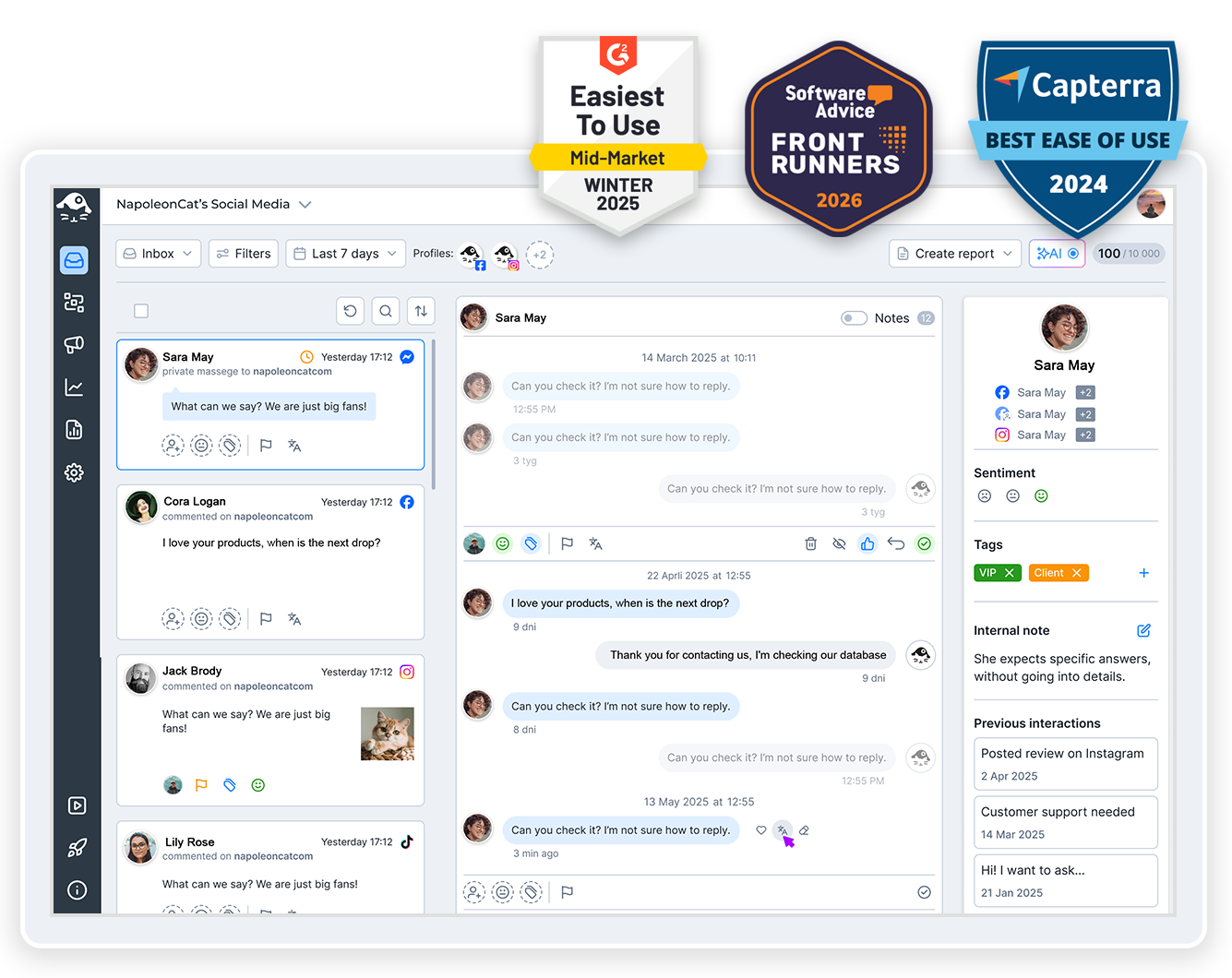
A LinkedIn comment moderation tool that won’t let you miss any comments, even when there’s a heated discussion under your post? It’s here, and it’s called NapoleonCat.
LinkedIn Comment Moderation Tool – For Company Pages
Trusted by:




Supported platforms








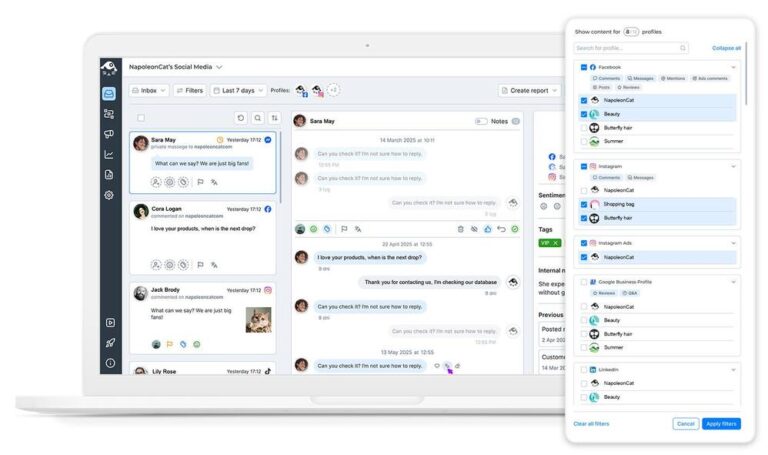
Social inbox: Every LinkedIn comment in one place
Any LinkedIn user will know you sometimes just can’t rely on the native notifications. NapoleonCat’s Social Inbox, on the other hand, will clearly show you all incoming comments in one place, chronologically, across all the LinkedIn company pages you manage. (Yes, at once.)
And you can reply straight from there, or delegate to a team member to moderate.
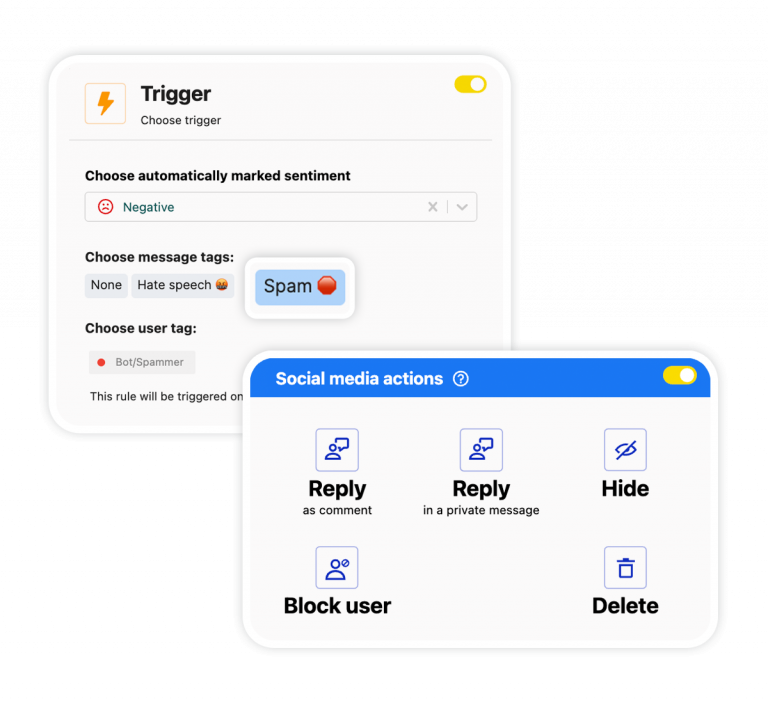
Auto-moderation: Rules that delete spam and answer repetitive LinkedIn comments while your team sleeps
With Auto-moderation, you can automatically clean up spammy and hateful comments and reply to frequently asked questions around the clock. Setting up automated rules is easy, and you’ll count saved time in hours every week.
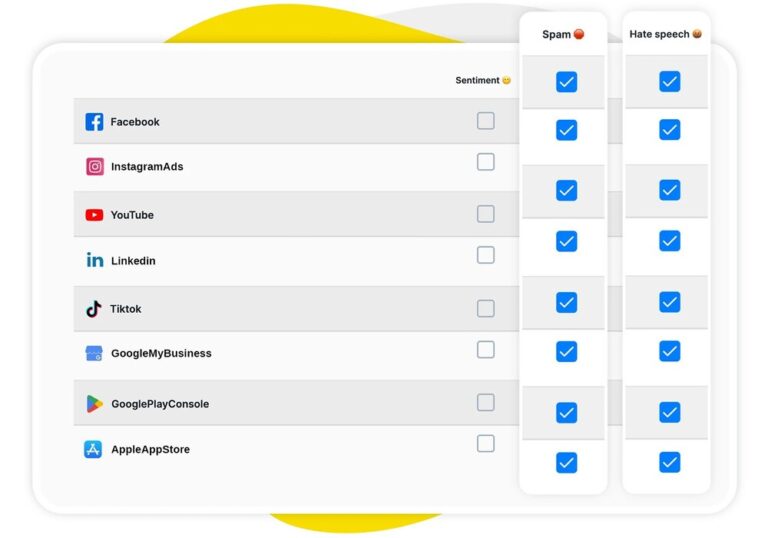
AI assistant: Spots spam, hate speech, and negative sentiment automatically
Every Social Inbox has an AI Assistant that can help you label the comments and messages as they come in.
What’s spam, what’s an important question from a prospect, what needs to be delegated, and what can be discarded (automatically)? It’s clear the moment you look at the dashboard of your social media moderation tool.
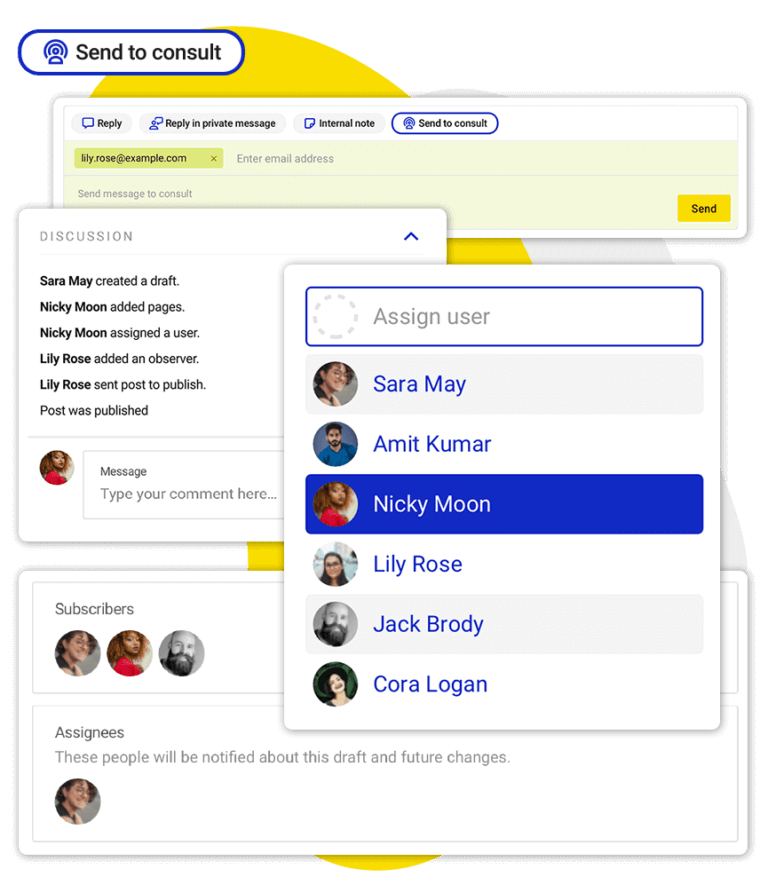
Team collaboration: Assign comments to teammates, leave internal notes, and never double-reply again
The Social Inbox is the only tool your moderation team needs to work efficiently. From there, you can assign tasks, provide feedback, see who’s currently dealing with which comment thread, and what can and should be automated to lessen the workload. (And automating spam removal is always a good idea.)
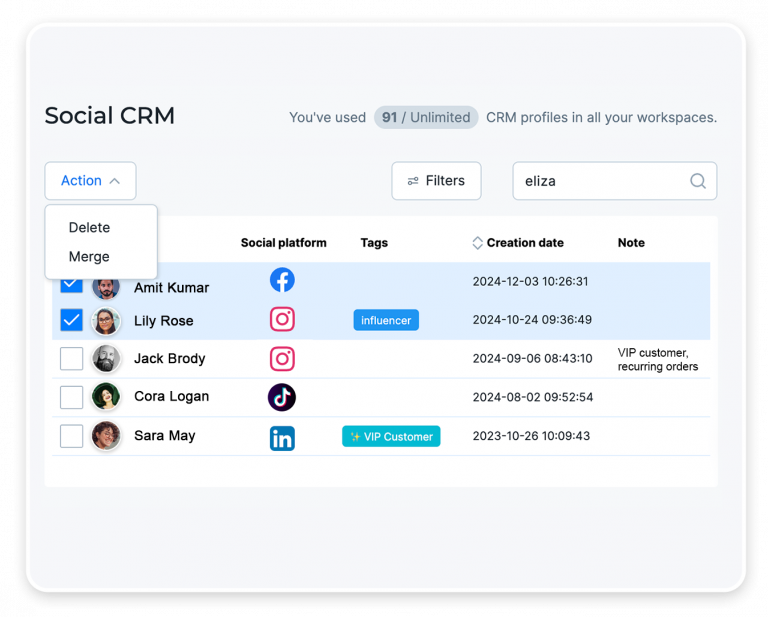
Social CRM: A complete interaction record for every commenter, ideal for nurturing leads and candidates
Whoever is tasked with replying to a customer can check the Social CRM for their full history with your brand on social media, not just LinkedIn, but also Facebook, Instagram, TikTok, and more. And get the full context necessary for a helpful conversation.
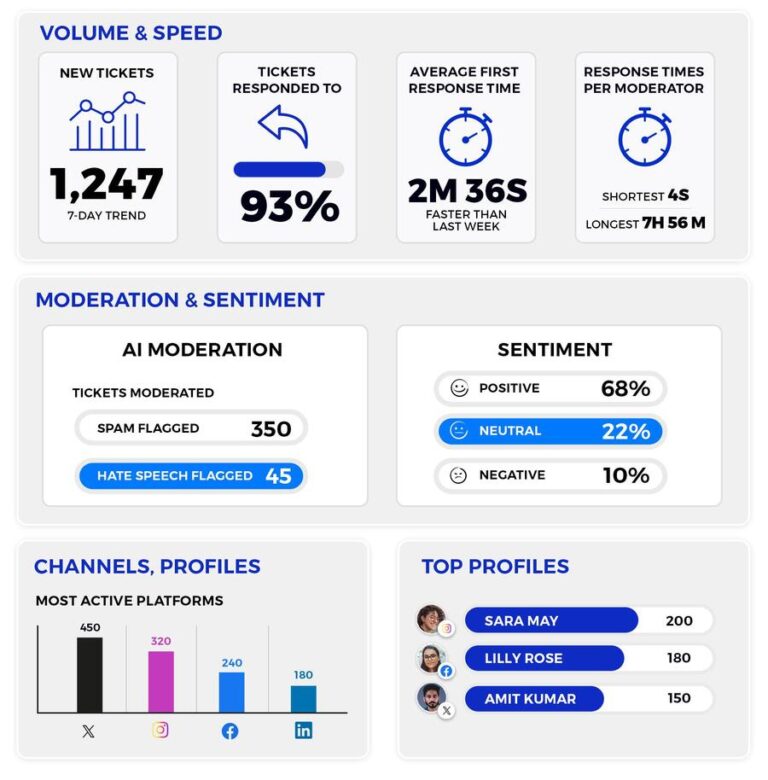
Moderation reports: Document your LinkedIn moderation work in numbers
Monitor the statistics for your moderation efficiency: response times, automation effectiveness, interaction volumes. No guesswork or gut feeling, just numbers and facts.
Spend less time moderating, and more time having conversations




Here’s why our clients love NapoleonCat
Join businesses that save hours every week on LinkedIn comment moderation.

NapoleonCat saves up to one-third of a full-time position. That’s time we would otherwise spend manually moderating thousands of comments each month using the Meta Business Suite, profile by profile and comment by comment. Time we can now use for growth. NapoleonCat is the best tool of its kind on the market, and it’s still constantly evolving and improving by introducing new AI features.

It’s hard to imagine our work without a tool that includes so many valuable features. It won’t be an overstatement when I say that NapoleonCat saves us multiple full-time positions that would be dedicated to just moderating comments or manually generating reports.

NapoleonCat gives us the full picture of social media interactions. It’s easier to pick up urgent threads that need taking immediate action. And with conversation history, it’s much easier to continue the work of another team member while they’re out of office.

We work with multiple clients, and with NapoleonCat, we don’t waste time switching between multiple software tools. We can also deliver reliable data from a single source. We tested other social media moderation and analytics tools before, but none of them lived up to what NapoleonCat delivers. They’re the best, and I personally love using the tool. 🙂

NapoleonCat is now an indispensable tool that we use for moderation and analytical purposes, as well as content publishing. We’re curious to see new capabilities of the tool and test its new uses, for example, to moderate TikTok ad comments, as we predict this social media channel to become more and more important for our clients.

It’s the first social media engagement tool we have ever tried that is truly intuitive and that makes it easy for us to include the clients in the process. The service and support is great and personal. And the value for money is great!

We were looking for a tool that would allow us to consolidate and manage comments and private messages from Messenger in one place. Analytics and reports were also very important to us, as they would show us the level of our social media customer service. That’s why, in 2017, we decided to choose NapoleonCat.
See how NapoleonCat compares to its alternatives:
| Feature | NapoleonCat | Hootsuite | Sprout Social | Agorapulse |
|---|---|---|---|---|
| Rule-based Auto-moderation | ✅ Unlimited, combinable rules | ⚠️ Limited rules | ⚠️ Limited filtering | ⚠️ 1 rule per profile |
| Keyword rules you define yourself | ✅ Unlimited, combinable with AI | ⚠️ Limited | ⚠️ Limited | ⚠️ 1 trigger per rule |
| AI spam & hate speech detection | ✅ Pre-trained, works out of the box | ⚠️ Via third-party add-on | ⚠️ Labels only | ⚠️ Limited |
| AI-triggered auto-removal | ✅ AI tag triggers delete | ⚠️ Rules or add-on only | ❌ No auto-removal | ⚠️ Limited |
| Automated replies to comments | ✅ Multiple rotating versions | ⚠️ Limited | ⚠️ Limited | ⚠️ Saved replies, higher plans |
| Sentiment tagging | ✅ AI-supported | ⚠️ Basic | ⚠️ Sentiment labels | ⚠️ Display only, higher plans |
| AI reply suggestions | ✅ Yes (AI Reply) | ✅ Yes | ✅ Yes | ⚠️ Custom plan only |
| Auto-assignment to team members | ✅ Rule-based | ✅ Yes | ✅ Yes | ✅ Yes |
| Commenter history across channels | ✅ Social CRM profiles | ⚠️ Basic | ⚠️ Basic | ⚠️ Basic |
| Moderation reports | ✅ Yes | ⚠️ Basic | ✅ Yes | ⚠️ Basic |
| 1:1 onboarding | ✅ Included | ❌ Enterprise only | ⚠️ Add-on / enterprise | ⚠️ Higher tiers |
| EU-based, GDPR-first hosting | ✅ Yes | ❌ CA-based | ❌ US-based | ✅ EU-based |
| Pricing model | ✅ Per account, from $79/mo | ❌ Per user, from $99/user/mo | ❌ Per seat, from $79/seat/mo | ❌ Per user, from $79/user/mo |
FAQs
Is there a tool for moderating LinkedIn comments?
Yes. NapoleonCat collects the comments from every LinkedIn company page you manage into one inbox, alongside your other social channels, and lets you moderate them from there: reply, delete, assign to a teammate, or leave an internal note. Auto-moderation handles the repetitive part for you.
Can you automatically delete comments on LinkedIn?
Yes, with a moderation tool. LinkedIn itself only lets you delete comments one at a time, by hand. In NapoleonCat you set Auto-moderation rules that delete or hide a comment as soon as it is posted, based on your own keywords, on AI-detected spam and hate, or on both together.
Who can delete a comment on a LinkedIn post?
The author of the comment can delete their own, and the owner of the post or page can remove comments from it. What LinkedIn does not give you is a way to apply that consistently at scale, which is exactly the gap a moderation tool fills.
How do you stop someone from commenting on your LinkedIn company page?
You can restrict an individual on LinkedIn itself, but it is a manual, one-by-one job. Auto-moderation lets you handle repeat offenders by rule instead: their comments get hidden or deleted automatically the moment they appear, so nobody on your team has to notice them first.
Does NapoleonCat work with personal LinkedIn profiles?
No. NapoleonCat supports LinkedIn company pages. You can connect as many of them as you manage and moderate them all from one inbox, next to your Facebook, Instagram, TikTok, YouTube, and Google Business Profile channels.
What does LinkedIn comment management involve for a company page?
Getting the comments off the notification bell and into a queue somebody owns. That means every company page you manage feeding one inbox in chronological order, spam and hate cleared by rule before your audience or your candidates see them, an automated reply for the question that comes up under every post, and each remaining comment assigned to a person so nothing gets answered twice or not at all.
Can I automate replies to repetitive LinkedIn comments?
Yes. If the same question keeps coming up under your posts, set an automated reply for it and add several versions so your responses do not read as canned. For the comments that deserve a personal answer, AI Reply drafts one in your tone of voice and your team approves it before it goes out.
Moderate every LinkedIn comment without the manual work
Free 14-day trial: full access, zero commitment.
No credit card required