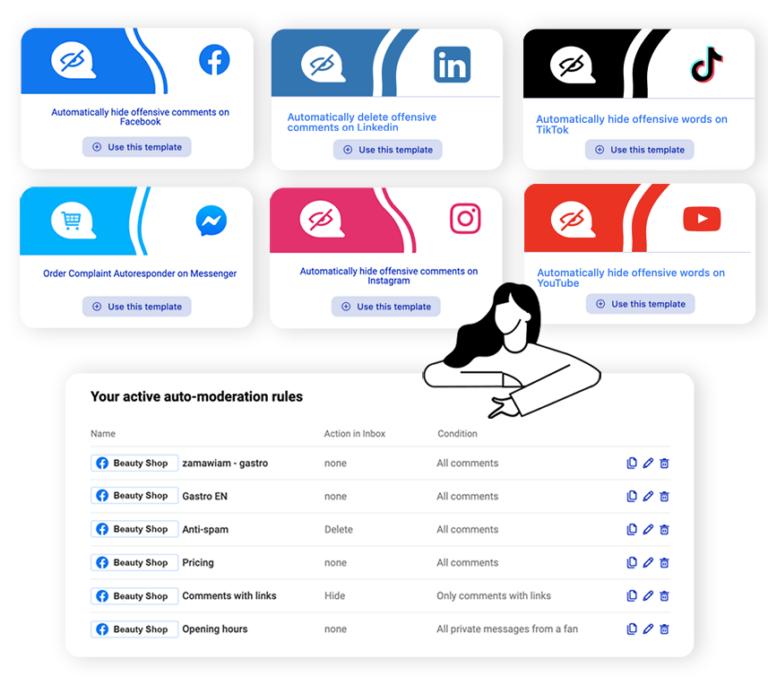
Auto-Moderation:
Save time, protect your brand, boost sales!

Moderate messages and comments from posts and ads automatically and on multiple profiles simultaneously.

Supported platforms:

Start free trial

No credit card required

Social inbox badges 2026

Time and efficiency matter:

  • Save time: Auto-moderation will save you an average of 8 hours a week. Use ready-made templates or create your own rules.
  • Build relationships: Quick responses increase customer satisfaction.
  • Protect your brand: Automatically hide spam and unwanted content.
  • Increase sales: Don’t miss the chance to interact with potential customers.
CLIENTS

Customers 💛 NapoleonCat

Grandtv
Displate
Bio news
Redline Steel
OLX
tylko
New Balance
Social Inbox Auto-Moderation

Is it worth it?

  • Respond to popular questions: Predefined triggers automatically answer questions about shipping and opening hours.
  • Reach customers with your offer easily: No more sending customers to the link in the Bio. Automatically send links, offers, and materials to people responding to specific keywords.
  • Crisis Management: Activate the first line of defense when a negative post about your brand gains traction.
  • Help during holidays and weekends: Prepare responses outside working hours. Give your team a well-deserved rest.
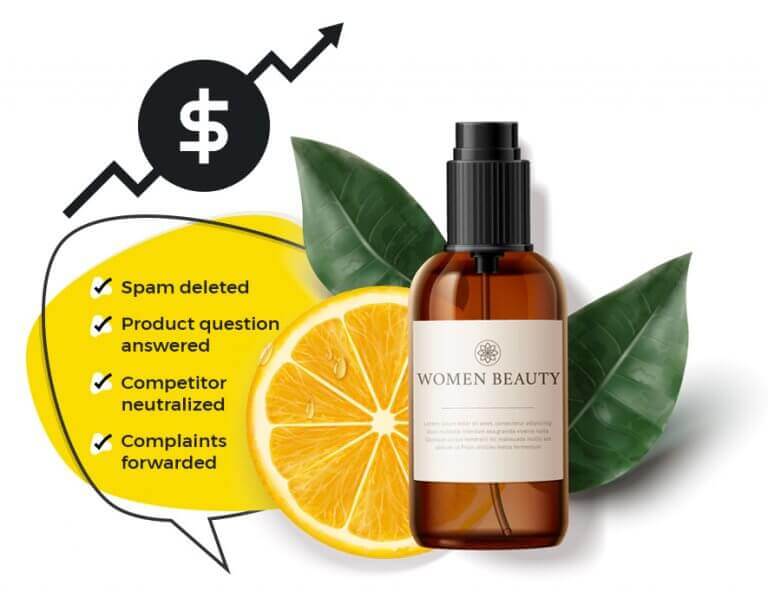
get rid of spam

Key Features

  • Quick and effective responses: Automatic replies, hiding unwanted content, and blocking users allow for instant interaction management and community protection.
  • Flexibility and personalization: Choose from ready-made rule templates or create your own responses to reflect your brand’s unique needs.
  • Time management and consistency: Set rule schedules and manage multiple social media profiles in one place, saving time and increasing efficiency.
  • Security: Get transparent reports on moderation actions and full control over your automation.
featured image

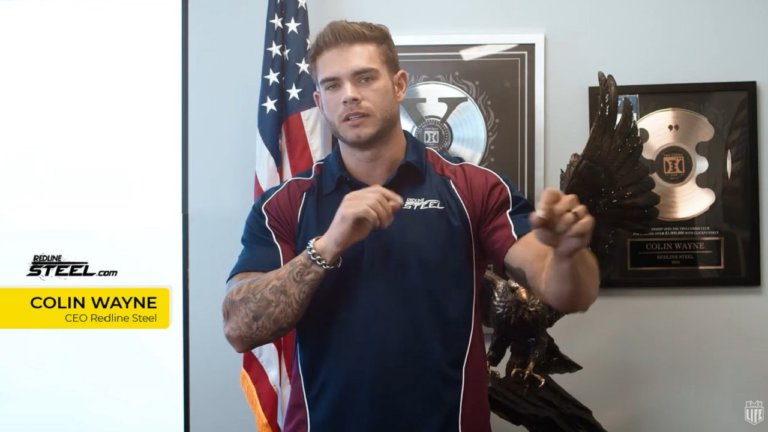
Colin Wayne, founder and CEO of Redline Steel

“We have enjoyed using NapoleonCat the past few years, especially the automation feature. With over a billion ad impressions, we can easily keep up with the comments, filter them, or auto-assign to management staff based on specified triggers.”

4.8/5
4.7/5
4.8/5
4.7/5

Get more tools with one subscription

Talk to your customers on Messenger from Facebook

  • Get real-time updates on all your conversations in one Social Inbox.
  • Organize conversations in threads without getting a separate ticket every time a customer hits “Send”.
  • Get a chronological view to make sure you always see the latest messages on top of your feed.
  • Use the built-in translator to reply to customers in multiple languages

Keep all your social media interactions in one place

With NapoleonCat’s Social Inbox, you can:

  • track and respond to interactions on all your social media profiles
  • delegate threads to team members
  • automate responses
  • and more

And in case you were wondering…

What is automatic moderation and how does it work?

It is an automatic response that activates based on previously defined events, conditions, and keywords. For example, an Auto-Moderation rule can automatically respond to all questions about shipping or hide all comments with links (to protect you and your community from spam, viruses, or attempts by competitors to exploit your paid reach).

How can automatic moderation improve my brand’s reputation?

Automatic moderation helps maintain a positive brand image by automatically hiding or removing harmful comments, protecting you from negative interactions.

What are the benefits of using NapoleonCat’s automatic moderation feature?

Key benefits include saving time, reducing the risk of missing important comments, improving customer engagement, and increasing efficiency in managing social media interactions.

Can I customize automatic moderation rules to my needs?

Yes, NapoleonCat allows you to create custom automatic moderation rules tailored to the specific needs of your business.

How does automatic moderation help increase sales?

By automating responses to frequently asked questions before purchase, you can convert inquiries into sales opportunities faster, preventing the loss of potential customers.

Is using automatic moderation safe for my social media accounts?

Yes! NapoleonCat’s automatic moderation complies with strict data protection regulations and ensures the security of your brand’s online presence.

How does automatic moderation differ from traditional moderation methods?

Unlike traditional moderation, which requires constant monitoring, automatic moderation works in real-time, allowing for immediate action on comments without manual oversight.

What is the difference between Auto-Moderation and a chatbot?

Primarily, chatbots only operate on messaging platforms, and their implementation is usually complicated (and expensive). Auto-moderation can be applied to private messages, comments, mentions, and reviews–making it much more versatile. It is also very easy to use–creating an Auto-moderation rule takes just a few minutes. No coding skills are required.

Can I see comments that have been hidden or removed by automatic moderation?

Yes, NapoleonCat provides a log of all actions taken by the automatic moderation feature, allowing for the review of hidden or removed comments for greater transparency and analysis.

For which social media platforms can I use Auto-moderation?

Auto-moderation works with the following social media platforms:

  • Facebook (organic posts and ads)
  • Instagram (organic posts and ads, private messages)
  • Messenger (private messages)
  • TikTok (organic posts and ads)
  • LinkedIn (organic posts)
  • YouTube (all video comments)
What can I use Auto-moderation for?

The main purpose of Auto-moderation is to automatically trigger the following actions:

  • Responding to recurring questions from followers and customers about prices or shipping.
  • Hiding inappropriate comments containing spam or hate speech.
  • Removing inappropriate comments containing spam or hate speech.
  • Forwarding urgent messages from customers to customer service team members.
  • Auto-replying in private messages to comments with pricing information, shipping details, or complaint details.
What are the main benefits of Auto-moderation?

Auto-moderation helps:

  • Convert comments into sales.
  • Sell more through Facebook and Instagram ads.
  • Shorten response times on social media.
  • Reduce the risk of missing a comment or private message from a customer.
  • Save time for social media managers.
  • Quickly respond to urgent messages from customers.
  • Protect brand reputation on Facebook and Instagram across organic posts, private messages, and ads.
What best practices should be followed in Auto-moderation?

To make automated responses feel more “human,” you can personalize and diversify them. You can create several versions of an automated response within one rule–one will be randomly selected upon publication. You can create up to 20 such versions. You can also add tagging for the person or brand you are responding to.

Is there a limit on the number of Auto-moderation rules?

There is no limit on the number of Auto-moderation rules you can create in your account.

Can I apply Auto-moderation to ads on social media?

Yes, you can use it for ads on Facebook, Instagram and TikTok.

Is there a limit on keywords I can assign to an Auto-moderation rule?

There is no such limit.

Can Auto-moderation operate only during specific hours or days?

Yes, you can schedule rules to operate only during specific hours or days of the week; however, we recommend allowing them to work 24/7.

How will I know that an Auto-moderation rule has worked?

If you wish, you can receive automatic notifications in your email inbox each time it activates.

How do Auto-moderation templates work?

Yes. To shorten rule creation time, we have created three templates:

  1. Automatic hiding of profanity on Facebook
  2. Automatic hiding of profanity on Instagram
  3. Automatic response to customer complaints

Each template is based on real experiences from our clients but can always be customized to meet your needs.

Can I use Auto-moderation to completely disable comments?

For various reasons, you may want to disable comments on your profile. You can do this using NapoleonCat; however, we encourage you to engage with conversations within your community instead of deleting comments. This way, you build reputation and trust in your brand–which yields the best results for your business. One “secret” way to use Auto-moderation is by automatically deleting all comments as a (more discreet) alternative to completely disabling comments. You just need to create a rule that deletes comments without entering any keywords. This way, all incoming comments will be automatically deleted.

How do I create my first Auto-moderation rule?

Creating Auto-moderation rules is very simple and does not require coding skills. You can easily set up automatic moderation by signing up for a free trial to gain access to all features and start customizing moderation rules immediately. When you create an account with NapoleonCat and connect social media profiles, select the Auto-moderation icon from the vertical menu on the left side. You can watch this video to see how to create an Auto-moderation rule in NapoleonCat. This translation captures all key aspects discussed in the original Polish text regarding auto-moderation features.

Show more