
A YouTube automation tool should cover your whole channel, not just whatever you uploaded today. NapoleonCat works on the back catalogue too – including the video that’s been quietly collecting comments since 2021.
YouTube Automation Tool – Runs on Every Video, Old and New
Trusted by:




Supported platforms








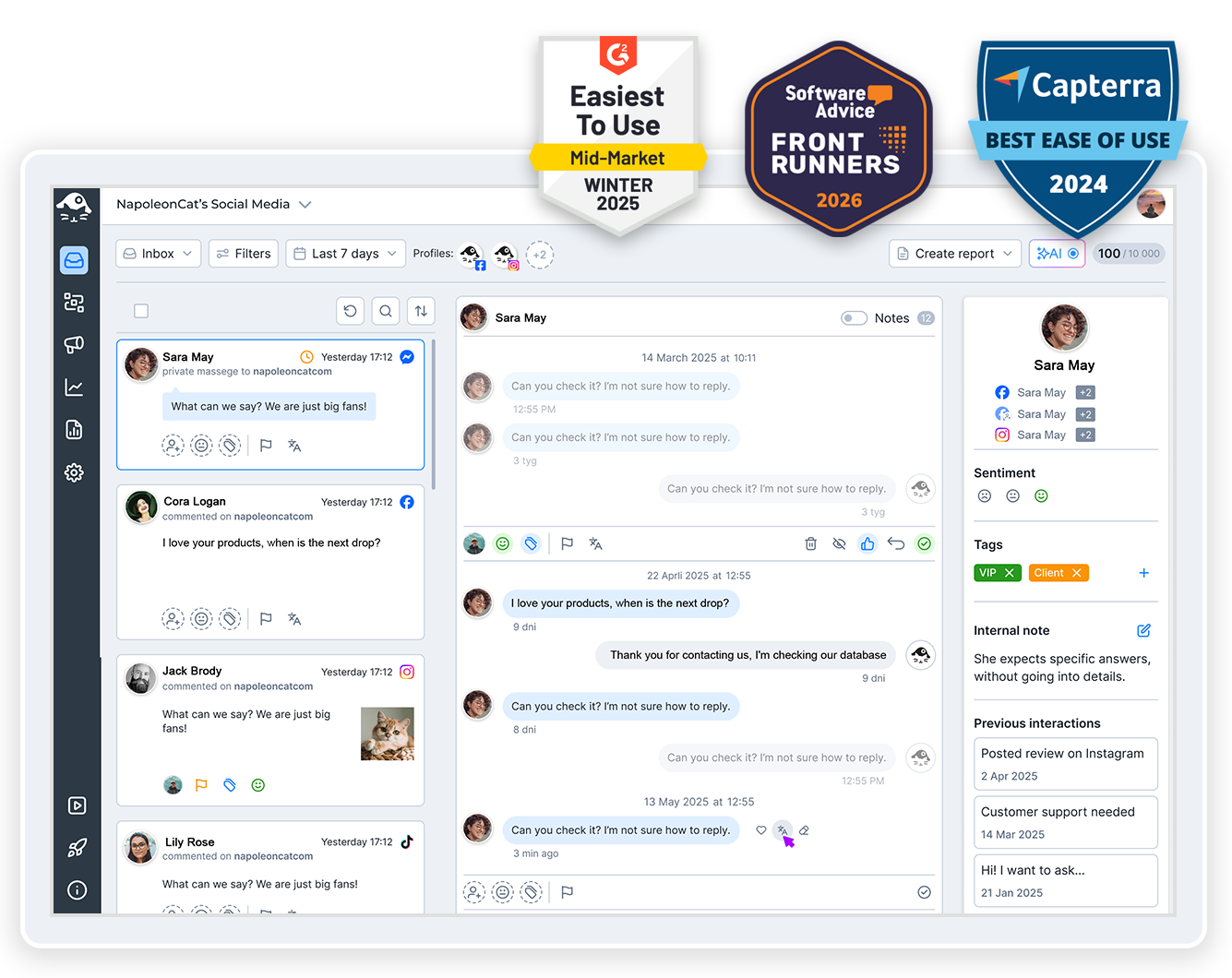
Social inbox: Every comment from every video in one list, not one channel at a time in Studio
Ever tried keeping on top of comments in YouTube Studio? It shows you one channel at a time, and one video at a time after that.
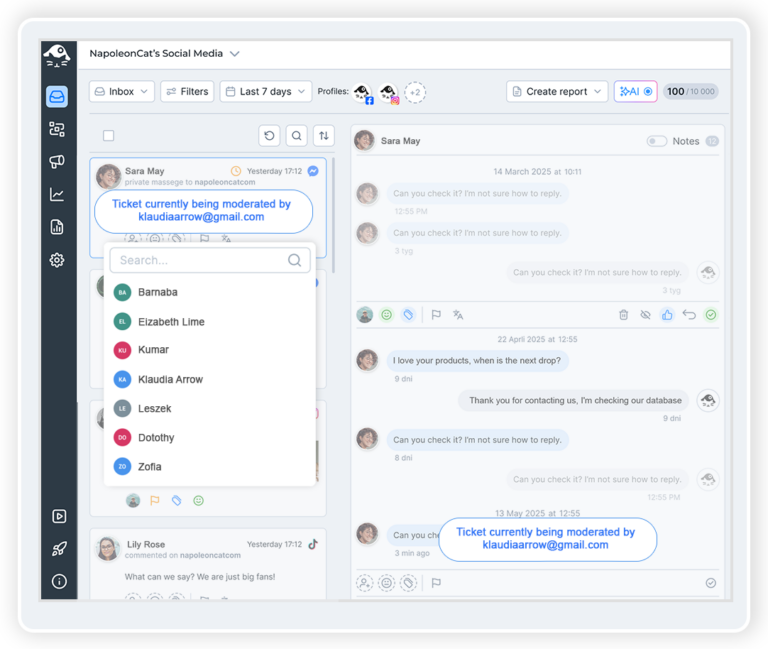
The Social Inbox lines them all up instead – this morning’s upload next to the tutorial from three years ago – in one chronological list. Reply, hide, delete, tag, or hand one to a teammate. You don’t have to open YouTube to do any of it.
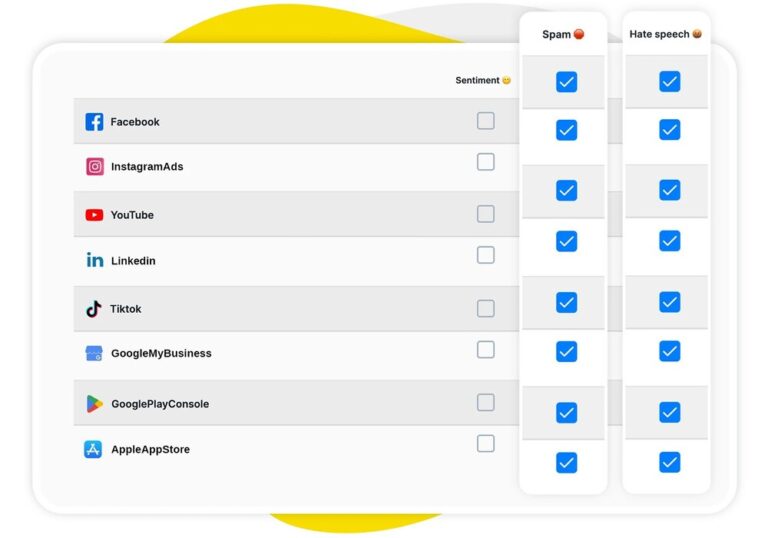
AI assistant: Every new comment arrives already tagged as spam, hate or sentiment
Nobody’s going to read four hundred videos’ worth of comments – that’s just not happening. Your AI Assistant does the first pass for you, tagging spam, hate speech and sentiment the moment a comment lands.
So when you do open the inbox, you can already see what needs a person, what needs nothing, and what can go straight to the bin.
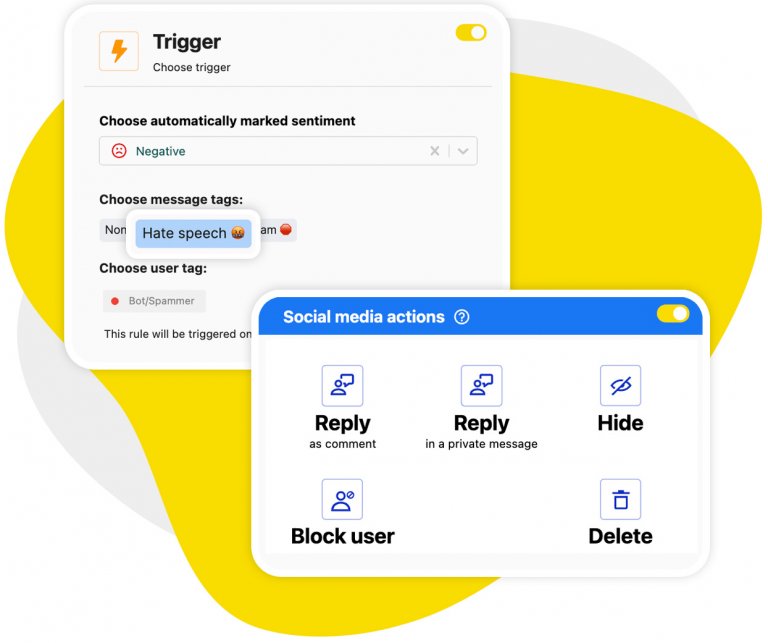
Auto-moderation: Spam deleted and common questions answered, on their own, 24/7
Auto-moderation does two jobs here, and neither one needs you in the room. It deletes the crypto pitches and the fake giveaway replies as they land, on every video you’ve ever published.
And it answers the question people actually keep asking – with multiple reply versions rotated at random, so the same sentence isn’t sitting under a dozen videos. Set the rules once. They’ll cover this morning’s upload and the one from 2021 the same way, on every new comment that turns up under either.
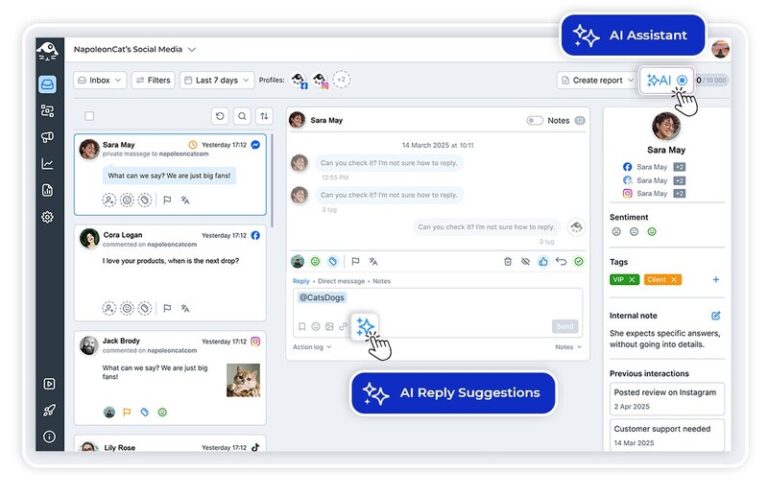
AI reply suggestions: A written answer waiting for your approval, not a blank box
Some comments really do need you. For those, AI writes the first version – it learns from your own reply history and whatever brand and help content you feed it – and then it waits.
You read it, change what you don’t like, and hit send. Nothing reads auto-generated, and nobody’s staring at an empty reply box at 9 PM.
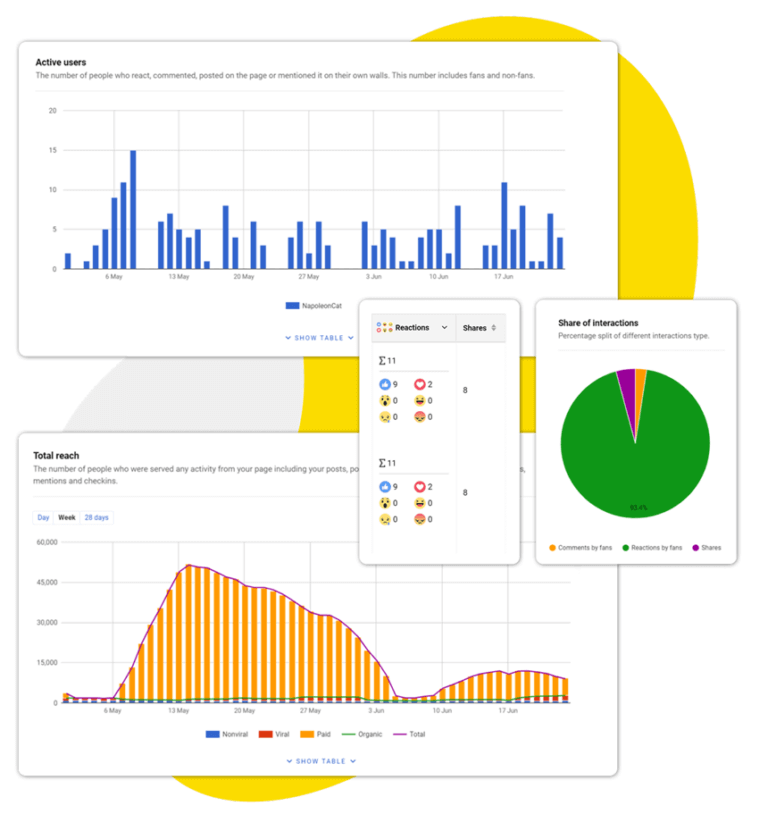
Automated reports: Your performance, your competitors’ and your moderation activity, emailed on a schedule
Three things you can stop building by hand. Your own channel’s numbers. A competitor’s channel, once you follow it in NapoleonCat (you’ll need your own YouTube account connected first).
And your moderation report – it covers everything you moderate, YouTube included – showing what the rules took care of and how fast your team handled the rest. Performance reports go out on whatever schedule suits the people who keep asking for them, and the moderation report is ready to download whenever you need it.
Let the old videos look after themselves




Here’s why our clients love NapoleonCat
Join teams whose YouTube comment sections run themselves, on videos old and new.

NapoleonCat saves up to one-third of a full-time position. That’s time we would otherwise spend manually moderating thousands of comments each month using the Meta Business Suite, profile by profile and comment by comment. Time we can now use for growth. NapoleonCat is the best tool of its kind on the market, and it’s still constantly evolving and improving by introducing new AI features.

It’s hard to imagine our work without a tool that includes so many valuable features. It won’t be an overstatement when I say that NapoleonCat saves us multiple full-time positions that would be dedicated to just moderating comments or manually generating reports.

NapoleonCat gives us the full picture of social media interactions. It’s easier to pick up urgent threads that need taking immediate action. And with conversation history, it’s much easier to continue the work of another team member while they’re out of office.

We work with multiple clients, and with NapoleonCat, we don’t waste time switching between multiple software tools. We can also deliver reliable data from a single source. We tested other social media moderation and analytics tools before, but none of them lived up to what NapoleonCat delivers. They’re the best, and I personally love using the tool. 🙂

NapoleonCat is now an indispensable tool that we use for moderation and analytical purposes, as well as content publishing. We’re curious to see new capabilities of the tool and test its new uses, for example, to moderate TikTok ad comments, as we predict this social media channel to become more and more important for our clients.

It’s the first social media engagement tool we have ever tried that is truly intuitive and that makes it easy for us to include the clients in the process. The service and support is great and personal. And the value for money is great!

We were looking for a tool that would allow us to consolidate and manage comments and private messages from Messenger in one place. Analytics and reports were also very important to us, as they would show us the level of our social media customer service. That’s why, in 2017, we decided to choose NapoleonCat.
How NapoleonCat compares for YouTube automation
| Feature | NapoleonCat | Hootsuite | Sprout Social | Agorapulse |
|---|---|---|---|---|
| Rule-based Auto-Moderation | ✅ Advanced (keywords, sentiment, time rules) | ⚠️ Limited rules | ⚠️ Limited filtering | ⚠️ Basic rules |
| AI spam & hate removal | ✅ AI-based auto-removal | ⚠️ Limited (rules / add-on) | ❌ No auto-removal | ⚠️ Limited |
| Automated replies to comments | ✅ Yes, with rotating reply versions | ⚠️ Limited | ❌ No | ⚠️ Limited |
| Sentiment detection | ✅ AI-supported tagging | ⚠️ Basic | ⚠️ Sentiment labels | ⚠️ Basic |
| AI reply suggestions | ✅ Yes (AI Reply) | ✅ Yes | ✅ Yes | ⚠️ Limited |
| Unified inbox (organic + ad comments) | ✅ Yes | ⚠️ Limited | ⚠️ Limited | ✅ Yes |
| Auto-assignment to team members | ✅ Yes (rule-based) | ✅ Yes | ✅ Yes | ✅ Yes |
| Moderation reports (response time, volume) | ✅ Yes | ⚠️ Basic | ✅ Yes | ⚠️ Basic |
| Automated scheduled reports | ✅ Yes (weekly/monthly/quarterly) | ⚠️ Limited / add-on | ✅ Yes | ⚠️ Basic |
| Competitor channel analytics | ✅ Yes (followed profiles) | ⚠️ Limited | ✅ Yes (listening) | ✅ Yes |
| 1:1 onboarding | ✅ Included | ❌ Enterprise only | ⚠️ Add-on / enterprise | ⚠️ Higher tiers |
| EU-based, GDPR-first hosting | ✅ Yes | ❌ CA-based | ❌ US-based | ✅ EU-based |
FAQs
Is this the kind of YouTube automation that makes videos for you?
No, and it is worth saying plainly, because “YouTube automation” is used for two different things. It often means building faceless channels with AI video tools. NapoleonCat is the other kind: it automates what happens in your comment section after a video is live. It does not generate, edit or upload video, and it does not publish to YouTube.
How do you automate comments on YouTube?
You build Auto-moderation rules and switch them on. A rule watches for whatever you tell it to – a keyword, a link, a phrase, or a tag the AI Assistant has already applied – and then acts: deletes the comment, hides it, replies to it, or passes it to a person. The rules run 24/7 across every channel you have connected, so nobody has to be at a desk for them to work.
Can NapoleonCat auto-reply to YouTube comments?
Yes. Auto-moderation can post a reply to the questions that keep coming up, and you can give it several versions of the same answer so it rotates them at random instead of pasting one sentence under every video. For anything that needs a human, AI reply suggestions draft an answer from your own reply history and you approve it before it sends.
Does it work on videos I published years ago?
Yes, with one thing worth understanding. Your rules apply to your whole channel, not just recent uploads, so a comment left today under a video from 2021 is handled exactly like one left under this morning’s upload. What automation does not do is go back and clear comments that were already sitting there before you switched the rule on – it acts on what arrives from that moment forward.
Can I track a competitor’s YouTube channel too?
Yes. You can follow YouTube channels you do not own and include them in your scheduled reports, so your numbers and theirs arrive in the same place on the same day. You need your own YouTube channel connected as a managed profile first, and a followed channel returns less detail than one you manage.
Which plan do I need for this, and what does it cost?
Automation sits on the Expert plan – that is where automatic moderation for common questions, automatic comment hiding and deletion, and automatic sentiment analysis live. Standard covers publishing, analytics and reporting but has no Social Inbox; Pro adds the Inbox and AI reply suggestions but you moderate by hand. Every plan starts with a 14-day free trial, no credit card required, so you can build a rule and watch it fire before you pay for anything.
Put your YouTube comments on autopilot
Free 14-day trial: full access, zero commitment.
No credit card required