
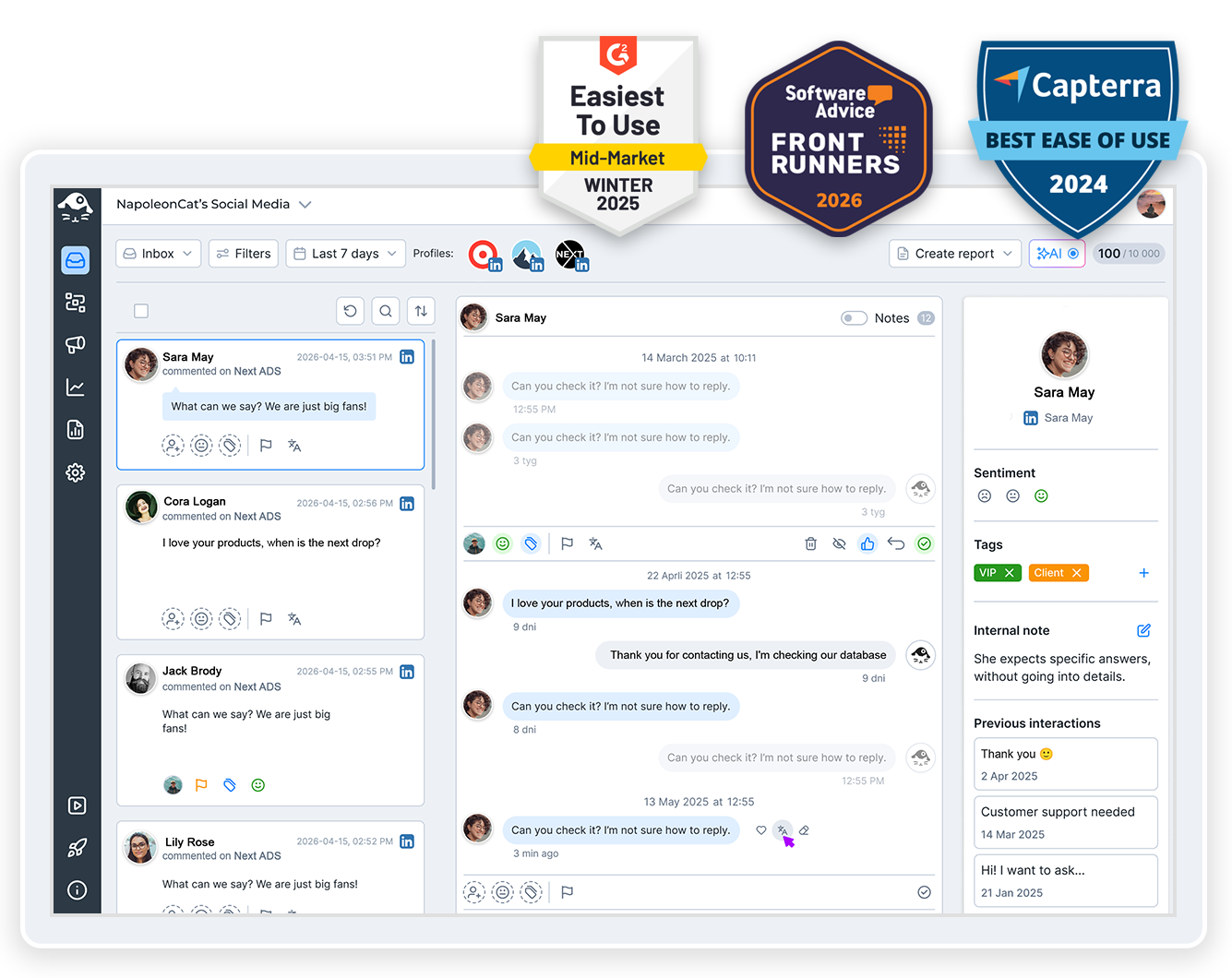
Five Company Pages shouldn’t mean five tabs and five logins. Manage multiple LinkedIn accounts from one tool instead – the comments, the scheduling and the numbers for every Page, all in the same place.
Manage Multiple LinkedIn Accounts – Every Page in One Tool
Trusted by:




Supported platforms








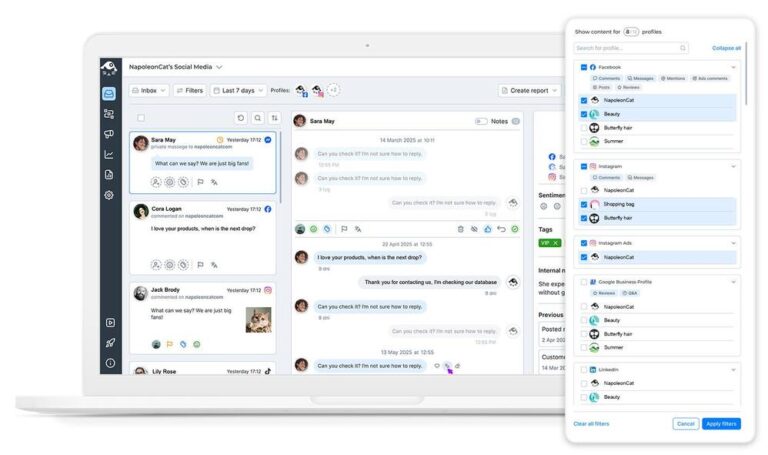
Social inbox: Every comment from every LinkedIn Company Page in one inbox
No matter how many Company Pages you run, every comment on them lands in the same place – the Social Inbox, right next to your other social channels. Reply, like, tag the person, leave a note for whoever picks it up next. All without opening LinkedIn once.
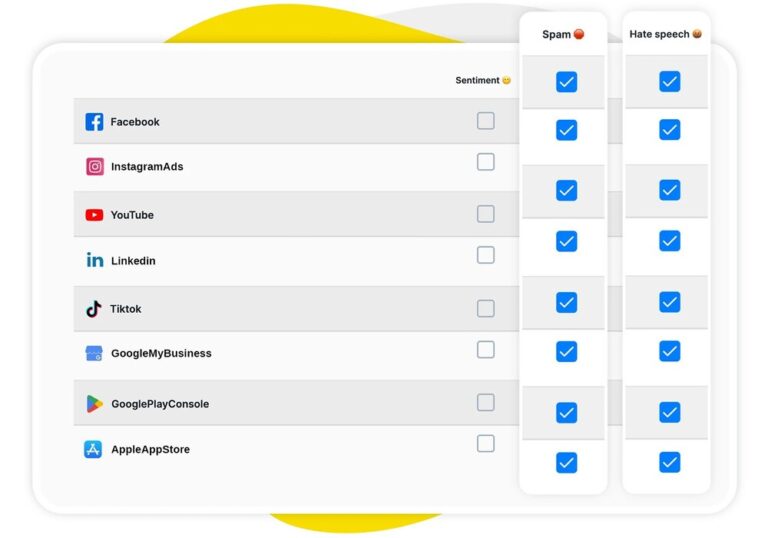
AI assistant: Find the spam and the hate without reading every comment yourself
You shouldn’t have to read a hundred comments to find the three that actually need you. Your AI Assistant works in the background of the Inbox, tagging spam, hate speech and sentiment as things come in. So you open the Inbox already knowing what to deal with first (and what to ignore completely).
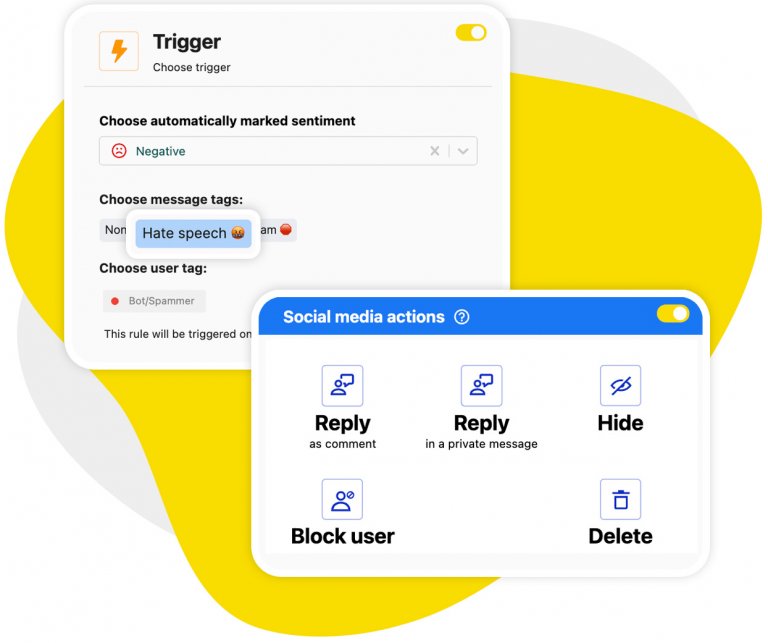
Auto-moderation: Act on what the AI flags and keep every comment section clean 24/7
Those tags aren’t just labels – they’re triggers. Set up Auto-moderation rules once and spam and hateful comments get deleted from your Company Pages automatically, around the clock, on every Page you run. Nobody has to be watching for it to work.
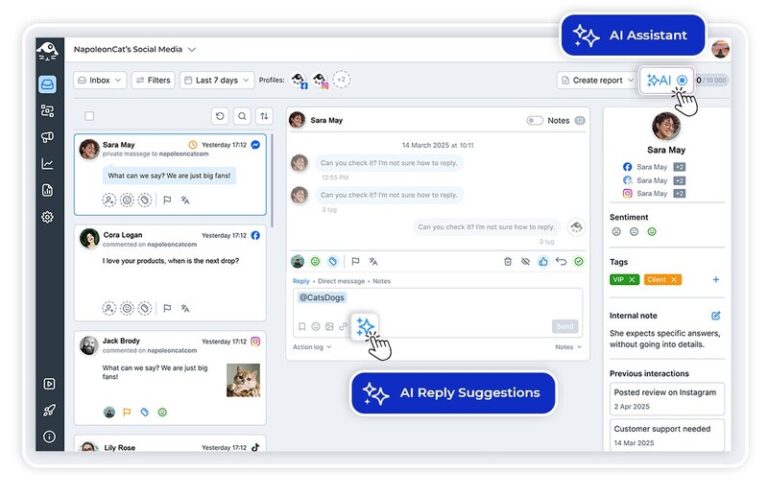
AI reply suggestions: Draft an on-brand answer to a LinkedIn comment in seconds
For the comments you do want to answer yourself, AI Reply writes the first version.
Not a generic one – it learns from the way your team already replies and from the brand material you give it, so the answer sounds like your company and not like a bot. You approve every single one before it goes out.
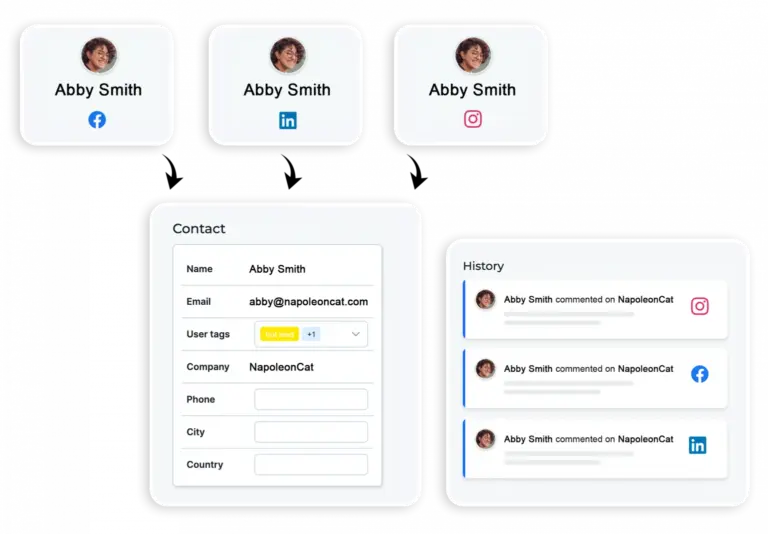
Social CRM: Check who you’re talking to before you answer
Before you answer, open the commenter’s Social CRM profile and see the whole history – every conversation they’ve had with you, on LinkedIn and everywhere else, plus your team’s notes and how the relationship has gone so far. Handy when the person complaining publicly turns out to be a customer.
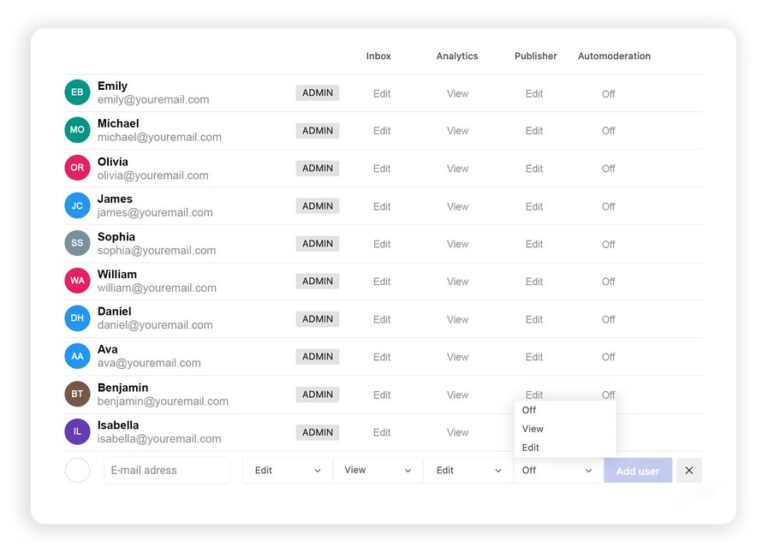
Workspaces and permissions: Keep each client’s LinkedIn Pages, team and numbers apart
Agencies, this one’s for you. Split your clients into separate Workspaces, each with its own Pages, its own team and its own reporting. Give a junior moderator the Inbox and nothing else, or hand a client a view-only login. Nobody sees what they shouldn’t.
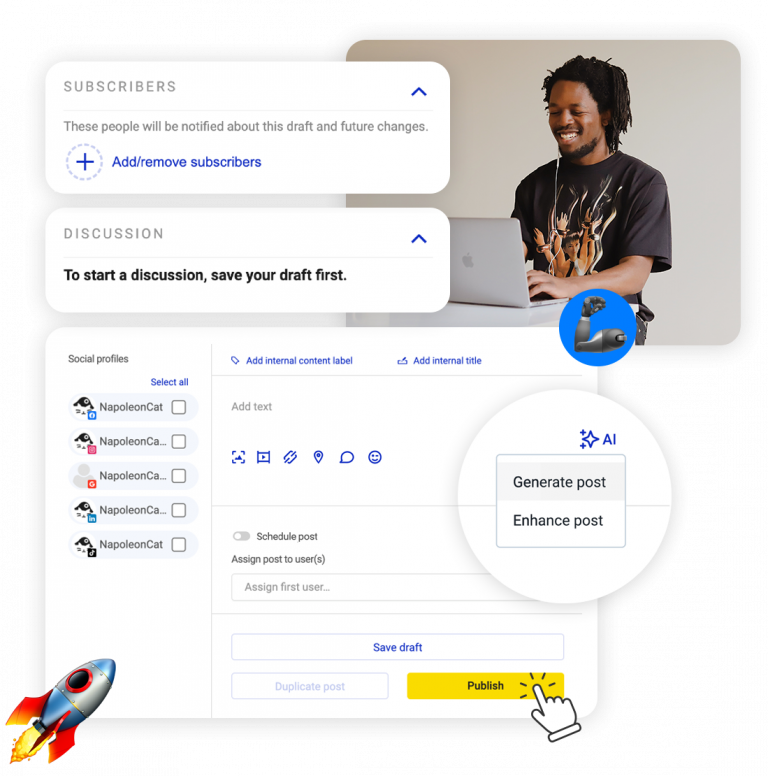
Publisher: Schedule posts to every Company Page and personal profile at once
Publisher covers both – your Company Pages and personal profiles, which is the part most tools skip. Plan a month on one shared calendar, send a post to several Pages at once, and let your team review it before anything goes live.
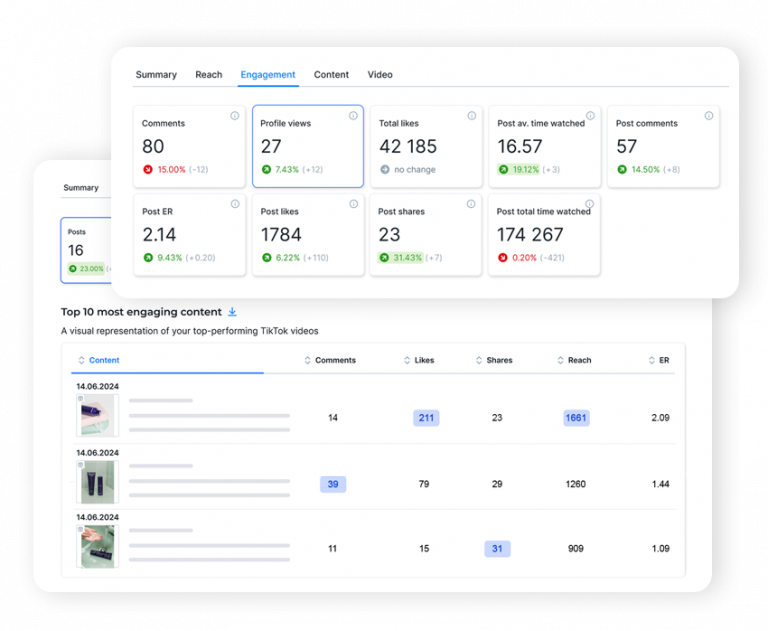
Analytics and reports: Compare every Company Page, and email a report for each one
Put all your Company Pages side by side instead of clicking through them one at a time. Then let the report build itself and land in the right inbox weekly, monthly or quarterly, with your logo on it.
One thing worth knowing up front: LinkedIn gives us nothing from before you connect a Page, so the sooner it’s in, the more history you’ll have to look back on.
Stop switching between your LinkedIn Pages




Here’s why our clients love NapoleonCat
Join teams running every LinkedIn Company Page they own from a single dashboard.

NapoleonCat saves up to one-third of a full-time position. That’s time we would otherwise spend manually moderating thousands of comments each month using the Meta Business Suite, profile by profile and comment by comment. Time we can now use for growth. NapoleonCat is the best tool of its kind on the market, and it’s still constantly evolving and improving by introducing new AI features.

It’s hard to imagine our work without a tool that includes so many valuable features. It won’t be an overstatement when I say that NapoleonCat saves us multiple full-time positions that would be dedicated to just moderating comments or manually generating reports.

NapoleonCat gives us the full picture of social media interactions. It’s easier to pick up urgent threads that need taking immediate action. And with conversation history, it’s much easier to continue the work of another team member while they’re out of office.

We work with multiple clients, and with NapoleonCat, we don’t waste time switching between multiple software tools. We can also deliver reliable data from a single source. We tested other social media moderation and analytics tools before, but none of them lived up to what NapoleonCat delivers. They’re the best, and I personally love using the tool. 🙂

NapoleonCat is now an indispensable tool that we use for moderation and analytical purposes, as well as content publishing. We’re curious to see new capabilities of the tool and test its new uses, for example, to moderate TikTok ad comments, as we predict this social media channel to become more and more important for our clients.

It’s the first social media engagement tool we have ever tried that is truly intuitive and that makes it easy for us to include the clients in the process. The service and support is great and personal. And the value for money is great!

We were looking for a tool that would allow us to consolidate and manage comments and private messages from Messenger in one place. Analytics and reports were also very important to us, as they would show us the level of our social media customer service. That’s why, in 2017, we decided to choose NapoleonCat.
How NapoleonCat compares for managing multiple LinkedIn accounts
| Feature | NapoleonCat | Hootsuite | Sprout Social | Agorapulse |
|---|---|---|---|---|
| Rule-based Auto-Moderation | ✅ Advanced (keywords, sentiment, time rules) | ⚠️ Limited rules | ⚠️ Limited filtering | ⚠️ Basic rules |
| AI spam & hate removal | ✅ AI-based auto-removal | ⚠️ Limited (rules / add-on) | ❌ No auto-removal | ⚠️ Limited |
| Sentiment detection | ✅ AI-supported tagging | ⚠️ Basic | ⚠️ Sentiment labels | ⚠️ Basic |
| Unified inbox across all your Pages | ✅ Yes | ⚠️ Limited | ⚠️ Limited | ✅ Yes |
| AI reply suggestions | ✅ Yes (AI Reply) | ✅ Yes | ✅ Yes | ⚠️ Limited |
| Auto-assignment to team members | ✅ Yes (rule-based) | ✅ Yes | ✅ Yes | ✅ Yes |
| Separate Workspaces per client | ✅ Yes | ✅ Yes | ⚠️ Higher tiers | ✅ Yes |
| Moderation reports (response time, volume) | ✅ Yes | ⚠️ Basic | ✅ Yes | ⚠️ Basic |
| 1:1 onboarding | ✅ Included on higher plans | ❌ Enterprise only | ⚠️ Add-on / enterprise | ⚠️ Higher tiers |
| EU-based, GDPR-first hosting | ✅ Yes | ❌ CA-based | ❌ US-based | ✅ EU-based |
FAQs
Can I run several LinkedIn accounts from one login?
You can manage every LinkedIn Company Page you already have access to from a single NapoleonCat login, without switching between them. To be clear about what this is: NapoleonCat connects to the Pages and profiles you legitimately manage. It isn’t a way around LinkedIn’s own rules on how many accounts one person can have, and it doesn’t hide or spoof anything.
How do you manage multiple LinkedIn accounts without switching between them?
The short version of how to manage multiple LinkedIn accounts without opening LinkedIn: you connect each Company Page once, and everything they receive shows up in one Social Inbox, in the order it arrived. From there you reply, like, tag and assign. Publishing works the same way: one calendar, one post, several Pages. And if you handle Pages for different clients, Workspaces keep each one separate.
Does this work for personal profiles or only Company Pages?
It depends on what you want to do. Publishing works for both – you can schedule to Company Pages and personal profiles from the same calendar. The Social Inbox, Auto-moderation, analytics and reports work on Company Pages only, because that is what LinkedIn opens up to tools like ours.
Can NapoleonCat hide spam on my LinkedIn Pages automatically?
Yes. Auto-moderation rules can hide or delete comments on your Company Pages on their own, 24/7, triggered by keywords, by AI tags like spam and hate speech, or by sentiment. Worth knowing: rules act on comments that arrive after you switch them on, so they keep new spam off your Pages rather than clearing out what is already sitting there.
Can I have two LinkedIn accounts with the same email address?
No – LinkedIn ties one personal profile to one email address, and that’s their rule, not ours. It’s a common reason people end up juggling logins in the first place. What NapoleonCat changes is the part after that: however many Pages and profiles you end up with, you work on all of them from one place instead of signing in and out.
Which plan do I need for this, and what does it cost?
What matters here is which plan carries which piece. Standard doesn’t include the Social Inbox, so it won’t do this job. Pro, at $109 a month, gives you the all-in-one inbox and AI reply suggestions, and you moderate by hand. Expert, at $139 a month, adds Auto-moderation on top – automatic comment hiding and deletion, and automatic replies to the questions that keep coming back. Those prices cover two users and five profile slots; more users and more profiles cost more. The AI Assistant is free up to 100 tickets a month, and unlimited tagging is a paid add-on. Every plan starts with a 14-day free trial, no credit card required.
Run every LinkedIn Company Page from one place
Free 14-day trial: full access, zero commitment.
No credit card required