
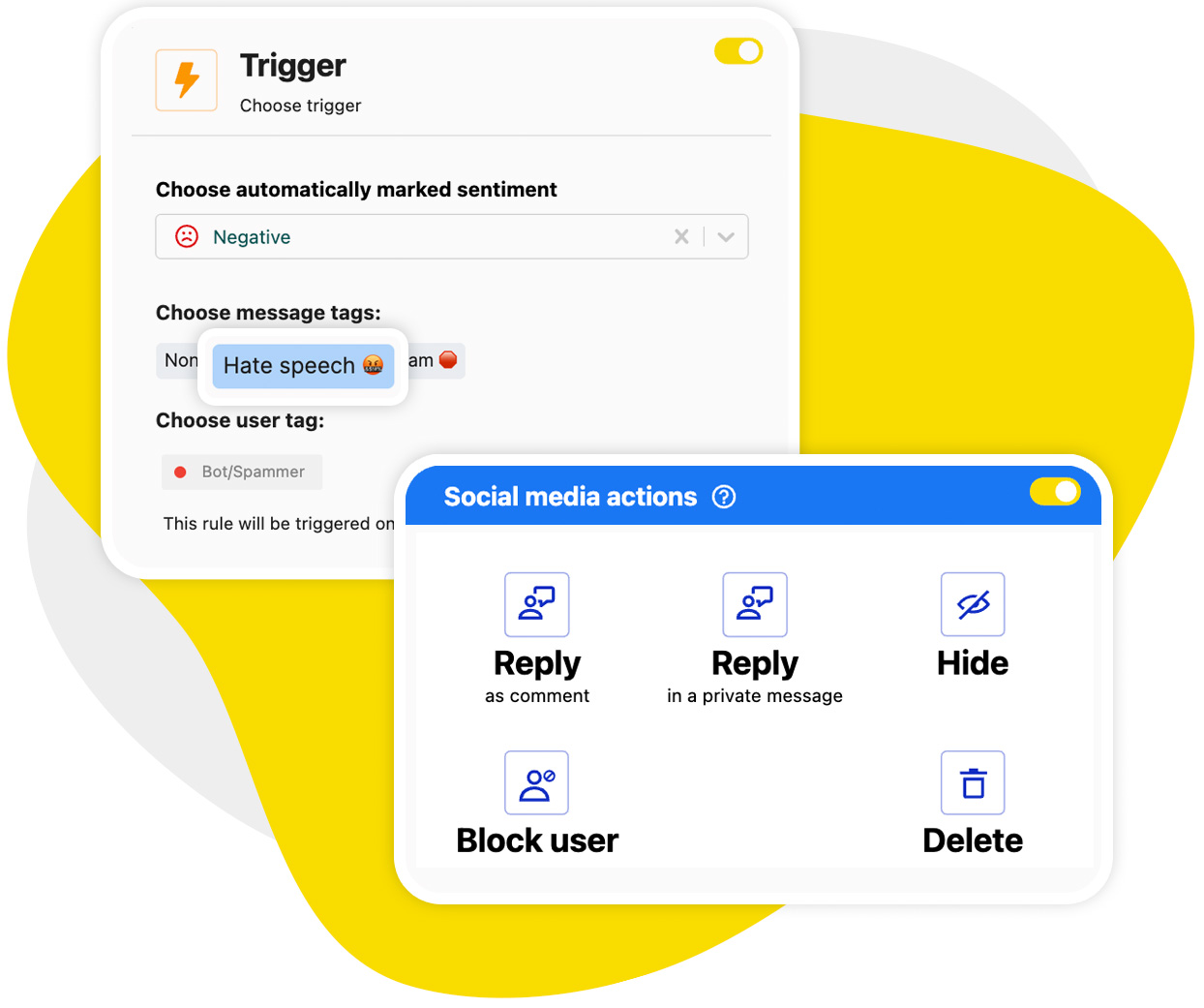
If you’re looking for a reliable way to automatically stop bot comments on YouTube, here’s your solution: NapoleonCat’s Auto-moderation.
Automatically Stop Bot Comments on YouTube – Auto-Hide Spam
Trusted by:




Supported platforms








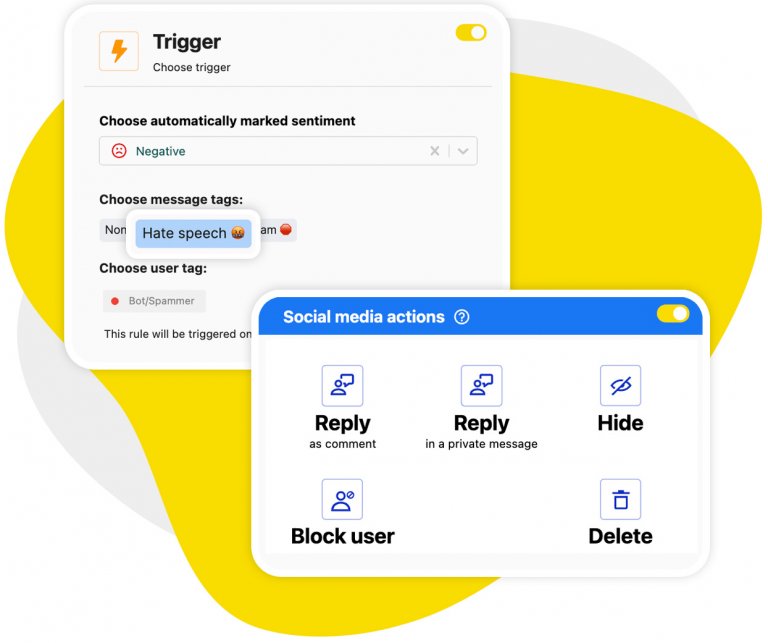
Auto-moderation: Bot comments disappear from your videos on their own, hidden or deleted, day and night
Auto-moderation rules hide or delete spammy and hateful comments from your videos before anyone has a chance to see them. Set up custom moderation scenarios based on your exact needs, with none of the complexity (it’s really simple).
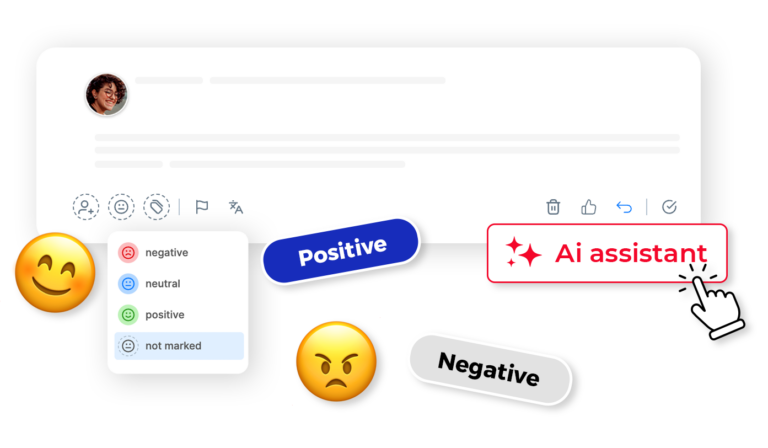
AI assistant: AI flags spam, scams, and hate speech on YouTube, so your keyword rules don’t have to catch everything
Your AI Assistant will help you categorize and label spam and hate in the first place. You can then set up Auto-moderation to act on what it tagged and remove it instantly, so you are not chasing every new spam phrase by hand.
Your own keyword rules still work alongside it, and you can combine the two in a single rule.
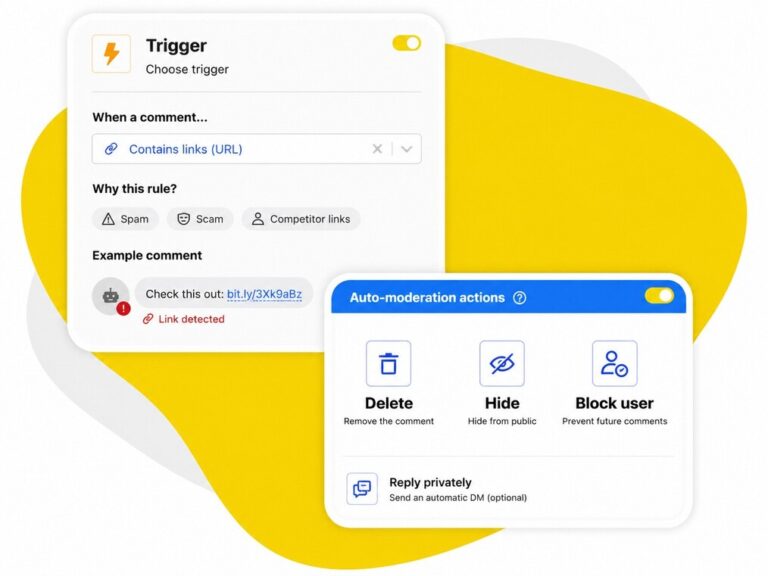
Link filters: Automatically remove comments containing links, the spam bots’ favorite trick
Set up Auto-moderation to automatically remove comments with links from your comment sections. And avoid your competitors, or just plain spammers and scammers, making a mess of the discussions your community is having.
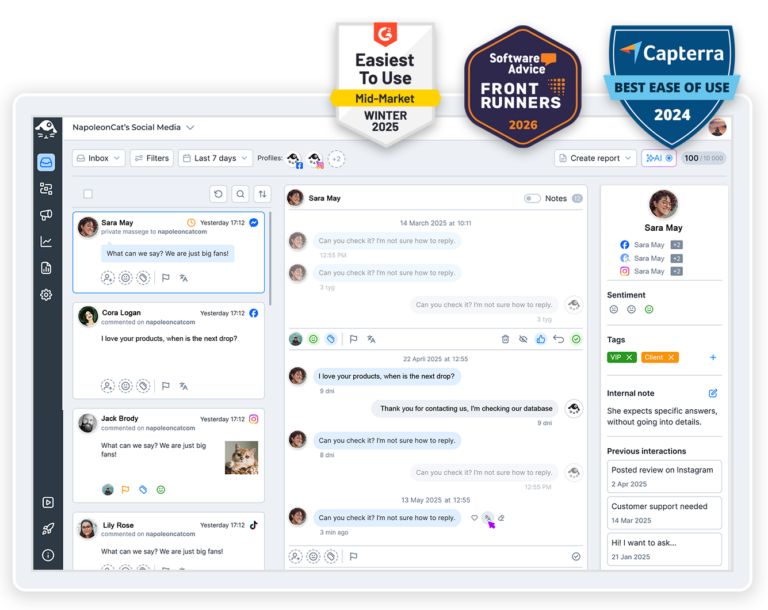
Social inbox: Moderate every YouTube channel you run from a single view
With the Social Inbox, you can conveniently moderate all comments across the YouTube channels you manage in one place. Including detecting and deleting spam uniformly across all of your channels.
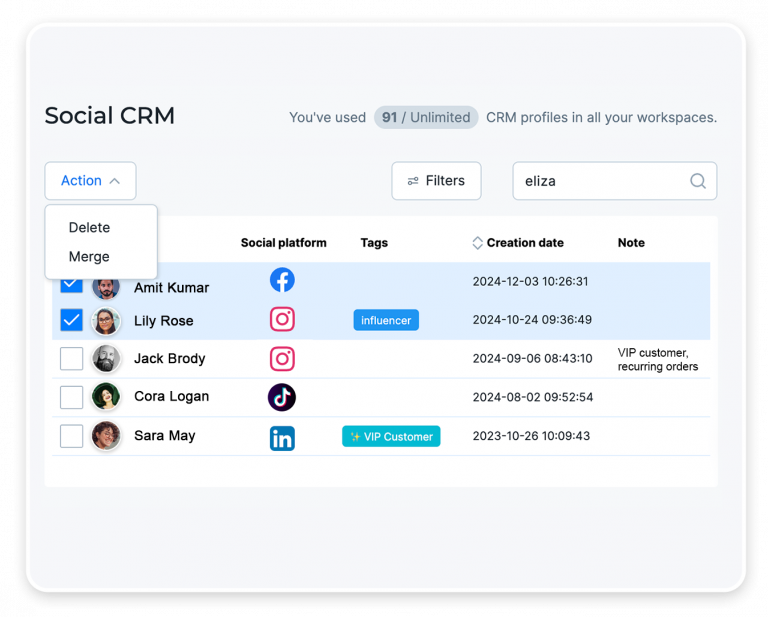
Social CRM: Full commenter history helps you spot repeat offenders instantly
Take a peek into the Social CRM, and you’ll instantly know who’s a notorious spammer or troll.
Social CRM profiles include conversation history with individual people, not just on YouTube but across your social media profiles. Complete with user tags and comments from your team. So nobody’s hiding their spamming past from you.
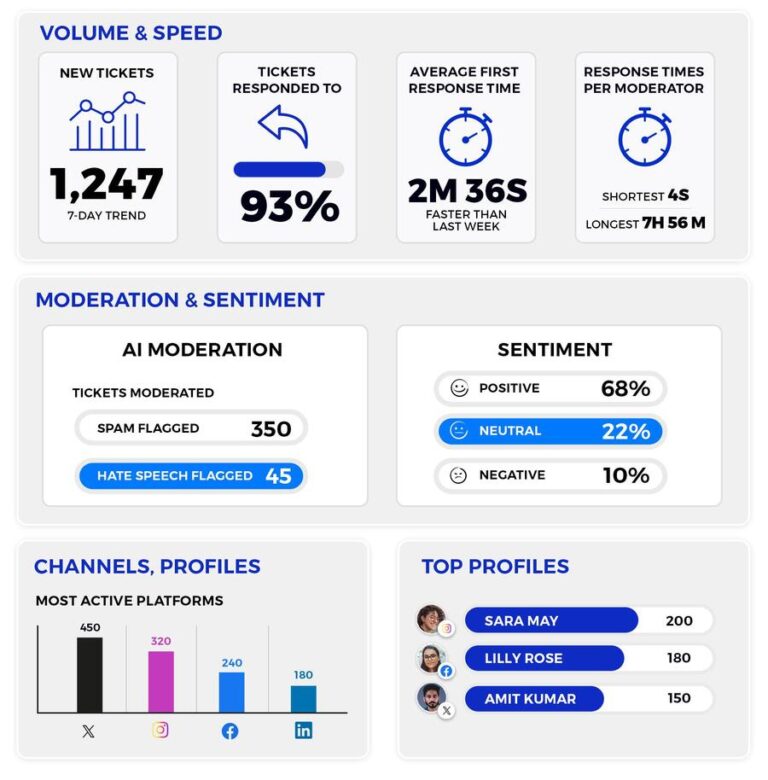
Moderation reports: Get a clear record of every bot comment that was removed
See the scale of spam removed from your YouTube videos, by your human team and by Auto-moderation. And clearly see how much time your YouTube automation tool saved you, that you’d otherwise be spending manually removing spam.
Try all YouTube management tools in NapoleonCat




Here’s why our clients love NapoleonCat
Join businesses that save hours every week on YouTube comment moderation.

NapoleonCat saves up to one-third of a full-time position. That’s time we would otherwise spend manually moderating thousands of comments each month using the Meta Business Suite, profile by profile and comment by comment. Time we can now use for growth. NapoleonCat is the best tool of its kind on the market, and it’s still constantly evolving and improving by introducing new AI features.

It’s hard to imagine our work without a tool that includes so many valuable features. It won’t be an overstatement when I say that NapoleonCat saves us multiple full-time positions that would be dedicated to just moderating comments or manually generating reports.

NapoleonCat gives us the full picture of social media interactions. It’s easier to pick up urgent threads that need taking immediate action. And with conversation history, it’s much easier to continue the work of another team member while they’re out of office.

We work with multiple clients, and with NapoleonCat, we don’t waste time switching between multiple software tools. We can also deliver reliable data from a single source. We tested other social media moderation and analytics tools before, but none of them lived up to what NapoleonCat delivers. They’re the best, and I personally love using the tool. 🙂

NapoleonCat is now an indispensable tool that we use for moderation and analytical purposes, as well as content publishing. We’re curious to see new capabilities of the tool and test its new uses, for example, to moderate TikTok ad comments, as we predict this social media channel to become more and more important for our clients.

It’s the first social media engagement tool we have ever tried that is truly intuitive and that makes it easy for us to include the clients in the process. The service and support is great and personal. And the value for money is great!

We were looking for a tool that would allow us to consolidate and manage comments and private messages from Messenger in one place. Analytics and reports were also very important to us, as they would show us the level of our social media customer service. That’s why, in 2017, we decided to choose NapoleonCat.
See how NapoleonCat compares to its alternatives:
| Feature | NapoleonCat | Hootsuite | Sprout Social | Agorapulse |
|---|---|---|---|---|
| AI spam & hate speech detection | ✅ Pre-trained, works out of the box | ⚠️ Via third-party add-on | ⚠️ Labels only | ⚠️ Limited |
| AI-triggered auto-removal | ✅ AI tag triggers hide / delete | ⚠️ Rules or add-on only | ❌ No auto-removal | ⚠️ Limited |
| Rule-based Auto-moderation | ✅ Unlimited, combinable rules | ⚠️ Limited rules | ⚠️ Limited filtering | ⚠️ 1 rule per profile |
| Keyword rules you define yourself | ✅ Unlimited, combinable with AI | ⚠️ Limited | ⚠️ Limited | ⚠️ 1 trigger per rule |
| YouTube comment moderation | ✅ Yes | ✅ Yes | ✅ Yes | ⚠️ Limited |
| Sentiment tagging | ✅ AI-supported | ⚠️ Basic | ⚠️ Sentiment labels | ⚠️ Display only, higher plans |
| Auto-hiding comments from repeat offenders | ✅ Rule-based | ❌ No | ❌ No | ⚠️ Limited |
| Commenter history across channels | ✅ Social CRM profiles | ⚠️ Basic | ⚠️ Basic | ⚠️ Basic |
| Moderation reports | ✅ Yes | ⚠️ Basic | ✅ Yes | ⚠️ Basic |
| 1:1 onboarding | ✅ Included | ❌ Enterprise only | ⚠️ Add-on / enterprise | ⚠️ Higher tiers |
| EU-based, GDPR-first hosting | ✅ Yes | ❌ CA-based | ❌ US-based | ✅ EU-based |
| Pricing model | ✅ Per account, from $79/mo | ❌ Per user, from $99/user/mo | ❌ Per seat, from $79/seat/mo | ❌ Per user, from $79/user/mo |
FAQs
How do you stop bot comments on YouTube?
Set up rules that act on the bot’s own patterns instead of reviewing comments one by one. In NapoleonCat, Auto-moderation hides or deletes comments that match your keywords, that contain links, or that the AI Assistant has tagged as spam. The rules run around the clock across every channel you manage, so bot comments are gone before your viewers scroll down to them.
What are bots in YouTube comments, and why are there so many?
They are automated accounts posting comments at scale, usually to push a scam, a giveaway, an external link, or simply to farm visibility from a popular video. There are so many because the cost of posting is close to zero and large channels are a cheap audience. The volume is not a sign you did anything wrong, and it is not something you can prevent at the source, only filter on your side.
How do you spot a bot in YouTube comments?
The usual tells: a generic compliment or emoji-only comment, a link or a handle pointing somewhere off-platform, the same wording repeated under several videos, an account with no history, or a reply that has nothing to do with the video. Once you know the pattern, it becomes a rule, and the rule catches it the next time without you reading it.
Can I block specific keywords in YouTube comments?
Yes. You can build unlimited keyword rules in Auto-moderation and decide what happens when one matches: hide the comment, delete it or assign it to a moderator. Because the AI Assistant works alongside your keywords, you are not relying on the list alone to catch spam you have not seen before.
Does YouTube’s own spam filter catch bot comments?
It catches part of it. YouTube offers a blocked-words list and a held-for-review setting, but both work per channel and both need you to maintain the list and to review the queue. A dedicated moderation tool adds AI detection, applies the same rules across every channel at once, and lets you act in bulk instead of channel by channel.
Can I remove bot comments across several YouTube channels at once?
Yes. Every channel you manage feeds into the same Social Inbox, so one rule can cover all of them and you can clear existing spam in bulk. Moderation reports then show how much was removed automatically and how much your team handled by hand.
Stop YouTube bot comments before your viewers see them
Free 14-day trial: full access, zero commitment.
No credit card required