How to Automatically Block Spam Comments on YouTube

How to Automatically Block Spam Comments on YouTube

Save hours on social, every day.

Automate moderation and replies, schedule posts, and pull reports - all in one tool.

Try NapoleonCat free No credit card required

Table of Contents

YouTube bots ruining your mornings at work? If only there was a YouTube automated spam block that could do it for you. Oh wait, there is one.

You really don’t have to start your day, every day, manually deleting spam comments. There are better ways to keep your YouTube channel clean and engaging without losing your sanity. Let me show you how it works.

Key Takeaways

  1. Most YouTube spam is bot-posted – and massive. YouTube removed 24.7 billion comments between 2019 and 2024, roughly 70% tied to spam or scams.
  2. YouTube’s built-in filters hold, they don’t solve. Moderation levels, blocked words, and hidden users push suspect comments into a review queue your team still has to clear.
  3. Auto-moderation deletes spam for you. NapoleonCat automatically hides or deletes spam bot comments on YouTube 24/7, across all your channels at once.
  4. AI catches what keyword lists miss. The AI Assistant detects spam and hate automatically – no manual keyword lists required.
Automatically Block Spam with AI Precision

Automatically Block Spam with AI Precision

Automatically hide or delete spam and hate comments across all your YouTube channels, powered by advanced AI.

Try NapoleonCat for free

14-day trial period. No credit card required.

Why is it important to remove spam on YouTube?

But first things first. It’s also why a social media moderation tool has become standard kit for brands that treat YouTube as a real channel.

YouTube has become a powerhouse for businesses and content creators. And it’s not just a platform for posting content – it’s also a key space for customer engagement, community building, and even customer service.

A few months ago, NapoleonCat asked Norstat to interview UK consumers about the way they use social media to contact brands. Turns out, many think of social media as their primary channel of communication with brands, making it essential to think of social media channels as regular customer service channels.

And YouTube is among the platforms they use to do it.

Survey results showing preferred channels for contacting brands, including email, social media, telephone, and in-person, with data segmented by brand size and product offering.
How UK consumers like to contact brands (Norstat for NapoleonCat)

Interestingly, along with Facebook, YouTube is the most frequently used social media platform before making a purchase (though consumers use social media across the entire buying journey.) 

People look for things like information about the product, including demos and unboxing videos to inform their buying decisions.

Bar chart showing social media use in the pre-purchase stage: Facebook 49%, YouTube 45%, Instagram 39%, TikTok 25%, X (formerly Twitter) 18%, LinkedIn 15%, Pinterest 11%, Reddit 11%.
How consumers use social media before buying (Norstat for NapoleonCat)

What’s also important from a brand perspective is that consumers who use social media to contact brands in general are also more likely to buy using social media. And that’s especially true for TikTok and YouTube users – a whopping three-thirds do it at least occasionally.

Chart illustrating social media usage for purchases among British consumers, highlighting preferences for TikTok, Instagram, YouTube, and Facebook.
Using social media to make a purchase (Norstat for NapoleonCat)

You’ll find more data about how UK consumers use social media across their buying journey in the latest report from NapoleonCat and Norstat, which you can download here

All this data also makes it really clear that you need to pay attention to your social media channels and social media customer service. And that includes protecting your conversations in the comments from YouTube spam bots.

And to do that at scale, setting up an automated spam filter for YouTube is essential. All those people checking out your brand on YouTube (and elsewhere) will also see all the spam, which is the silent engagement killer, creating noise in the comment section and sometimes even discouraging people from engaging. 

A YouTube automated spam block will remove it before your audience even sees it, keeping your content clean and your engagement rising.

What are spam accounts on YouTube?

Just like on other social media platforms, YouTube bots are programmed algorithms that exist to:

  • Sell you something
  • Scam users with misleading links
  • Copy other people’s content or impersonate creators
  • Spread misinformation or troll your audience.

Fake engagement from spam accounts can take many forms, including mass-liking videos, leaving irrelevant comments, or sending spammy messages, often with links or images. 

While YouTube does have built-in spam detection and lets you moderate comments on the platform, a lot of bot-generated comments still slip through, leaving you or your moderation team to clean up the mess manually.

And nobody likes doing that. Nor spending a day’s worth of work fighting YouTube spam bots instead of engaging in important conversations with actual customers and followers.

What percentage of YouTube comments are bots?

YouTube doesn’t publish an official “bot percentage,” but its enforcement numbers show the scale. According to Google’s Transparency Report data, YouTube removed 24.7 billion comments between 2019 and 2024 – more than 5.3 billion in 2024 alone – and roughly 70% of those removals were tied to spam or scam activity.

In other words, billions of comments a year are fake enough for YouTube to delete them automatically. Most never reach your channel – but as any creator knows, plenty of spam bot YouTube comments still slip through the cracks. That’s what the rest of this guide is for.

How do I stop YouTube spam bots?

Spam bots are automated, meaning they work faster than any human moderator ever could.  (Comparing options first? Here’s our guide to picking a YouTube comment moderation tool.)

If you’re trying to delete spam manually, you’re already at a disadvantage. And if you manage multiple YouTube accounts for your clients, or have other social media accounts with lots of engagement to take care of, too, the task becomes almost impossible. 

And definitely not worth the time put in, that could be spent in a much more productive way and more beneficial for the brand.

(That’s not to say that removing spam comments is not beneficial. It’s necessary – but it’s also the kind of task that never ends and often prevents teams from doing more creative ones.)

Instead of wasting that valuable time, you can fight automated spam with an automated spam block. Sounds fair, right?

Using a tool like NapoleonCat’s Auto-moderation, you can instantly remove or hide spam comments on your YouTube videos without as much as lifting a finger. Well, you need to lift it initially to set up your Auto-moderation rules, but it’s really straightforward from there and won’t take up much of your time – about 2 minutes 😉

And when you do it, you and your team will be able to focus on engaging with real customers and growing your community.

So, here’s how to stop bots on YouTube from cluttering your comment section.

How to set up Auto-moderation for YouTube in NapoleonCat

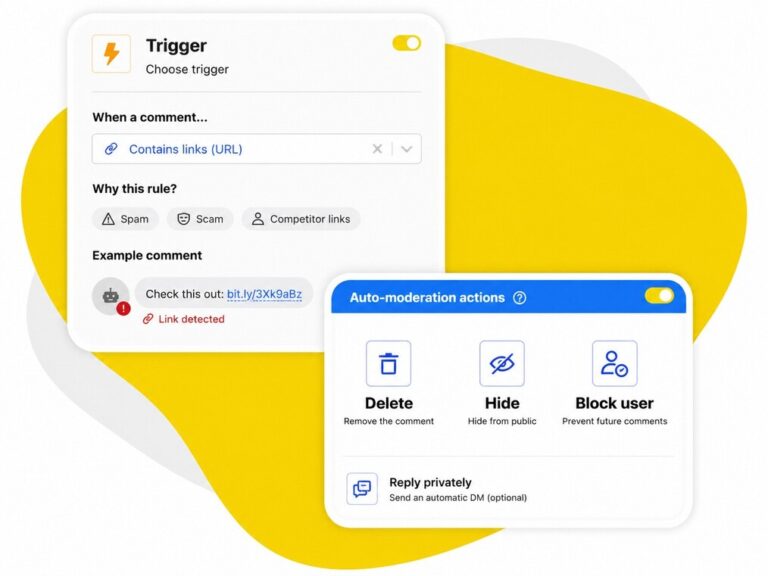
To set up your YouTube automated spam block, create an Auto-moderation rule in NapoleonCat. Depending on the criteria you use to set it up, it will perform an action in response to a trigger – for example, a comment with a link or a specific keyword that’s typical of spam bots, or AI-detected spam and hate speech.

You can actually use a ready-made template to do that – you’ll find it in NapoleonCat along with templates for Instagram, Facebook, TikTok, and LinkedIn. 

When you scroll down the list of templates, you’ll see a template for automatically hiding comments on YouTube based on offensive keywords that you can customize to add the most common spam words and phrases you come across on your YouTube profile.

Screenshot of NapoleonCat's auto-moderation tool interface showing templates for hiding offensive content on YouTube.
Ready-made Auto-moderation templates in NapoleonCat

But let’s take a look at how to create a rule from scratch (you can customize your template following the same steps.)

  1. First, connect your YouTube channel(s) to NapoleonCat. You can connect multiple accounts, along with other social media accounts like Facebook, Instagram, and TikTok. You can try it completely for 14 days here.
  2. Go to the Auto-moderation tab in the left menu and click on the “Create new rule” button above the templates. 
  3. Name your rule so you can easily manage multiple rules at once (you can have multiple rules running at the same time doing different things, or the same things for different types of content.) Then select YouTube as your social media channel and the YouTube account(s) (yes, you can choose multiple channels in one go) the rule should apply to.
Screenshot of an Auto-moderation menu, showing platform and profile selection options for managing spam.
Setting up your Auto-moderation rule
  1. Choose the type of comments the rule should apply to.
Dropdown menu displaying options for selecting message types, highlighting "Organic comments" as the chosen option.
  1. And then choose if the rule should work for text comments or comments that contain links. If you select comments with links in the rule, and don’t specify any other triggers later on, all comments with links will automatically be hidden from view under your YouTube videos. 
Two selectable options in a dropdown menu: "Text only" and "Containing link"
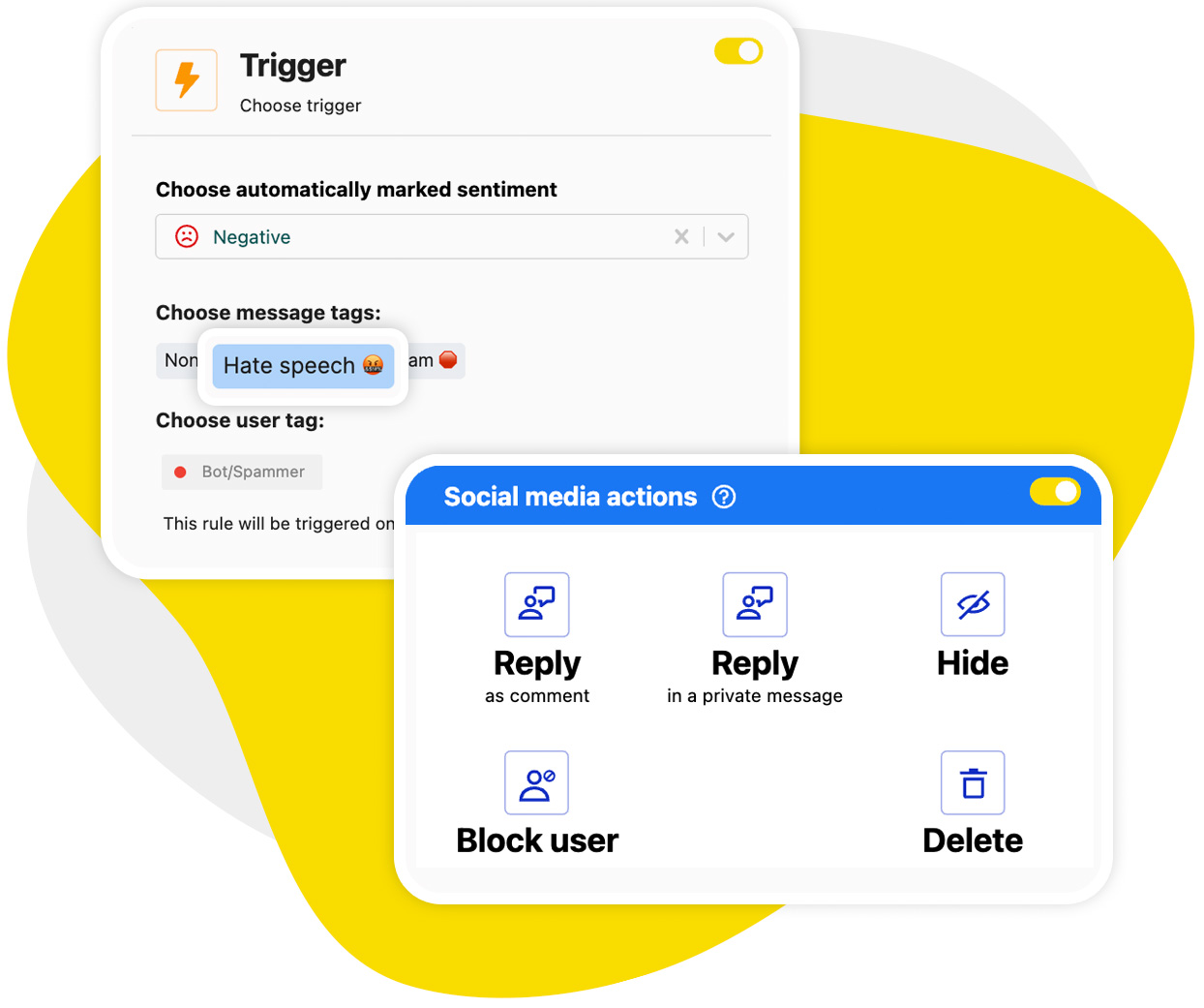
  1. You can also further finetune the rule by adding triggers. Adding common spam keywords here will let you eliminate all comments that include them. (The template already includes preset spam terms, but you can customize it.) You can also add sentiment (which is automatically marked by AI) and user tags.

Fun fact: If you completely skip the step of adding triggers and go straight to the automatic reaction, the Auto-moderation rule will work for all comments/comments with links.

Screenshot of an Auto-moderation interface for setting up trigger keywords with options for sentiment, and user tags.
Setting up triggers for your Auto-moderation rule
  1. In the next section, you’ll set the social media actions that will take place when the rule gets triggered. Set the action to “Hide” or “Delete” so spam comments disappear automatically and instantly.
Auto-moderation interface displaying social media actions: Reply, Hide, and Delete buttons with icons on a red header.
Choosing the social media action for your rule

With spam bots, it’s probably a better idea to just go ahead and delete the bunch from your comments section. If you select to hide them, you will still be able to see them in the comments section. And if they’re clearly spam, there probably is no point.

  1. Choose whether you want to receive email notifications when the rule is triggered. (But remember that if the volume of the spam bot comments is large, you’ll also get a ton of email notifications as the rule does its job.)
  2. You can also set up a schedule for the rule. For spam bot comments, I recommend to leave it running 24/7, though, to relieve your moderation team from the task.
  3. And then enable the rule and enjoy your YouTube automated spam block. (Well, enjoy might not be the best word here, but you know what I mean. 😅)

This clearly won’t stop bots from posting the comments, but at least their comments will never make it to your audience, saving your team time and effort.

We also made this short and sweet video tutorial so you can see how easy it is to set up Auto-moderation for YouTube: 

Product Update: Block spam on YouTube with AI

Keeping your social posts free from spam and trolls is now simpler, faster, and more efficient. There’s no longer a need to manually list keywords when setting up Auto-moderation rules.

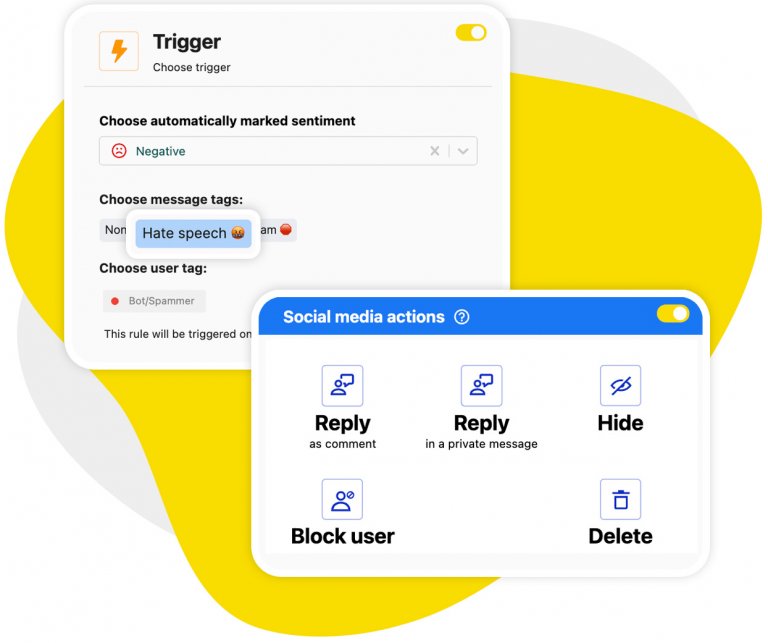
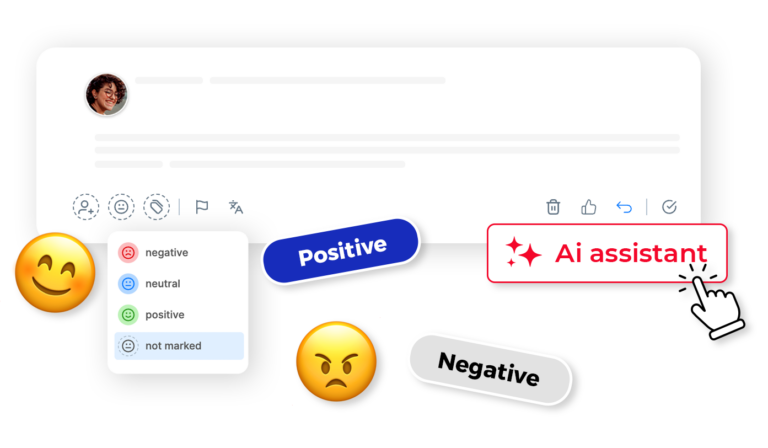
Thanks to our continuously improving AI Assistant, you can now automatically detect and filter out spam and hate speech across Facebook, Instagram, TikTok, YouTube, and LinkedIn – including ad content on Facebook, Instagram, and TikTok.

To get started, just activate the AI Assistant in your Social Inbox and configure the appropriate triggers while setting up your rule:

Blocking spam comments with AI accuracy
Setting up AI spam removal in NapoleonCat
Automatically Block Spam with AI Precision

Automatically Block Spam with AI Precision

Automatically hide or delete spam and hate comments across all your YouTube channels, powered by advanced AI.

Try NapoleonCat for free

14-day trial period. No credit card required.

How to use YouTube’s built-in spam filters

YouTube Studio itself also gives you a first line of defense against bots. Here’s what you can set up natively:

  • Comment moderation levels – choose None, Basic, Strict, or Hold all in your channel’s comment settings to control how aggressively YouTube holds potentially inappropriate comments for review.
  • Held for review tab – YouTube merged the old “Likely spam” queue into the “Held for review” tab, where flagged comments wait for your decision for up to 60 days.
  • Blocked words – add the words and phrases bots keep recycling, and matching comments get held automatically.
  • Block links – hold comments containing URLs, the favorite vehicle of scam bots.
  • Hidden users – hide a user once and their comments stop appearing on your channel at all.
  • Who can comment – during a bot raid, you can temporarily limit commenting to subscribers or channel members.

The catch: most of these options don’t delete anything. They park suspect comments in a review queue someone on your team still has to clear, channel by channel. It’s a useful YouTube bot filter – just not a complete one, especially at scale.

How to block bots on YouTube

If you want to take it a step further, you can also manually report and block spam accounts on YouTube. Here’s how:

  1. Click on the comment you want to report.
  2. Select the three-dot menu next to the comment.
  3. Choose “Report” and select the appropriate reason.
  4. You can also hide the user from your channel, preventing them from commenting again. (Unfortunately, new spam bots are bound to pop up sooner or later, but that’s not something you can prevent.)

While this is a good option for persistent offenders, the process is manual and can still be time-consuming. That’s why an automated solution is the best way to handle large volumes of spam without taking your team away from more significant tasks like actual relationship building. 

Don’t let spam bots ruin your YouTube engagement

Spam on YouTube is nothing more than digital noise: cluttering your comment section, lowering engagement quality, and making moderation a nightmare for your team. And if you’d rather have AI handle the genuine comments too – writing on-brand replies, not just cleaning up – that’s what Auto-Commenting AI for YouTube does.

But with the right tools, you don’t have to deal with it manually. Auto-moderation solutions like NapoleonCat let you clean up your YouTube videos and ads automatically, freeing you up to focus on what really matters: building a loyal audience and delivering great content.

And if you want to give it a try, NapoleonCat offers a 14-day free trial, so you can see it in action. (I’m pretty sure you won’t want to stop using after you’ve seen the results.)

How to block bots on YouTube – FAQs

Tired of bots flooding your YouTube comments with spam and harmful content? Here are quick, effective answers to help you tackle the problem.

How to block YouTube bot comments?

Use NapoleonCat’s Auto-moderation feature to automatically detect and block bot comments on YouTube in real time.

Bot comments on YouTube are often repetitive, generic, or filled with suspicious links, and manually dealing with them can be overwhelming. NapoleonCat offers an effective solution through its Auto-moderation tool. With customizable rules, you can automatically hide or delete comments containing specific keywords, links, or spammy patterns.

This proactive approach ensures your channel remains free of bot-generated clutter without you needing to disable comments entirely. Plus, Auto-moderation works 24/7, giving you peace of mind and more time to focus on content creation rather than spam control.

How to stop YouTube spam?

Enable NapoleonCat’s Auto-moderation to automatically remove or hide spammy YouTube comments as soon as they appear.

Spam comments can hurt engagement, ruin viewer experience, and tarnish your brand image. Instead of wasting time manually managing spam, NapoleonCat’s Auto-moderation lets you create tailored rules that instantly filter out unwanted messages. From links to scams, repetitive emojis, to irrelevant promotions, Auto-moderation keeps your comment section clean and on-topic.

You can even set it up to delete all incoming comments automatically, providing an effective alternative to disabling comments entirely. It’s a powerful, hands-off solution that helps maintain a professional presence on YouTube.

Sign up for a
14-day free trial

Try NapoleonCat free for 14 days. No credit card required.

Try NapoleonCat free for 14 days. No credit card required.