

If you’re currently comparing social media collaboration tools, you might have found your holy grail. A platform built for teams, helping them work together to moderate comments, publish content, and automate what’s better left to social media software.
Social Media Collaboration Tools
Trusted by:


Supported platforms








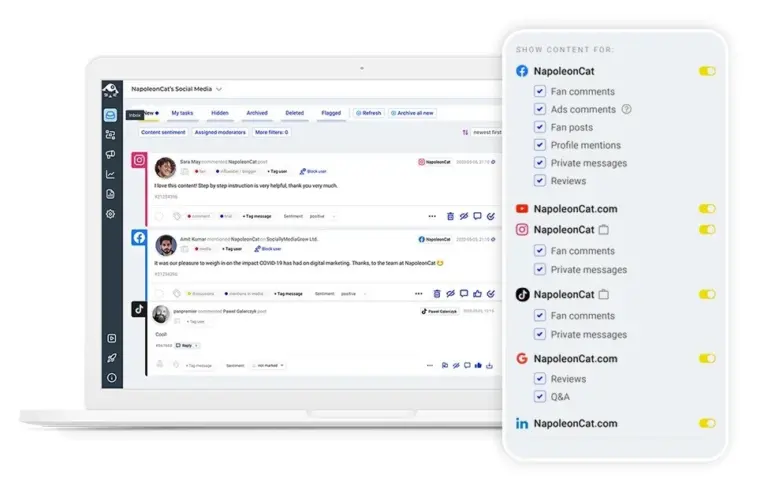
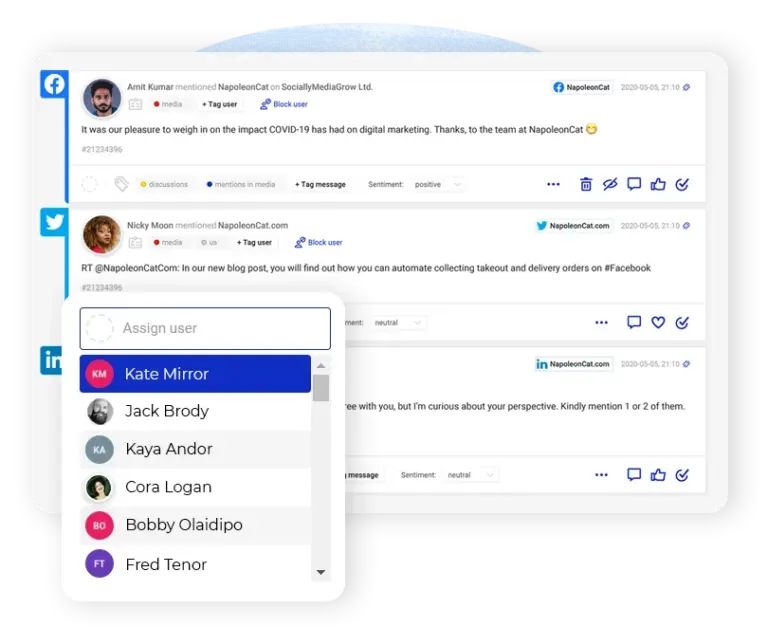
Social inbox: Assign messages and collaborate on responses in real-time
The Social Inbox is where all social media engagement lands, comment by comment and DM by DM (and even Google review by Google review). From there, your team can:
- like, hide, delete, and reply
- assign to team members
- leave notes and tags for others
- assign sentiment so it’s easier to prioritize
It’s a central place for social media customer service and moderation teams – and all social media platforms.
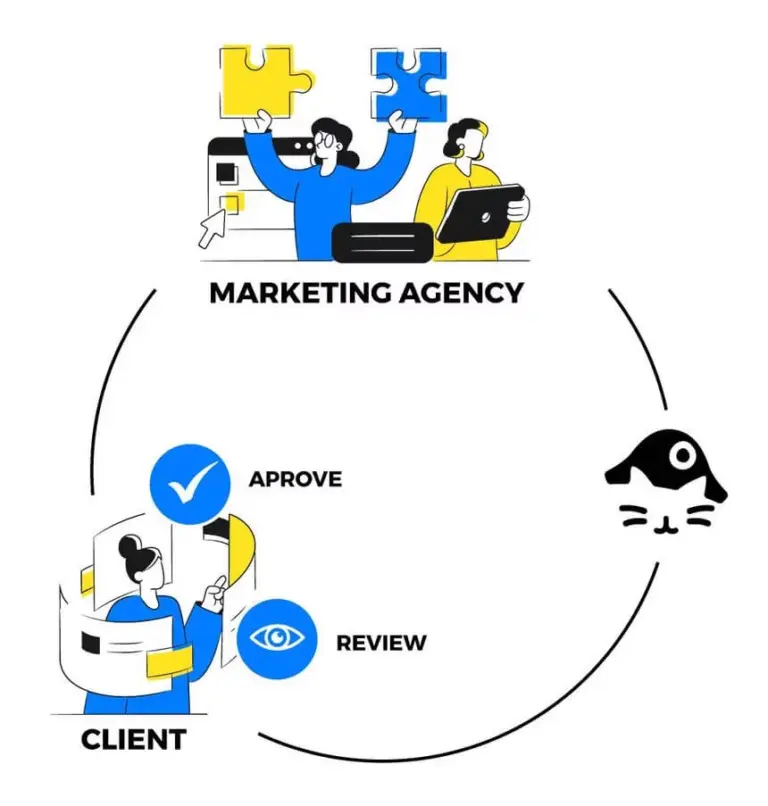
Workspaces: Organize teams and clients with dedicated collaboration spaces
Don’t want to mix brand communications? Create different Workspaces for different clients and teams. Each Workspace can have different people assigned with various access levels, its own tags, and, of course, a set of social media accounts.
It’s easy to share access securely and organize team collaboration, with zero risk of things getting mixed up in the process.
Real-time collaboration: See what teammates are working on instantly
Who’s working on the latest TikTok video, what’s in the pipeline for Instagram stories, and who’s moderating recent comments?
Monitor current workload and reassign tasks when team members are away, so nothing gets lost and customer conversations don’t stall.
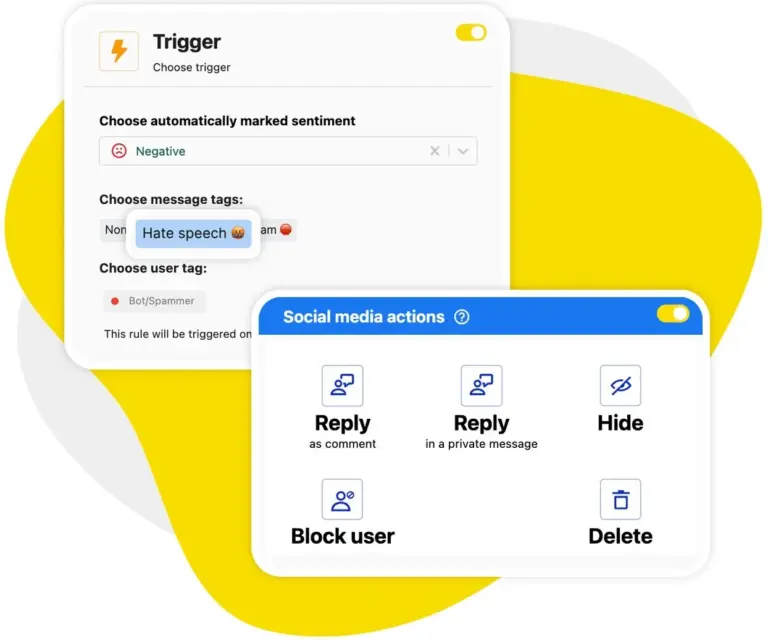
Auto-moderation: Let automation handle spam while your team focuses on engagement
Auto-moderation is a powerful tool supporting social media collaboration. It can help your teams focus on conversations while it does away with spam and hate behind the scenes.
And it can help reply on social media when times get busy, like on Black Friday or in the wake of a social media crisis. You decide when to employ it to provide extra support for your human teams.
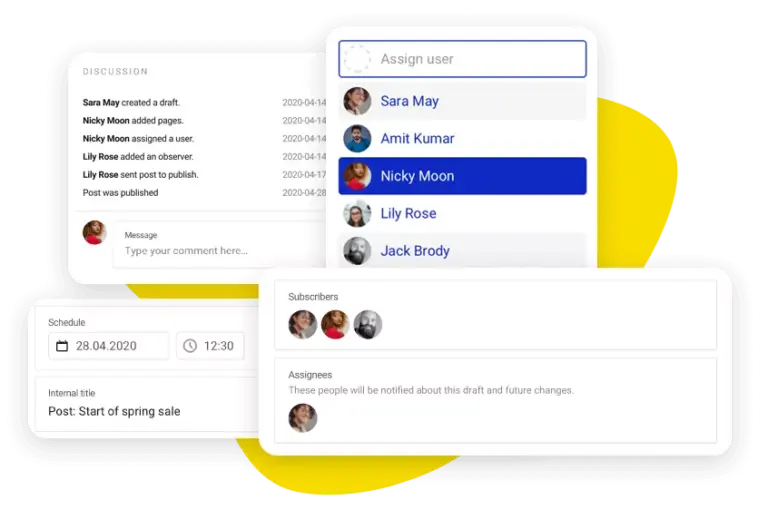
Publisher collaboration: Review, approve, and schedule posts as a team
The Publisher is a shared calendar where you can plan and schedule all your social media content. Draft it, send it to a designer or external content creator, then forward it to your manager for approval.
No need to jump on Slack or email (or worse, use spreadsheets) – it all happens in one dashboard, sweat-free.
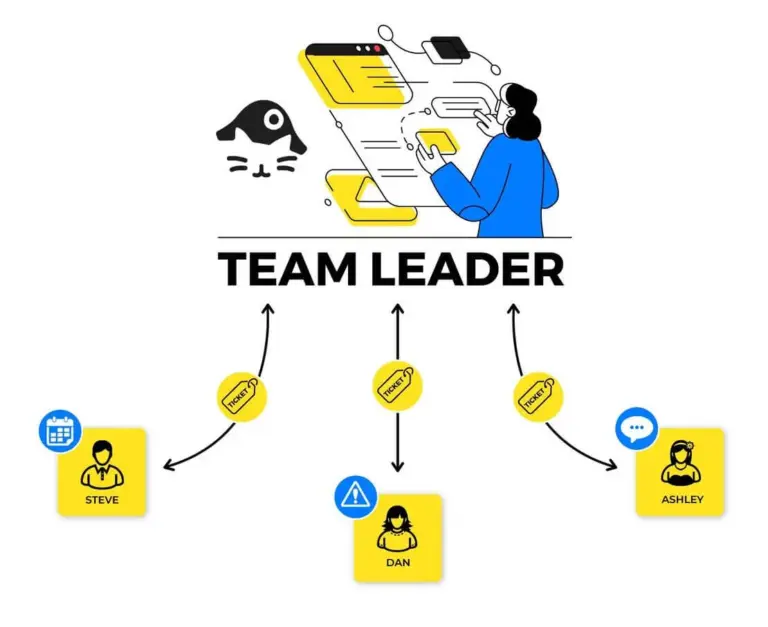
Team workflows: Streamline assignment, approval, and response processes
NapoleonCat is made for team collaboration and social media project management. You can easily assign conversations as customer service tickets to your team members (even automatically, based on specified triggers like user tags, sentiment, or keywords).
Leave comments about a conversation or a content piece waiting to be published, ask for and grant approvals – all in smooth and straightforward team workflows.
Support teams with collaboration tools they’ll appreciate




Here’s why our clients love NapoleonCat
Join businesses that save hours every week with social media automation.

NapoleonCat saves up to one-third of a full-time position. That’s time we would otherwise spend manually moderating thousands of comments each month using the Meta Business Suite, profile by profile and comment by comment. Time we can now use for growth.
NapoleonCat is the best tool of its kind on the market, and it’s still constantly evolving and improving by introducing new features. I was one of the first clients to test their AI features, and I’m really looking forward to what’s coming next, particularly in the AI department.

It’s hard to imagine our work without a tool that includes so many valuable features. It won’t be an overstatement when I say that NapoleonCat saves us multiple full-time positions that would be dedicated to just moderating comments or manually generating reports.

NapoleonCat gives us the full picture of social media interactions. It’s easier to pick up urgent threads that need taking immediate action. And with conversation history, it’s much easier to continue the work of another team member while they’re out of office.

We work with multiple clients, and with NapoleonCat, we don’t waste time switching between multiple software tools. We can also deliver reliable data from a single source. We tested other social media moderation and analytics tools before, but none of them lived up to what NapoleonCat delivers. They’re the best, and I personally love using the tool. 🙂

NapoleonCat is now an indispensable tool that we use for moderation and analytical purposes, as well as content publishing. We’re curious to see new capabilities of the tool and test its new uses, for example, to moderate TikTok ad comments, as we predict this social media channel to become more and more important for our clients.

It’s the first social media engagement tool we have ever tried that is truly intuitive and that makes it easy for us to include the clients in the process. The service and support is great and personal. And the value for money is great!

We were looking for a tool that would allow us to consolidate and manage comments and private messages from Messenger in one place. Analytics and reports were also very important to us, as they would show us the level of our social media customer service. That’s why, in 2017, we decided to choose NapoleonCat.
See how NapoleonCat compares to its alternatives
| Feature | NapoleonCat | Hootsuite | Sprout Social | Kontentino | Buffer |
|---|---|---|---|---|---|
| Shared Social Inbox with Assignments | ✅ Yes | ✅ Yes | ✅ Yes | ❌ No | ❌ No |
| Team Workspaces (per client/brand) | ✅ Yes | ✅ Yes | ✅ Yes | ✅ Yes | ⚠️ Limited |
| Role-based Access Control | ✅ Yes | ✅ Yes | ✅ Yes | ✅ Yes | ⚠️ Limited |
| Publisher with Approval Workflows | ✅ Yes | ⚠️ Limited | ✅ Yes | ✅ Yes | ❌ No |
| Real-time Collaboration (live view) | ✅ Yes | ⚠️ Limited | ⚠️ Limited | ⚠️ Limited | ❌ No |
| Auto-assignment of Conversations | ✅ Yes (rule-based) | ⚠️ Limited | ⚠️ Limited | ❌ No | ❌ No |
| Internal Notes on Content & Conversations | ✅ Yes | ⚠️ Limited | ✅ Yes | ✅ Yes | ❌ No |
| GDPR Compliance | ✅ EU-based, GDPR-first | ⚠️ CA-based | ⚠️ US-based | ✅ EU-based | ⚠️ US-based |
| 1:1 Onboarding & Support | ✅ Included | ✅ Enterprise only | ✅ Add-on | ❌ No | ❌ No |