
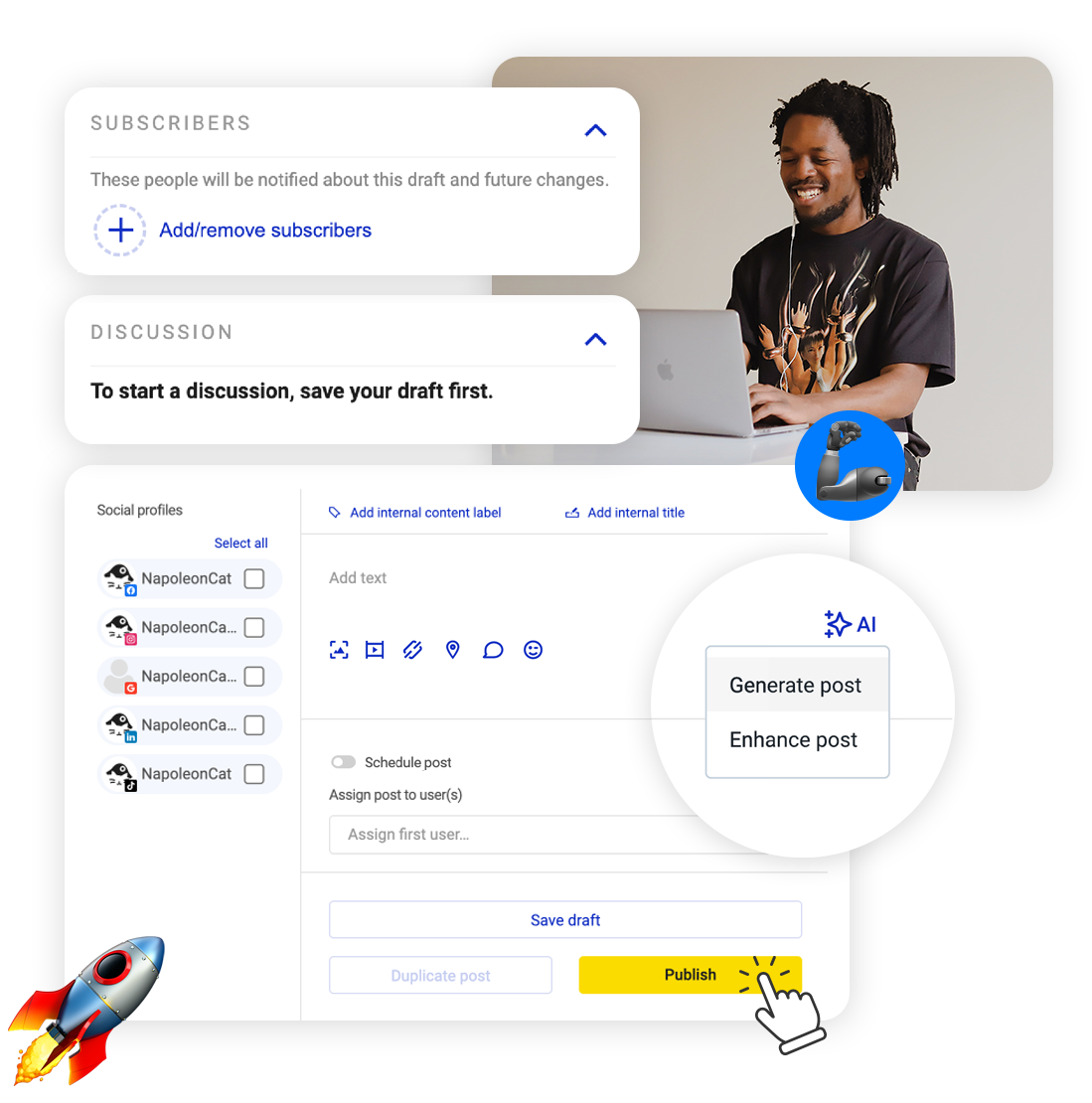
If you post when inspiration turns up, you already know the problem – it turns up on Tuesday and then disappears for two weeks. Schedule Instagram posts ahead and the grid keeps filling whether you’re feeling it or not.
Schedule Instagram Posts – Plus Stories, Reels and Carousels
Trusted by:




Supported platforms








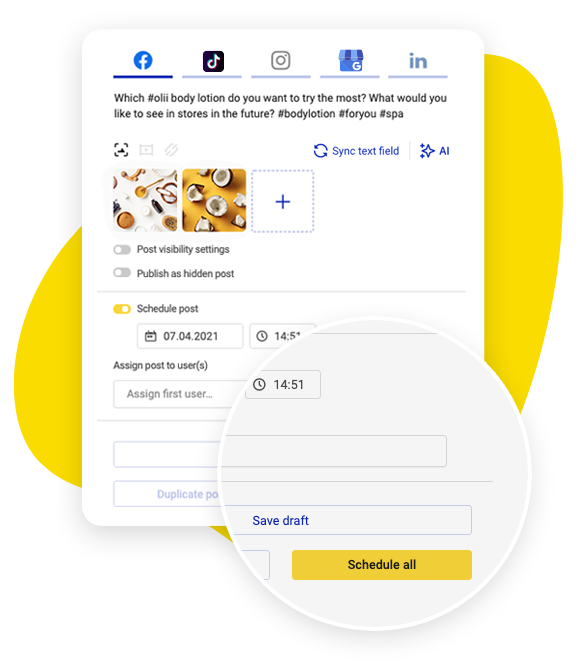
A week of Instagram posts in one sitting
Sit down once, line up seven days of posts, and leave the account alone. You write feed posts, Stories, Reels and carousels in the same composer, so you’re not hopping between tools depending on the format.
Pick the date and time for each one and they go out on their own.
Seven of them or seventy – no plan caps how many you schedule. One exception comes from Instagram’s own publishing rules: a Story carrying an interactive sticker has to be posted by hand.
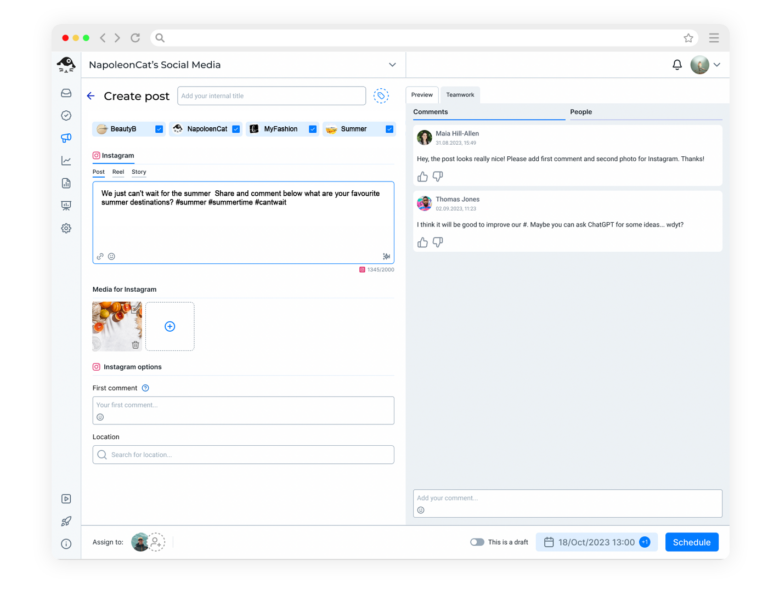
Write the first comment while you write the caption
Hashtags in the caption make it look cluttered. So a lot of people plan to put them in the first comment, and then have to remember to go back and post it.
Here you write that first comment at the same time as the caption, and the comment lands the moment the post goes live.
If the blank caption box is where you stall, the AI Assistant drafts one in the tone you pick and proposes the hashtags to sit underneath it.
Ten AI actions a month come with your plan; unlimited is a paid add-on.
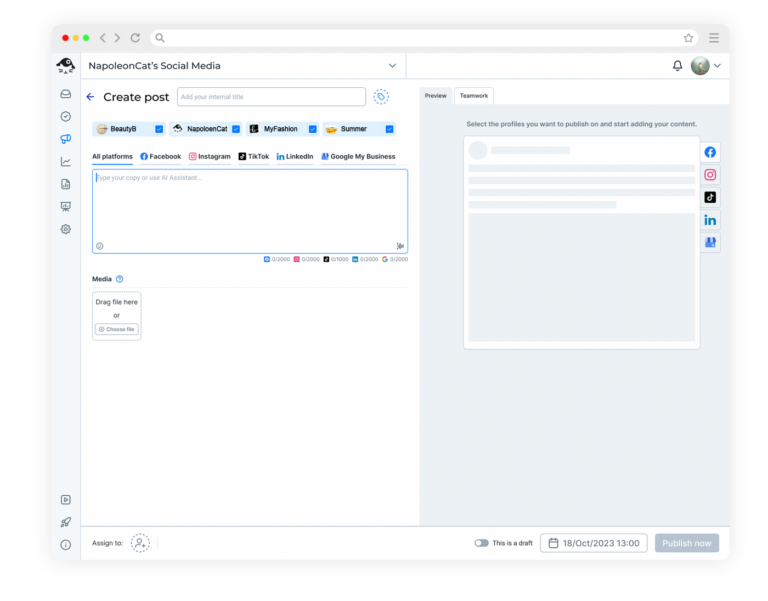
Drag the carousel into order, then queue it
Carousels are easy to put off, because the slides have to sit in the right sequence before the caption makes any sense.
Add the slides from your computer, drag them into the order you want, write the caption, and queue the carousel like any other post. You add the location tag at the same moment, rather than remembering it afterwards.
Approval happens on the draft, not in a chat thread
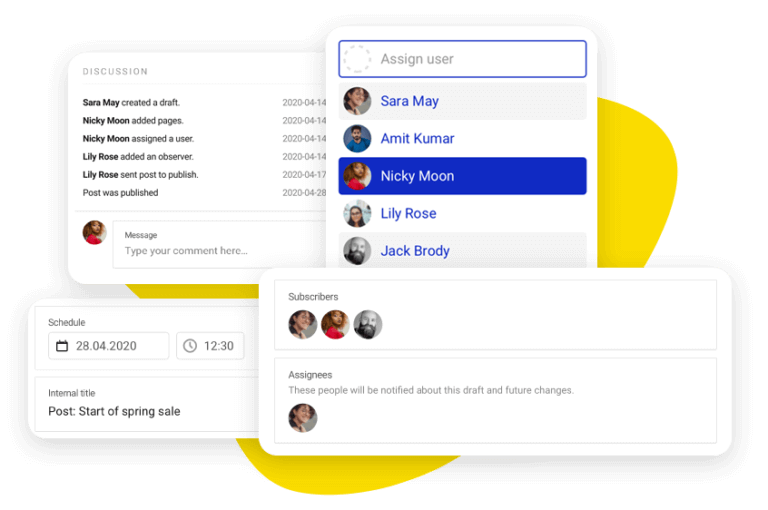
A carousel in the wrong order, or a caption that reads differently than you meant, is the kind of thing somebody else spots straight away. Assign the draft to a teammate and they comment and approve right beside the images, while changing something is still easy.
See how the grid will look before it fills up
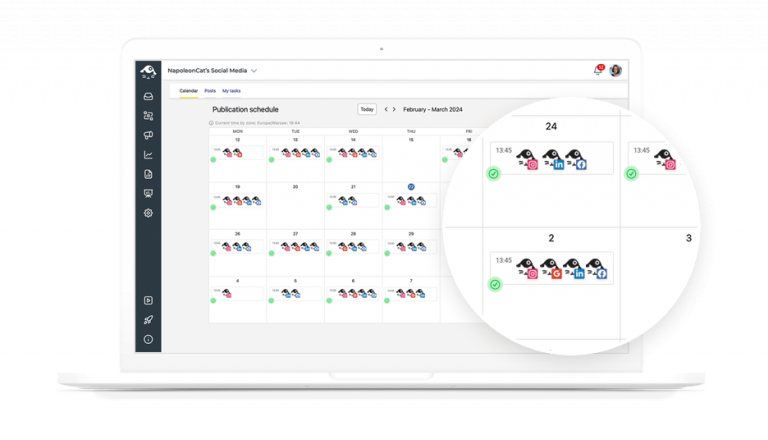
On Instagram the grid matters as much as the single post. The content calendar puts the whole month in front of you, with labels and tags on every post and draft.
You see the shape of what’s coming, and you can move things before anything is live – including the Reels and Stories you’ve lined up beside the feed posts.
Answer DMs and comments, and track competitors
Comments and DMs from every account you run arrive in the Social Inbox, and Auto-moderation can hide or delete the spam and the abuse automatically, overnight included.
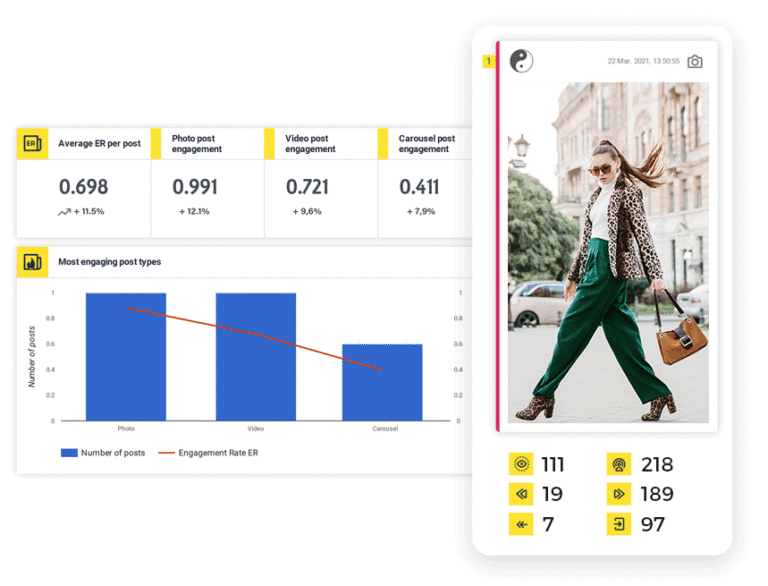
Competitor tracking sits alongside your own numbers, so the accounts you follow show up in the same charts as your own.
Your ad comments go through the same rules. Spam under a paid post costs you budget as well as patience.
Keep posting in the weeks you don’t feel like it




Here’s why our clients love NapoleonCat
Join the teams who can see their whole Instagram month before it goes out.

NapoleonCat saves up to one-third of a full-time position. That’s time we would otherwise spend manually moderating thousands of comments each month using the Meta Business Suite, profile by profile and comment by comment. Time we can now use for growth. NapoleonCat is the best tool of its kind on the market, and it’s still constantly evolving and improving by introducing new AI features.

It’s hard to imagine our work without a tool that includes so many valuable features. It won’t be an overstatement when I say that NapoleonCat saves us multiple full-time positions that would be dedicated to just moderating comments or manually generating reports.

NapoleonCat gives us the full picture of social media interactions. It’s easier to pick up urgent threads that need taking immediate action. And with conversation history, it’s much easier to continue the work of another team member while they’re out of office.

We work with multiple clients, and with NapoleonCat, we don’t waste time switching between multiple software tools. We can also deliver reliable data from a single source. We tested other social media moderation and analytics tools before, but none of them lived up to what NapoleonCat delivers. They’re the best, and I personally love using the tool. 🙂

NapoleonCat is now an indispensable tool that we use for moderation and analytical purposes, as well as content publishing. We’re curious to see new capabilities of the tool and test its new uses, for example, to moderate TikTok ad comments, as we predict this social media channel to become more and more important for our clients.

It’s the first social media engagement tool we have ever tried that is truly intuitive and that makes it easy for us to include the clients in the process. The service and support is great and personal. And the value for money is great!

We were looking for a tool that would allow us to consolidate and manage comments and private messages from Messenger in one place. Analytics and reports were also very important to us, as they would show us the level of our social media customer service. That’s why, in 2017, we decided to choose NapoleonCat.
See how NapoleonCat compares to its alternatives:
| Feature | NapoleonCat | Hootsuite | Sprout Social | Agorapulse |
|---|---|---|---|---|
| Scheduling to Facebook, Instagram, TikTok, LinkedIn and Google Business Profile | ✅ All five, one composer | ✅ Full publishing | ✅ Publishing queue | ✅ Full publishing |
| AI that writes and improves the post copy | ✅ In the composer, with tone of voice | ✅ OwlyWriter | ✅ AI Assist | ⚠️ Limited |
| Assigning posts and leaving feedback on a draft | ✅ Comments on the post itself | ✅ Teams, assignments | ✅ Tags, workflows | ✅ Collaboration |
| Automatic comment moderation (hide or delete) | ✅ Organic and ads, 24/7 | ⚠️ Rules for ads, no AI | ⚠️ Manual, no auto-delete | ⚠️ Basic |
| AI spam and hate detection on comments | ✅ Tags spam, hate and sentiment | ❌ Not offered | ⚠️ Sentiment only | ❌ Not offered |
| Ad comment moderation on Facebook, Instagram and TikTok | ✅ Full, all three networks | ⚠️ Basic rules for ads | ❌ Not offered | ⚠️ Partial |
| Moderation reports: what was hidden, replied to and deleted | ✅ Per profile and per team member | ⚠️ Limited rule logs | ⚠️ Alerts | ⚠️ Limited |
| Social CRM with cross-platform conversation history | ✅ Full profile and history | ⚠️ Limited | ⚠️ CRM-like | ⚠️ Limited |
| EU-based company and EU servers | ✅ EU company, EU servers | ❌ Global, USA-centric | ❌ Global, USA | ✅ EU (France) |
| Free trial | ✅ 14 days, no credit card | ✅ 30 days | ✅ 30 days | ✅ 30 days |
Frequently asked questions
Can you schedule Instagram posts to publish automatically?
Yes. They publish on their own at the time you pick, and that goes for feed posts, carousels, Reels and Stories. One exception comes from Instagram’s own publishing rules rather than ours: a Story carrying an interactive sticker has to be posted by hand.
Can I schedule the first comment with the post?
Yes, and you write it in the same composer as the caption. The comment posts the moment the post goes live, so your hashtags stay out of the caption.
Can I schedule an Instagram carousel?
You can. Add the slides from your computer, put them in the order you want, write the caption and schedule the carousel like any other post. You can tag a location on it too.
Do Instagram Stories and Reels work the same way?
They do, and they’re composed in the same place – Post, Reel and Story are tabs on the same screen, so you’re not switching tools depending on the format.
How far ahead can I schedule Instagram posts?
As far as you like, and as many as you like. Scheduling is unlimited on every plan, so planning a month of the grid in one afternoon is a normal way to work.
How much does it cost?
You can try the whole thing free for 14 days, no credit card. Paid plans start at $89 a month billed monthly, or $79 a month billed annually, for 2 users and 5 social profiles, and scheduling is unlimited on every plan. What the plan sets is how many users and social profiles you get, not how many posts you line up. That entry plan covers publishing, analytics and reports. The Social Inbox, where the comments and messages land, starts on Pro at $109 a month, and automatic replies and automatic comment hiding are on Expert, from $139 a month.
Keep posting in the weeks you don’t feel like it
Free 14-day trial: full access, zero commitment.
No credit card required