
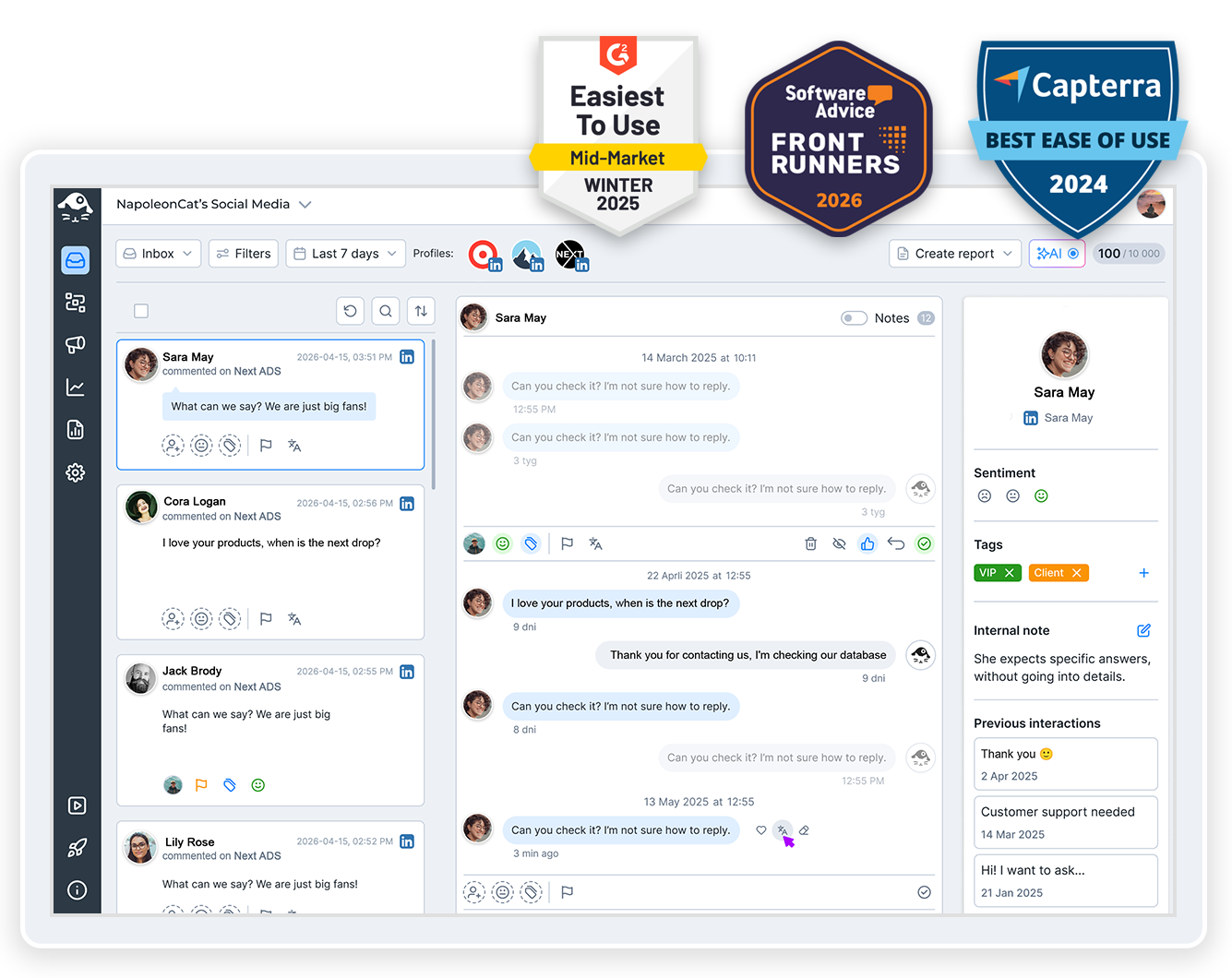
If you’re an agency looking for a reliable and cost-effective white label social media management tool – the kind that actually helps provide a better service to your clients, and their customers, too – here’s one you need to try.
White Label Social Media Management Tool – Fully Branded Reports
Trusted by:

Supported platforms








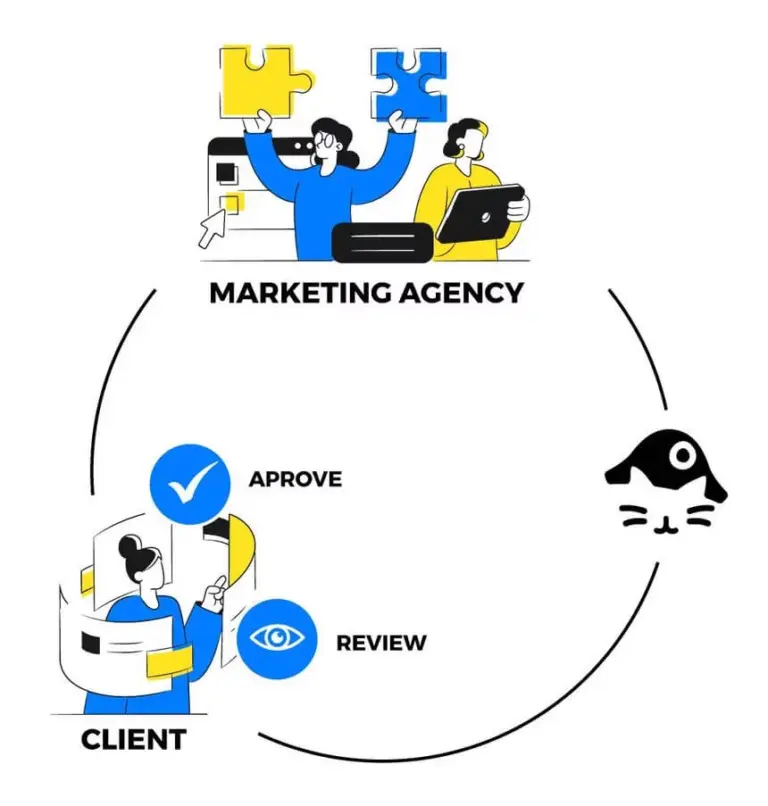
Workspaces: Manage every client in a separate, isolated workspace
Organize work by client projects and teams using Workspaces – separate areas where you can add sets of social media profiles, tags, and quick replies. Assign team members working on different client accounts so that work is separated but still easy to monitor in one software tool.
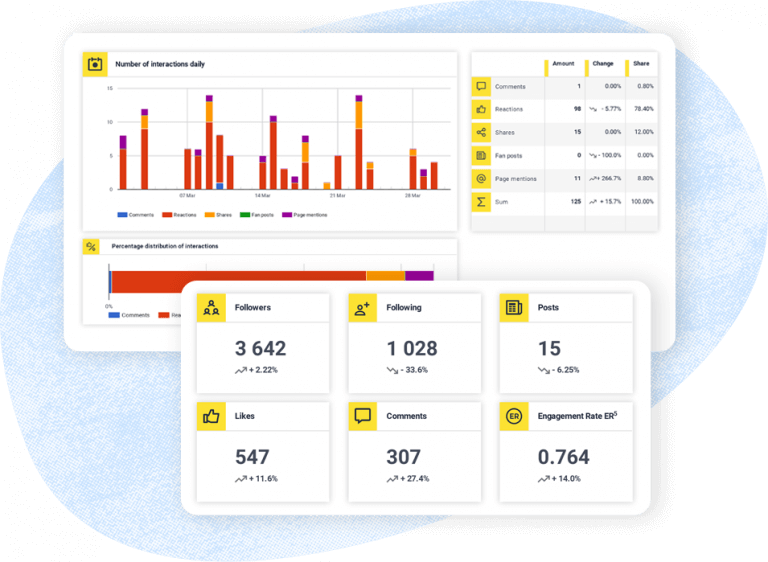
White-label PDF reports: Send branded reports under your agency’s name
Send branded reports without spending time custom-designing them each time and putting together slide decks and PDFs. Pick important metrics for different social media profiles, add your logo, and get a professional-looking PDF report without the work you’d otherwise put in. You can even schedule it to get generated automatically and sent to your client every week, month, or quarter.
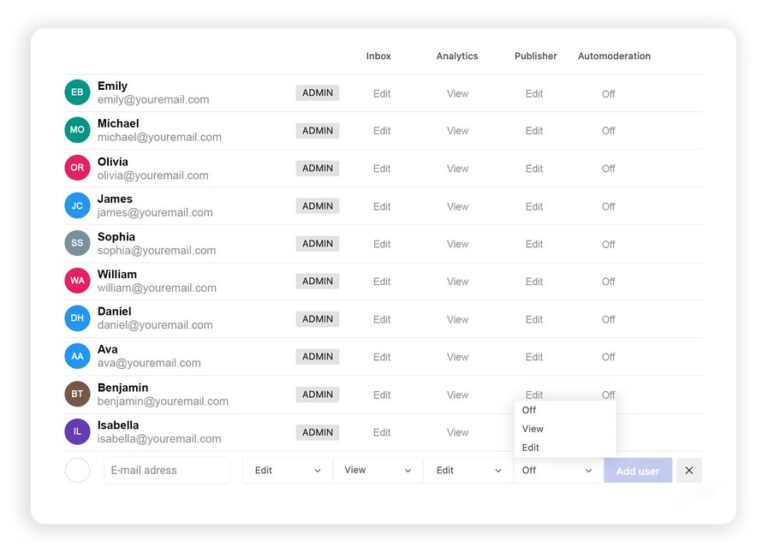
Role-based permissions: Admin, user, and client roles per workspace and module
Assign roles and responsibilities to team members for each Workspace, with different access levels depending on what they do – like moderating comments, creating content, or checking analytics. Your client can have access to designated areas of the Workspace, too, without being able to see any of your other client accounts.
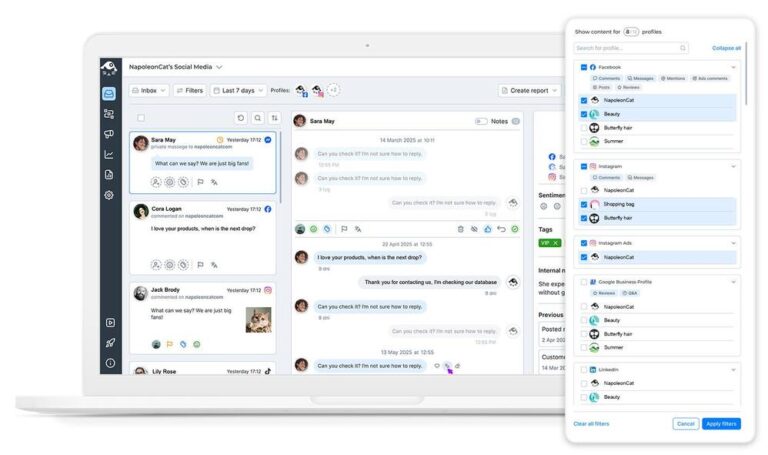
Social inbox: Handle all client conversations from one unified dashboard
Manage all comments, DMs, and reviews for each client in one view – the Social Inbox. Respond right from the dashboard, assign threads to team members as tickets, and organize all interactions with customers, along with notes and feedback for the team. Without ever going to any other tool or online communicator.
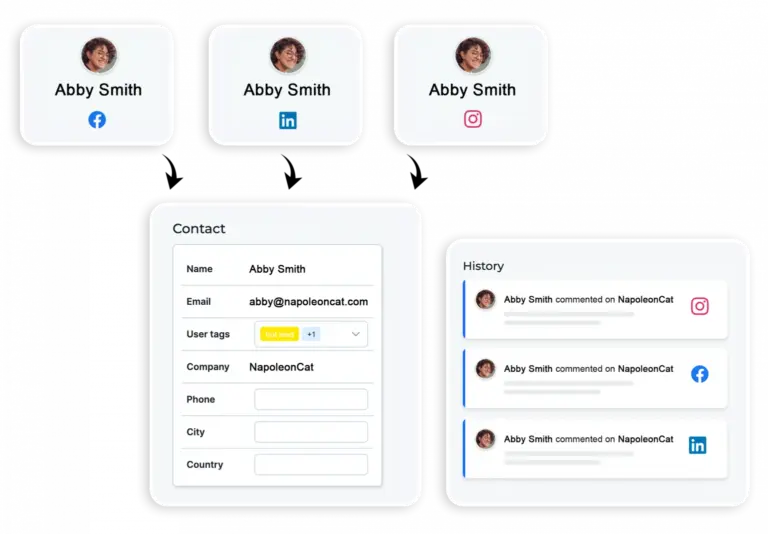
Social CRM: Track customer history across every client account
To avert crises – or just simply provide a personalized customer service on social media, even when the volumes are huge – you’ll be glad to have access to Social CRM. Every customer’s profile contains all of their previous conversations with your brand, whether they left a comment on Facebook or reached out via TikTok. So you can quickly get a grasp of their relationship with your brand and respond accordingly.
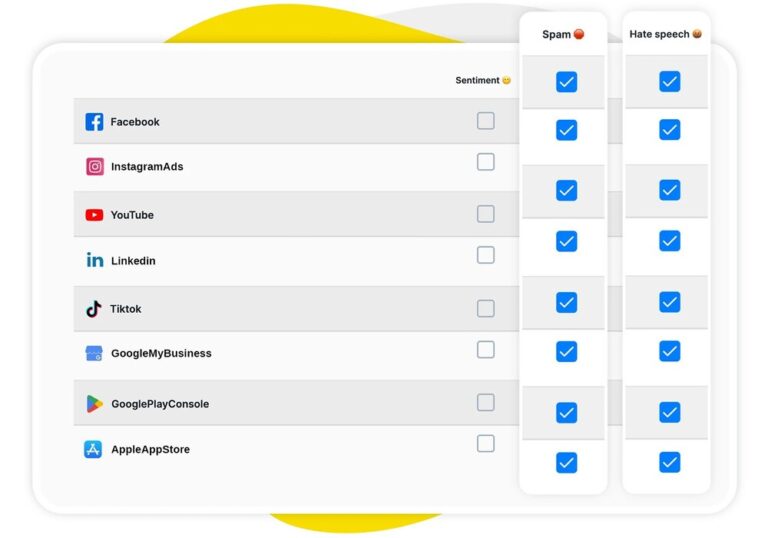
AI assistant: Auto-detect sentiment, spam, and hate across all client profiles
Meet your AI Assistant in the Social Inbox. It automatically categorizes your comments and DMs, assigning tags based on their sentiment as well as spam or hate content. So you can see at a glance what actions need to be taken, and which comments can be moved past (or best, removed entirely).
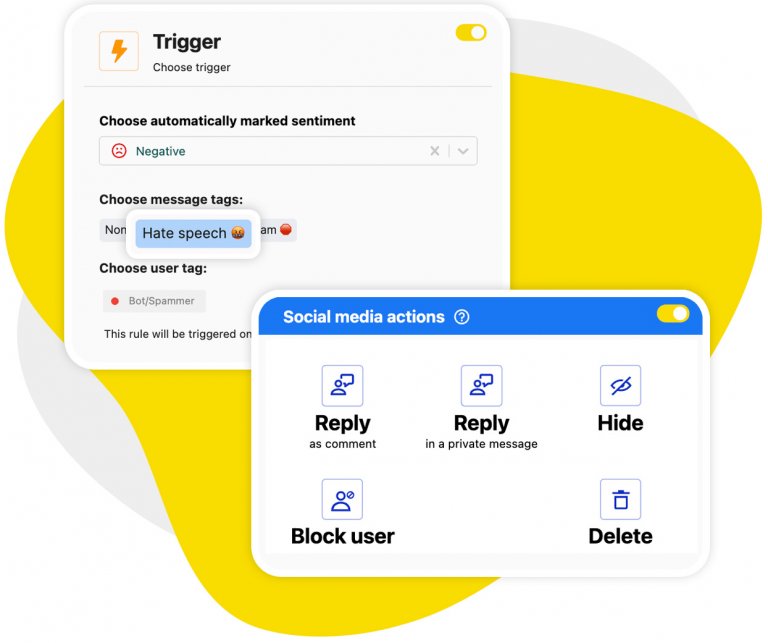
Auto-moderation: Filter spam and harmful comments at scale across clients
Set up Auto-moderation workflows for different common scenarios and automatically remove spam and hate or forward negative comments to a human moderator. They’re really easy to configure and can work around the clock, so your moderation team has more time for genuine customer interactions.
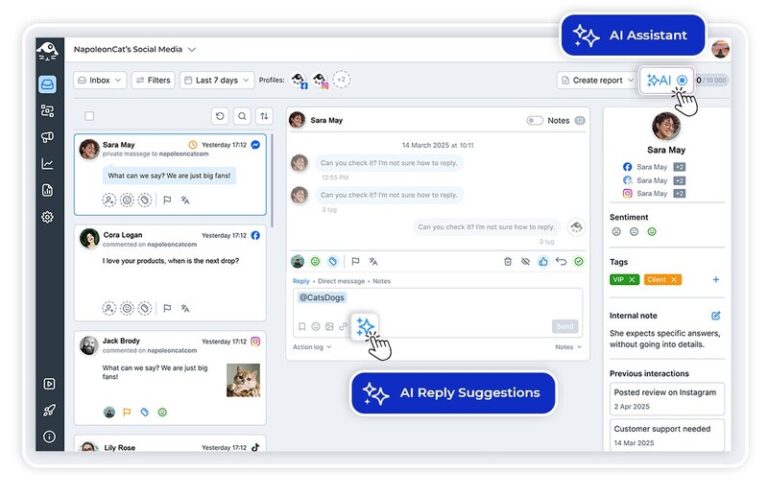
AI reply suggestions: Respond faster on every client account
Want to reply faster without losing the human touch or sounding the same across client accounts? Use AI reply suggestions, based on each brand’s unique tone of voice and comment history, so your responses are always accurate and on brand for each of your clients.
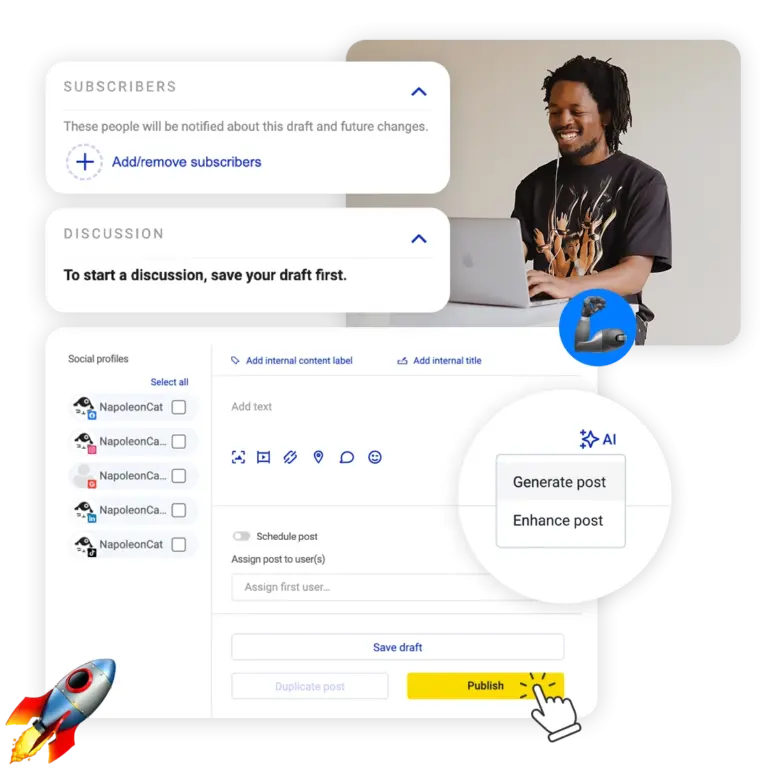
Publisher: Plan and approve content for clients in shared calendars
Plan and schedule content across your clients’ social media profiles in a team-shared Publisher calendar. Complete with approval workflows and feedback loops, and easy content repurposing for different formats and audiences.
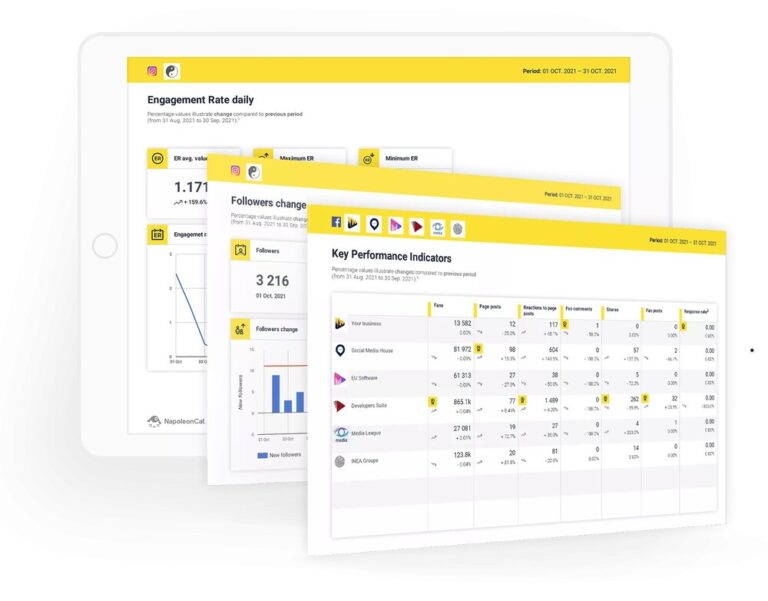
Analytics: Track performance across all client accounts in one view
View all important metrics for your clients’ social media profiles in their analytics dashboard, specific to the different client Workspaces. No more digging in the profile settings of different apps on different devices – all there in one place, with visual graphs and charts you can then turn into reports, including on moderation efficiency.
Get a tool made for agencies and large engagement volumes




Here’s why our clients love NapoleonCat
Join agencies that save hours every week with white label social media management.

NapoleonCat saves up to one-third of a full-time position. That’s time we would otherwise spend manually moderating thousands of comments each month using the Meta Business Suite, profile by profile and comment by comment. Time we can now use for growth. NapoleonCat is the best tool of its kind on the market, and it’s still constantly evolving and improving by introducing new AI features.

It’s hard to imagine our work without a tool that includes so many valuable features. It won’t be an overstatement when I say that NapoleonCat saves us multiple full-time positions that would be dedicated to just moderating comments or manually generating reports.

NapoleonCat gives us the full picture of social media interactions. It’s easier to pick up urgent threads that need taking immediate action. And with conversation history, it’s much easier to continue the work of another team member while they’re out of office.

We work with multiple clients, and with NapoleonCat, we don’t waste time switching between multiple software tools. We can also deliver reliable data from a single source. We tested other social media moderation and analytics tools before, but none of them lived up to what NapoleonCat delivers. They’re the best, and I personally love using the tool. 🙂

NapoleonCat is now an indispensable tool that we use for moderation and analytical purposes, as well as content publishing. We’re curious to see new capabilities of the tool and test its new uses, for example, to moderate TikTok ad comments, as we predict this social media channel to become more and more important for our clients.

It’s the first social media engagement tool we have ever tried that is truly intuitive and that makes it easy for us to include the clients in the process. The service and support is great and personal. And the value for money is great!

We were looking for a tool that would allow us to consolidate and manage comments and private messages from Messenger in one place. Analytics and reports were also very important to us, as they would show us the level of our social media customer service. That’s why, in 2017, we decided to choose NapoleonCat.
See how NapoleonCat compares to its alternatives
| Feature | NapoleonCat | Hootsuite | Sprout Social | Sendible |
|---|---|---|---|---|
| Feature | NapoleonCat | Hootsuite | Sprout Social | Sendible |
| White-Label / Branded Reports | ✅ Yes (your logo, auto-scheduled) | ⚠️ Limited | ⚠️ Enterprise add-on | ✅ Yes (per client) |
| Multi-Client Workspaces | ✅ Yes (isolated per client) | ⚠️ Teams (higher tiers) | ⚠️ Limited | ✅ Yes (client-based) |
| Role-Based Permissions | ✅ Yes (per workspace & module) | ✅ Yes | ✅ Yes | ✅ Yes |
| Unified Social Inbox | ✅ Yes | ✅ Yes | ✅ Yes | ⚠️ Basic |
| Social CRM (customer history) | ✅ Yes | ⚠️ Basic | ⚠️ Basic | ⚠️ Basic |
| Auto-Moderation at Scale | ✅ Advanced (AI + rules) | ⚠️ Limited rules | ⚠️ Limited filtering | ❌ No |
| AI Spam & Hate Removal | ✅ AI-based auto removal | ⚠️ Limited (rules / add-on) | ❌ No auto removal | ❌ No |
| GDPR Data Protection | ✅ EU-based, GDPR-first | ⚠️ CA-based | ⚠️ US-based | ⚠️ UK-based |
FAQs
Can I send white-label reports under my agency’s name?
Yes. NapoleonCat lets you build branded PDF reports with your own logo, pick the metrics that matter for each client, and schedule them to generate and send automatically every week, month, or quarter – no manual slide decks required.
How does NapoleonCat keep client accounts separate?
Each client lives in its own isolated Workspace with its own social media profiles, tags, and quick replies. You assign team members per Workspace, and clients can be given access only to their designated areas – never to your other client accounts.
Can my clients have their own limited access?
Yes. Role-based permissions let you set Admin, user, and client roles per Workspace and module – like moderation, content creation, or analytics. Clients see only what you allow, with no visibility into other accounts.
Does NapoleonCat help moderate comments across many client accounts?
Yes. Auto-moderation runs around the clock to remove spam and hate or forward negative comments to a human moderator, across all your client profiles. Combined with the AI Assistant’s spam, hate, and sentiment tagging, your team spends less time on repetitive moderation.
Is NapoleonCat a good fit for agencies that need GDPR compliance?
Very much so. NapoleonCat is EU-based and GDPR-first, with data stored in the EEA – an advantage when managing European clients, compared with US-, CA-, or UK-based alternatives.
Can I keep on-brand replies consistent across different clients?
Yes. AI reply suggestions are based on each brand’s unique tone of voice and comment history, so responses stay accurate and on brand for every client account – without sounding identical across them.
Deliver social media management under your own brand
Free 14-day trial: full access, zero commitment.
No credit card required