
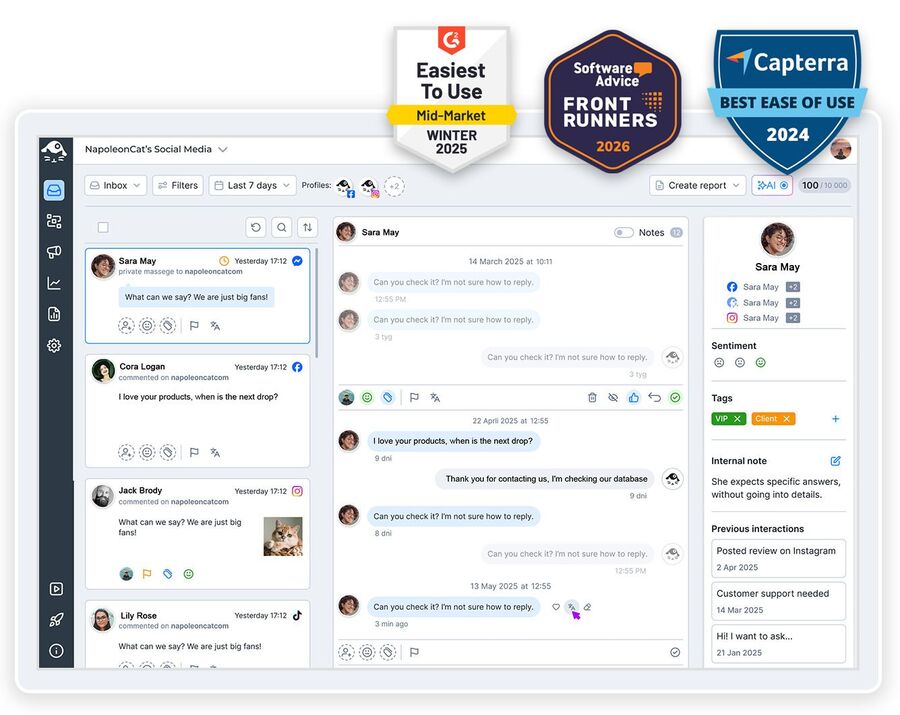
If you’re building a brand community online, you need a solid social media community management tool. Here’s one that your team will love (and your social media community will appreciate).
Social Media Community Management Tool – All in One Hub
Trusted by:




Supported platforms








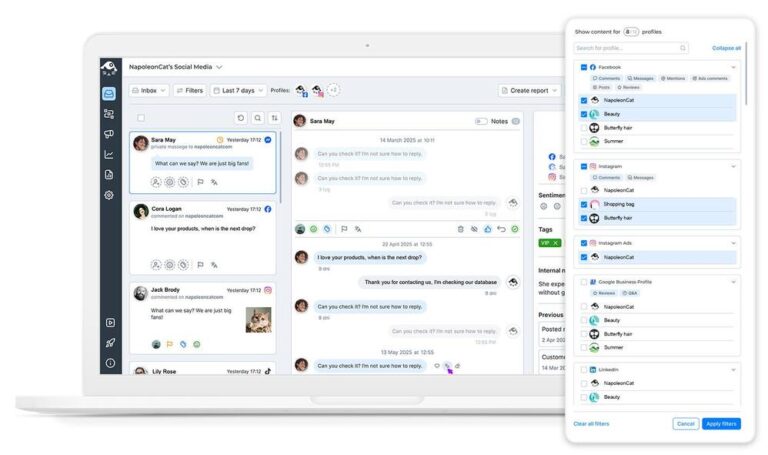
See and answer all your community’s comments and DMs in one place
Too many questions, not enough people to answer them? Get all your comments and DMs in one place, and you’ll be surprised by how much time your team saves. Keep building a loyal community without missing a single important comment, message, or review, no matter how many social media profiles you manage. It’s all right there, in your Social Inbox.
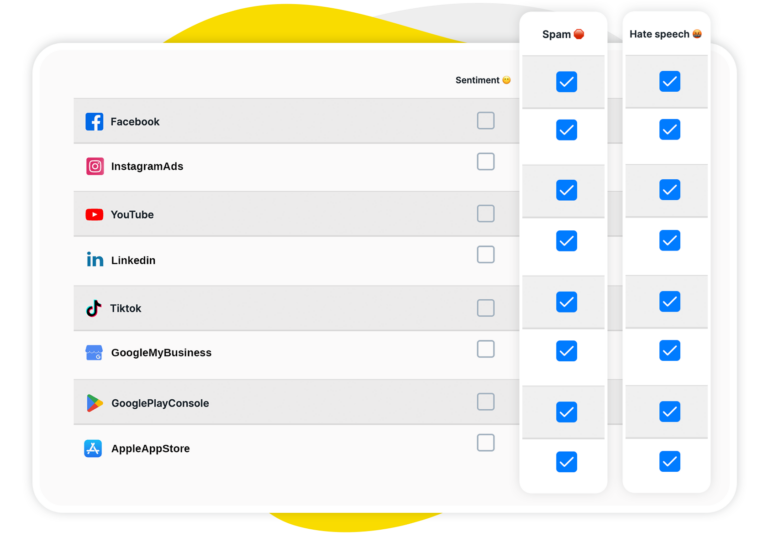
Auto-categorize all comments by sentiment, spam, and hate speech
Add an AI Assistant to the community management team. It will organize comments by sentiment, detect spam and hate, and save hours of your community managers’ time every single day. One look at the Social Inbox and you know what’s important to take care of first, what can wait, and what can be ignored altogether.
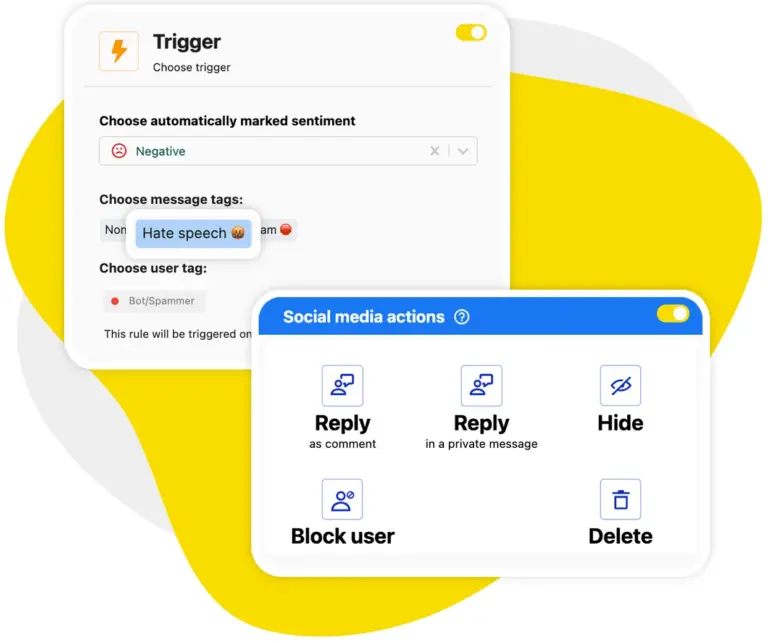
Auto-moderation: Automatically hide spam and hateful comments before your community sees them
No more hiding spammy comments one by one (seriously, nobody should have to do this in this day and age). Auto-moderation can act on what the AI Assistant tags and do it automatically, in bulk, the moment a spammy comment appears under your post or ad – or in your inbox. 24/7, completely hands-free.
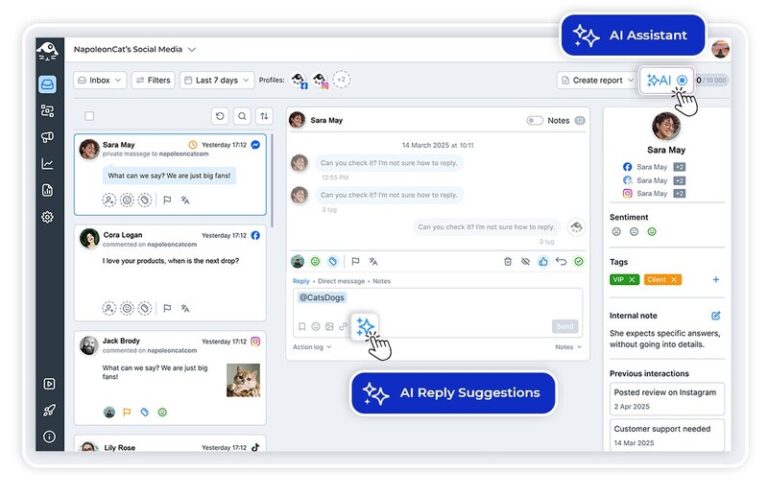
AI reply suggestions: Get a ready-made reply for every comment, written in your brand’s tone
Save time typing your answers manually – without compromising brand voice and response quality. AI can generate reply suggestions on point, based on your conversation style and content. So all it takes is to press “send”.
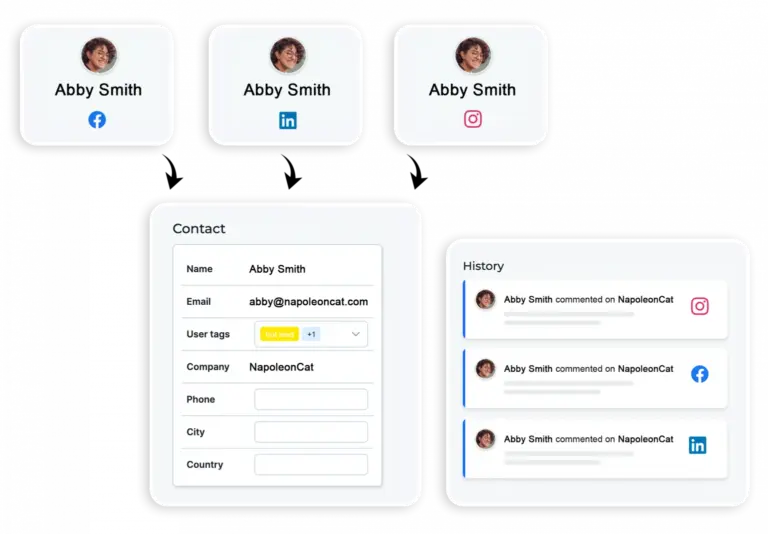
Social CRM: See each person’s previous comments and messages whenever they reach out
Get to know the members of your community and your conversation history with each one. In the Social CRM, you’ll find your past interactions across social networks, your relationship sentiment, and any comments your moderators left before. So you have quick access to the whole context of every single customer relationship.
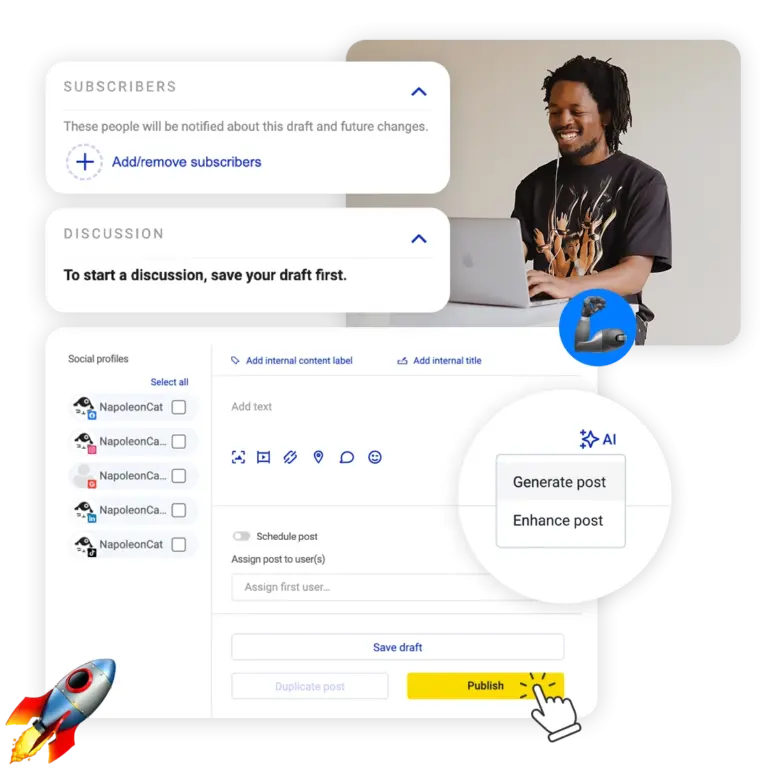
Plan and schedule your community posts ahead of time
Plan and schedule your content across platforms, accounts, and formats to keep engaging your community in important conversations. With a shared calendar, approval workflows, and feedback tools, your team can work on new campaigns and stories together, in the same tool they moderate the engagement that content generates.
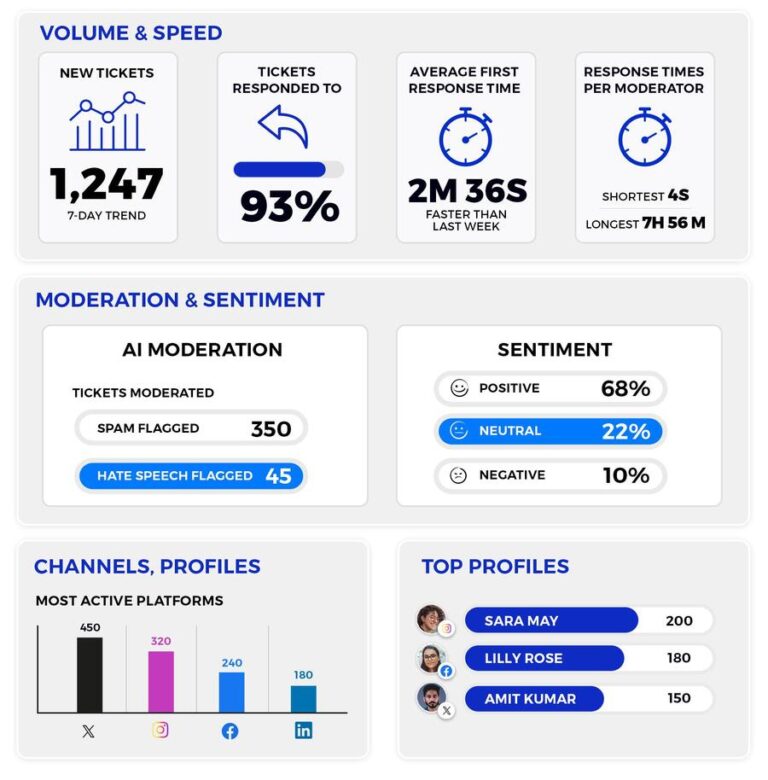
Moderation reports: See how many comments your team answered and how quickly
Keep an eye on your moderation performance. How quickly do people get replies from you? Which social media channels work better, and which ones need a little more TLC? Which team members ace community building, and who needs a pep talk (or support)? It’s all there in your NapoleonCat moderation reports.
Build an engaged community with tools to support you and your team




Here’s why our clients love NapoleonCat
Join businesses that save hours every week with smarter community management.

NapoleonCat saves up to one-third of a full-time position. That’s time we would otherwise spend manually moderating thousands of comments each month using the Meta Business Suite, profile by profile and comment by comment. Time we can now use for growth. NapoleonCat is the best tool of its kind on the market, and it’s still constantly evolving and improving by introducing new AI features.

It’s hard to imagine our work without a tool that includes so many valuable features. It won’t be an overstatement when I say that NapoleonCat saves us multiple full-time positions that would be dedicated to just moderating comments or manually generating reports.

NapoleonCat gives us the full picture of social media interactions. It’s easier to pick up urgent threads that need taking immediate action. And with conversation history, it’s much easier to continue the work of another team member while they’re out of office.

We work with multiple clients, and with NapoleonCat, we don’t waste time switching between multiple software tools. We can also deliver reliable data from a single source. We tested other social media moderation and analytics tools before, but none of them lived up to what NapoleonCat delivers. They’re the best, and I personally love using the tool. 🙂

NapoleonCat is now an indispensable tool that we use for moderation and analytical purposes, as well as content publishing. We’re curious to see new capabilities of the tool and test its new uses, for example, to moderate TikTok ad comments, as we predict this social media channel to become more and more important for our clients.

It’s the first social media engagement tool we have ever tried that is truly intuitive and that makes it easy for us to include the clients in the process. The service and support is great and personal. And the value for money is great!

We were looking for a tool that would allow us to consolidate and manage comments and private messages from Messenger in one place. Analytics and reports were also very important to us, as they would show us the level of our social media customer service. That’s why, in 2017, we decided to choose NapoleonCat.
NapoleonCat vs. other community management tools
| Feature | NapoleonCat | Hootsuite | Sprout Social | Sendible |
|---|---|---|---|---|
| Unified social inbox (comments, DMs, reviews) | ✅ Yes | ✅ Yes | ✅ Yes | ⚠️ Basic |
| Social CRM (member history) | ✅ Yes | ⚠️ Basic | ⚠️ Basic | ⚠️ Basic |
| Auto-moderation (spam & hate) | ✅ Yes (AI-based) | ⚠️ Limited | ⚠️ Limited | ❌ No |
| AI reply suggestions | ✅ Yes | ✅ Yes | ✅ Yes | ❌ No |
| AI sentiment & spam tagging | ✅ AI-supported | ⚠️ Basic | ⚠️ Labels only | ❌ No |
| Publishing & scheduling | ✅ Yes (calendar, approvals) | ✅ Yes | ✅ Yes | ✅ Yes |
| Team collaboration (roles, assignments) | ✅ Yes | ✅ Yes | ✅ Yes | ✅ Yes (agency) |
| Moderation reports | ✅ Detailed | ⚠️ Limited | ⚠️ Basic | ❌ No |
| EU data hosting & GDPR | ✅ EU-based, GDPR-first | ⚠️ CA-based | ⚠️ US-based | ⚠️ UK-based |
FAQs
What is a social media community management tool?
It’s a platform that helps you engage and moderate an online brand community across social media – bringing comments, DMs, and reviews from every profile into one place, automating repetitive moderation, and giving your team the context to reply well and fast. NapoleonCat does all of this in a single dashboard.
Can NapoleonCat manage comments and DMs from multiple platforms in one place?
Yes. The Social Inbox collects comments, DMs, ad comments, and reviews from all your connected profiles, no matter how many you manage – so nothing important slips through the cracks.
How does NapoleonCat help moderate a large community?
The AI Assistant tags comments by sentiment and flags spam and hate, and Auto-moderation acts on those tags automatically – hiding or deleting unwanted content in bulk, 24/7. Your team then focuses only on the conversations that need a human.
Can I schedule content for my community with NapoleonCat?
Yes. The Publisher lets you plan and schedule posts across platforms, accounts, and formats, with a shared calendar, approval workflows, and feedback tools – in the same tool where you moderate engagement.
Does NapoleonCat support team collaboration for community management?
It does. You can assign comments to specific moderators, leave internal notes, set roles, and track everyone’s performance – so a whole team can manage the community together without stepping on each other’s toes.
How does the AI help my community managers save time?
AI auto-categorizes incoming comments by sentiment and detects spam and hate, and it can suggest ready-made, on-brand replies. That removes hours of manual sorting and typing every day, while your managers keep final control over what gets sent.
Let AI keep up with your community
Free 14-day trial: full access, zero commitment.
No credit card required