
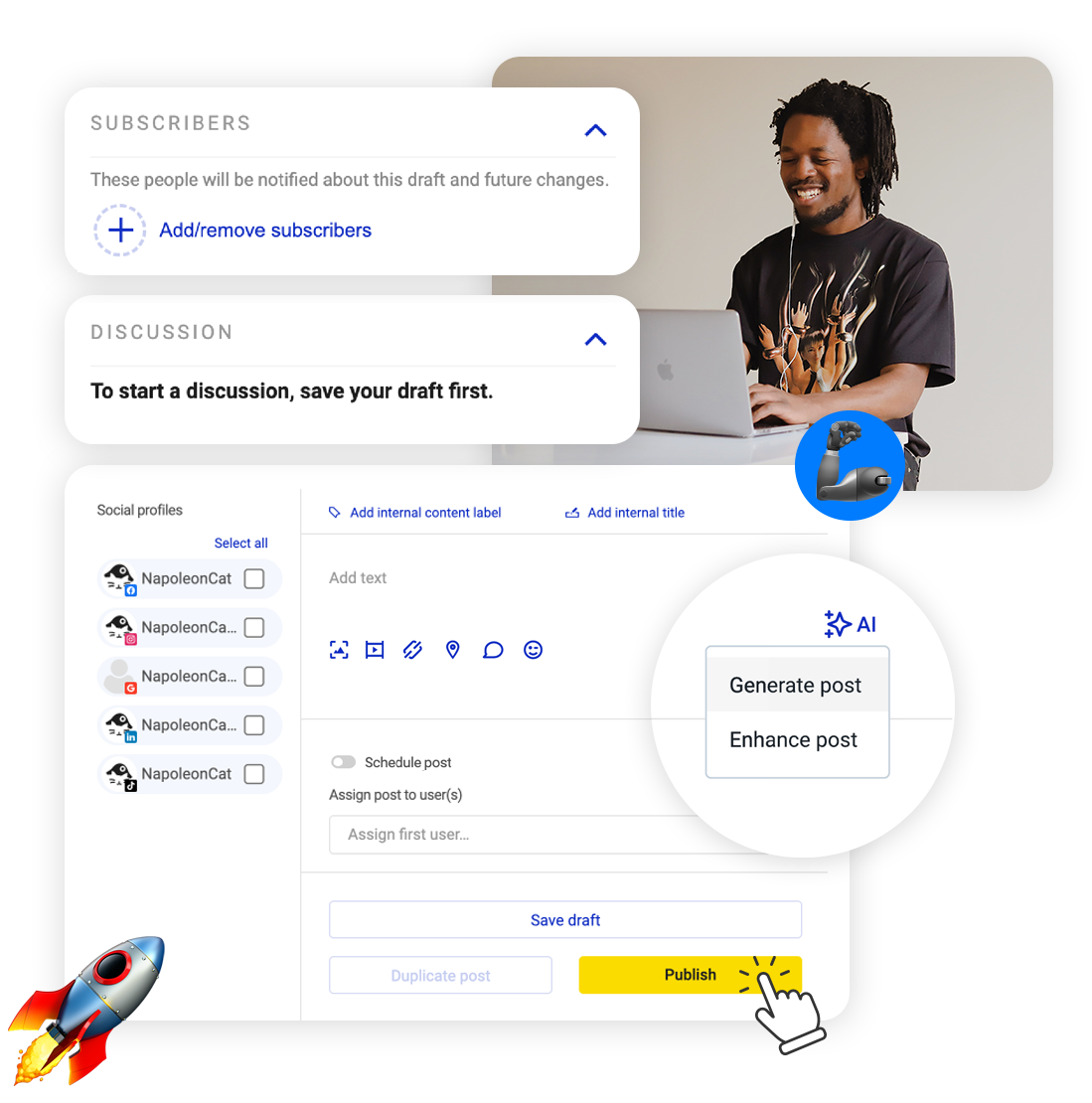
Google added scheduling to Business Profile, and then left you doing it one location at a time. Schedule Google My Business posts for all your listings from one screen instead, and keep them looking alive in the weeks nobody has a spare hour.
Schedule Google My Business Posts – Every Location, One Screen
Trusted by:




Supported platforms








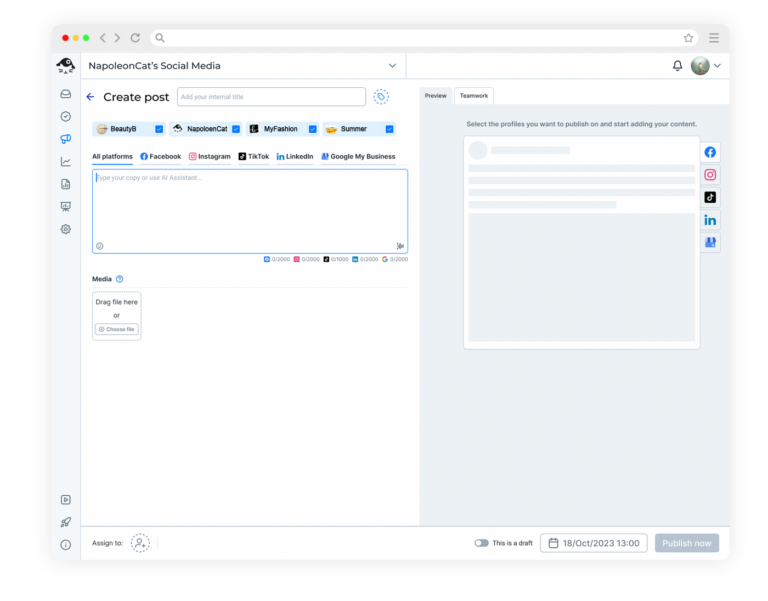
Post to all your locations without repeating yourself
Google’s own scheduler takes one profile at a time, so five branches means writing the same post five times, location by location. Connect every location once and send one update to all of them, or change the detail that differs on one.
A change of opening hours is usually the same everywhere, so you write it once. Line up as many posts as you like – no plan caps how many you schedule.
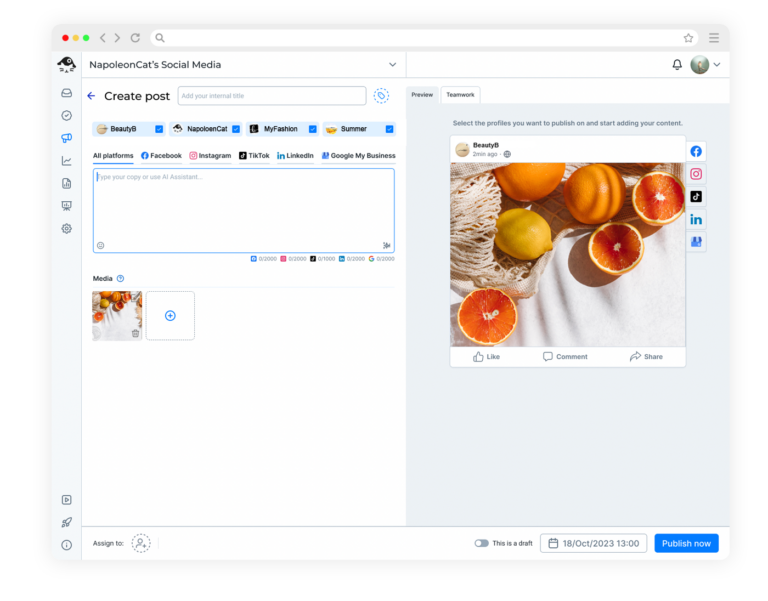
Schedule What’s New, Events and Offers, button and all
These aren’t all the same post with a different label. You can schedule a What’s New update, an Event with its start and end dates, or an Offer with a voucher code, a link and the terms and conditions.
For each one you can add any call-to-action button Google supports – book, order online, buy, learn more, sign up or call.
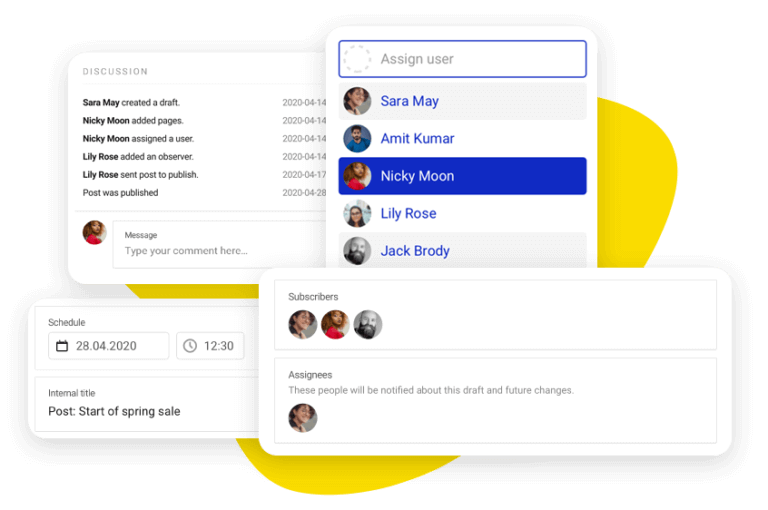
Let the branch manager approve the offer
The person who knows whether the Tuesday deal is really running usually isn’t the person writing the post. Assign the draft to them and they approve it, or send it back, before it reaches your listing. A wrong price caught now costs you nothing.
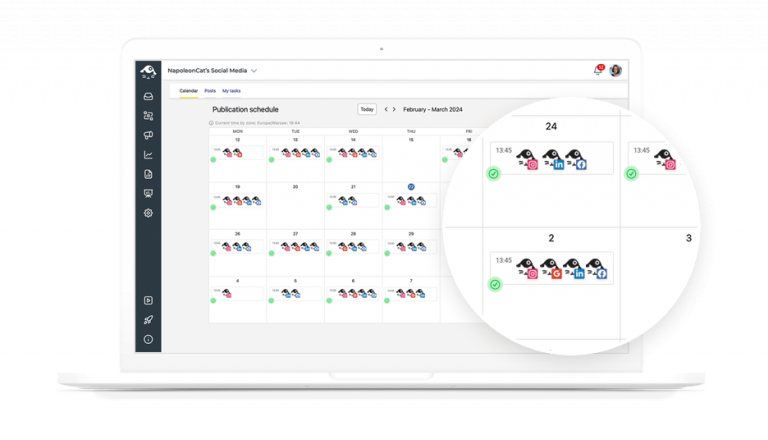
Check what each branch has coming up
The content calendar puts every location’s schedule in one view, tagged and labeled however you like, next to whatever you’ve got going out on your social profiles. You can see which branch has two weeks of posts ready and which one has nothing after Friday, without opening a single profile.
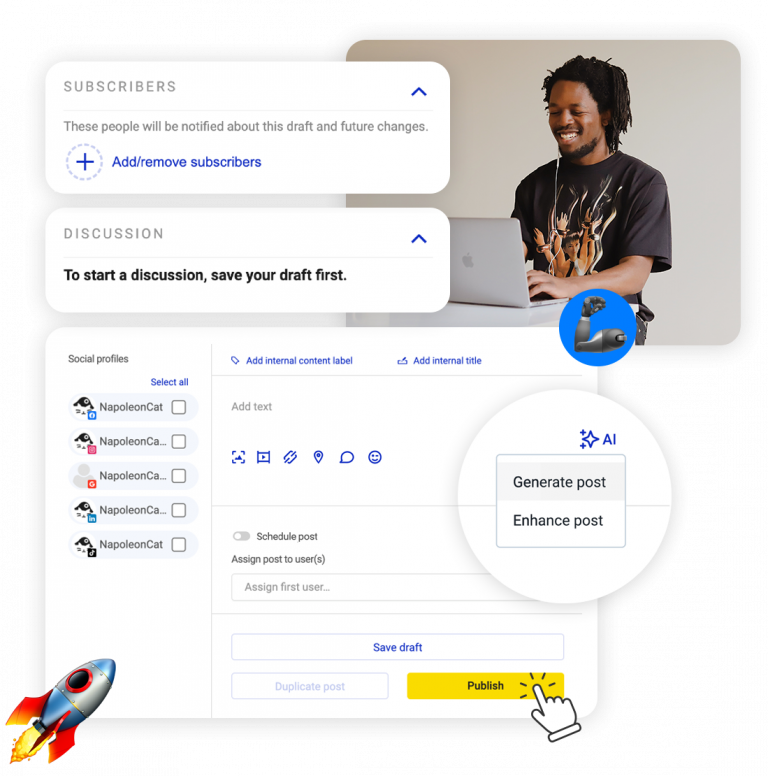
Stop writing the same seasonal offer by hand
Writing the twelfth version of a seasonal offer is nobody’s favorite afternoon, and with a dozen listings you’d be writing it a dozen times. Give the AI Assistant the details and, in the tone you choose, it drafts the copy or sharpens what you’ve already written.
You check the dates and the small print yourself, because those are the bits that matter. Ten AI actions a month come with your plan; unlimited is a paid add-on.
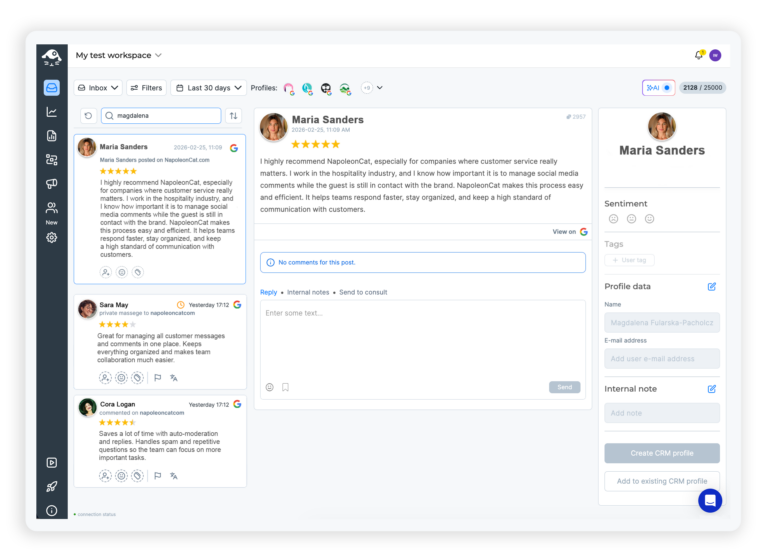
Answer Google reviews and send reports from here
Google reviews come into the Social Inbox alongside everything else people send you, so you can answer them without leaving NapoleonCat.
Inbox reports show how quickly your team is getting back to people, and they send themselves on whatever schedule you pick. Worth saying plainly: automatic moderation rules don’t run on Google Business Profile, so review replies are yours to write.
Keep every location posting, even in a busy month




Here’s why our clients love NapoleonCat
Join the brands who keep every location posting without chasing managers.

NapoleonCat saves up to one-third of a full-time position. That’s time we would otherwise spend manually moderating thousands of comments each month using the Meta Business Suite, profile by profile and comment by comment. Time we can now use for growth. NapoleonCat is the best tool of its kind on the market, and it’s still constantly evolving and improving by introducing new AI features.

It’s hard to imagine our work without a tool that includes so many valuable features. It won’t be an overstatement when I say that NapoleonCat saves us multiple full-time positions that would be dedicated to just moderating comments or manually generating reports.

NapoleonCat gives us the full picture of social media interactions. It’s easier to pick up urgent threads that need taking immediate action. And with conversation history, it’s much easier to continue the work of another team member while they’re out of office.

We work with multiple clients, and with NapoleonCat, we don’t waste time switching between multiple software tools. We can also deliver reliable data from a single source. We tested other social media moderation and analytics tools before, but none of them lived up to what NapoleonCat delivers. They’re the best, and I personally love using the tool. 🙂

NapoleonCat is now an indispensable tool that we use for moderation and analytical purposes, as well as content publishing. We’re curious to see new capabilities of the tool and test its new uses, for example, to moderate TikTok ad comments, as we predict this social media channel to become more and more important for our clients.

It’s the first social media engagement tool we have ever tried that is truly intuitive and that makes it easy for us to include the clients in the process. The service and support is great and personal. And the value for money is great!

We were looking for a tool that would allow us to consolidate and manage comments and private messages from Messenger in one place. Analytics and reports were also very important to us, as they would show us the level of our social media customer service. That’s why, in 2017, we decided to choose NapoleonCat.
See how NapoleonCat compares to its alternatives:
| Feature | NapoleonCat | Hootsuite | Sprout Social | Agorapulse |
|---|---|---|---|---|
| Scheduling to Facebook, Instagram, TikTok, LinkedIn and Google Business Profile | ✅ All five, one composer | ✅ Full publishing | ✅ Publishing queue | ✅ Full publishing |
| AI that writes and improves the post copy | ✅ In the composer, with tone of voice | ✅ OwlyWriter | ✅ AI Assist | ⚠️ Limited |
| Assigning posts and leaving feedback on a draft | ✅ Comments on the post itself | ✅ Teams, assignments | ✅ Tags, workflows | ✅ Collaboration |
| Automatic comment moderation (hide or delete) | ✅ On Facebook and Instagram (hide and reply on TikTok) | ⚠️ Rules for ads, no AI | ⚠️ Manual, no auto-delete | ⚠️ Basic |
| AI spam and hate detection on comments | ✅ Tags spam, hate and sentiment | ❌ Not offered | ⚠️ Sentiment only | ❌ Not offered |
| Ad comment moderation on Facebook, Instagram and TikTok | ✅ Full, all three networks | ⚠️ Basic rules for ads | ❌ Not offered | ⚠️ Partial |
| Moderation reports: what was hidden, replied to and deleted | ✅ Per profile and per team member | ⚠️ Limited rule logs | ⚠️ Alerts | ⚠️ Limited |
| Social CRM with cross-platform conversation history | ✅ Full profile and history | ⚠️ Limited | ⚠️ CRM-like | ⚠️ Limited |
| EU-based company and EU servers | ✅ EU company, EU servers | ❌ Global, USA-centric | ❌ Global, USA | ✅ EU (France) |
| Free trial | ✅ 14 days, no credit card | ✅ 30 days | ✅ 30 days | ✅ 30 days |
Frequently asked questions
Can you schedule Google My Business posts in advance?
Yes, and Google’s own Business Profile tools will schedule one too these days. The difference is how many at once: Google takes one location at a time, so a dozen listings means composing it a dozen times. Here you write the post once, pick the locations, and the posts all go out on their own.
Which Google post types can I schedule?
What’s New updates, Events with their start and end dates, and Offers with a voucher code, a link and the terms underneath. Each one can carry the call-to-action button Google allows: book, order online, buy, learn more, sign up or call.
Can I post to several business locations at once?
Yes. Connect every location and send the same update to all of them, or adjust the detail that differs on one. You don’t go location by location.
Is there a free way to schedule Google My Business posts?
There’s a 14-day free trial here, no credit card, which is long enough to schedule a month across every listing. Google’s own scheduler takes one location at a time, so with a handful of branches what it really costs you is the afternoon.
Can I manage my Google reviews here as well?
Yes. Google reviews come into the Social Inbox alongside your comments and messages from other networks, so you can answer them from the same screen. Worth saying plainly: automatic moderation rules don’t run on Google Business Profile, so review replies there are yours to write.
How much does it cost?
You can try the whole thing free for 14 days, no credit card. Paid plans start at $89 a month billed monthly, or $79 a month billed annually, for 2 users and 5 social profiles, and scheduling is unlimited on every plan. What the plan sets is how many users and social profiles you get, not how many posts you line up. That entry plan covers publishing, analytics for your social profiles, and reports. NapoleonCat does not report on how a Google listing itself performs – that stays in Google’s own Insights. The Social Inbox, where the comments and messages land, starts on Pro at $109 a month, and automatic replies and automatic comment hiding are on Expert, from $139 a month.
Keep every location posting, even in a busy month
Free 14-day trial: full access, zero commitment.
No credit card required