
Comments are a big part of YouTube. But when they become too big a part, that’s when an auto commenting AI for YouTube will help. Check out the one from NapoleonCat.
Auto-Commenting AI for YouTube – Auto-Reply & Block Spam
Trusted by:




Supported platforms








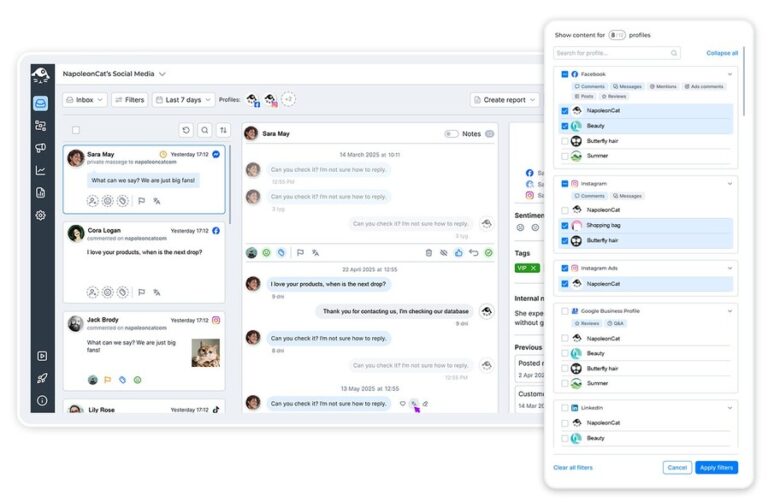
Manage all YouTube comments from one centralized dashboard
Run a popular YouTube channel – or maybe manage several ones? The comments will eventually get messy.
The Social Inbox will collect all of them in one place, without you having to constantly switch accounts. And you can easily filter them, reply, and assign to moderators, as they come in (the comments, not the moderators). And when replying to everything yourself stops being humanly possible – that’s where the auto commenter for YouTube part comes in (more on that below).
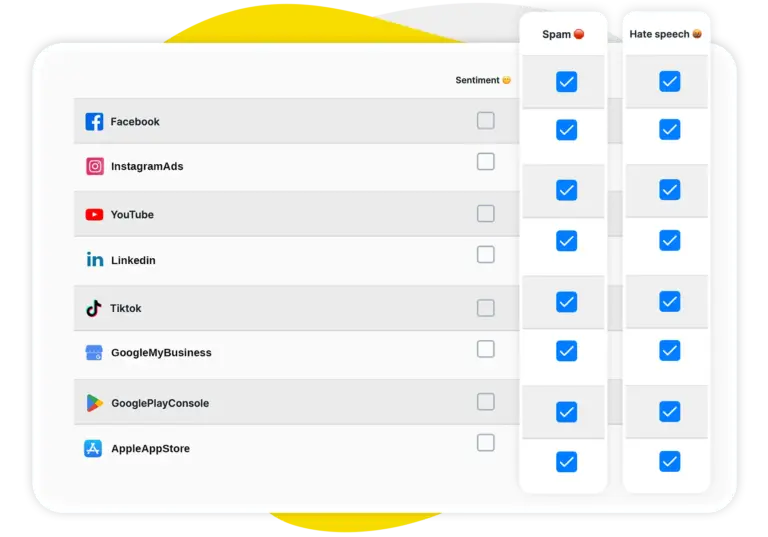
AI assistant: Auto-detect spam, hate speech, and sentiment on YouTube
YouTube communities can be great – but spam is inevitable anywhere you go online. You don’t have to manually tag and remove it, though. Get the AI Assistant to detect spam, hate, and comment sentiment, so you can skip that part entirely.
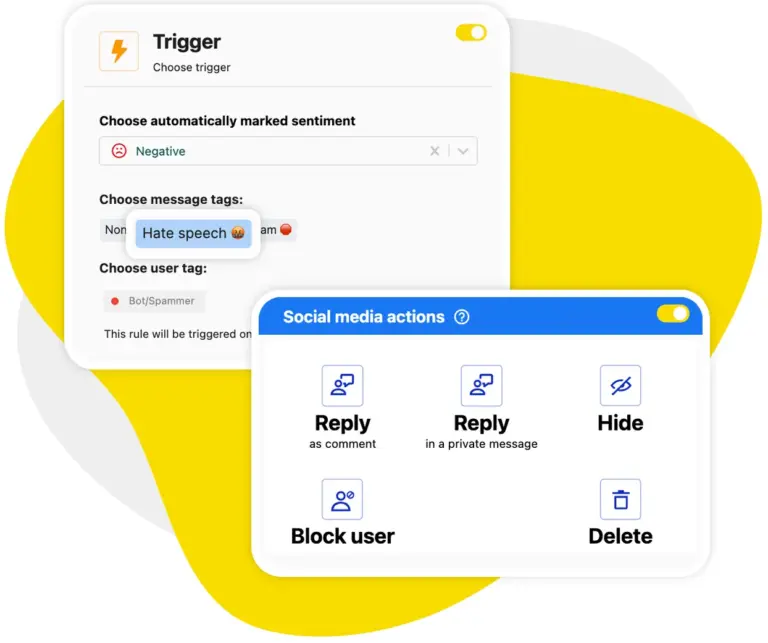
Auto-moderation: Automatically filter and remove unwanted YouTube comments
You can also skip the actual spam removal when you use Auto-moderation. Set up YouTube comment automation rules triggered by what the AI Assistant detects, and you just got yourself a fully automated spam filter for YouTube that’s fast and accurate – while you can keep focusing on building your YouTube community.
While you’re at it, set up an auto reply for YouTube comments you keep getting over and over (think: “when’s the next upload?”).
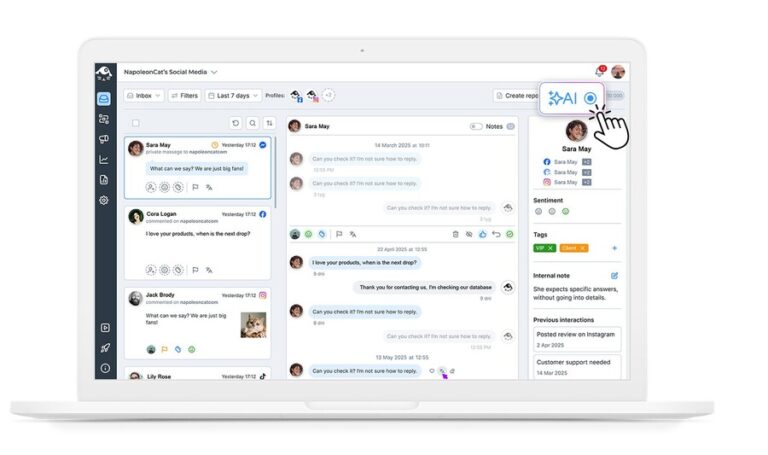
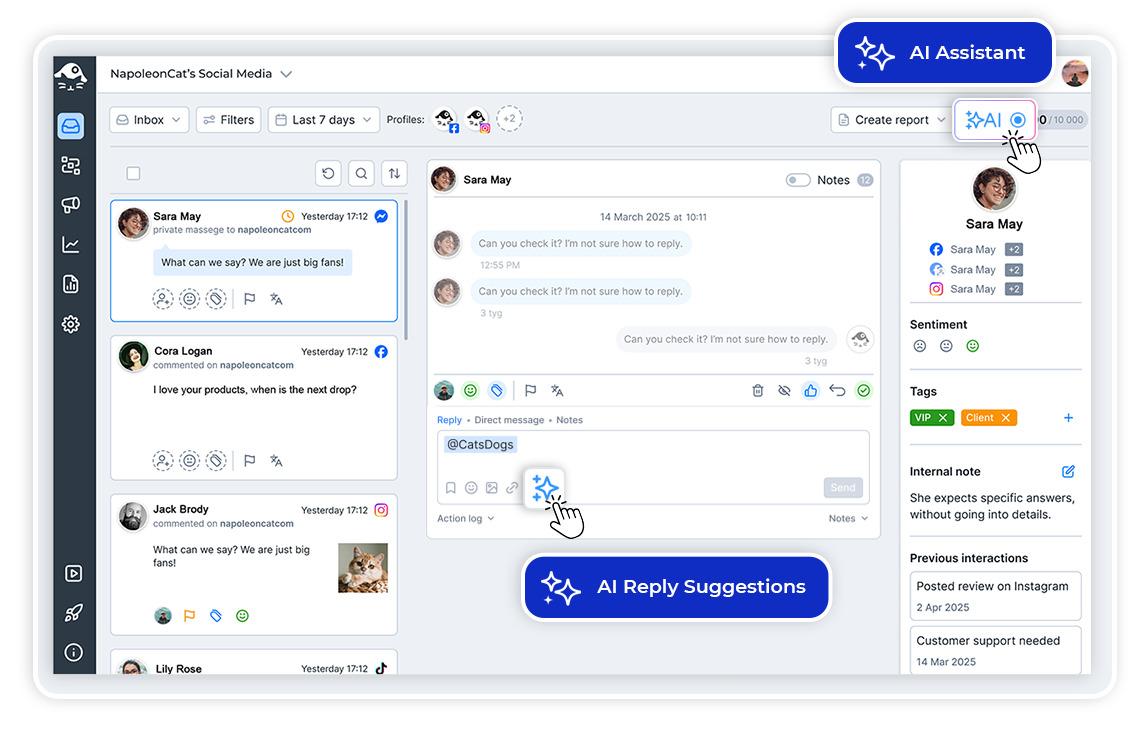
AI reply suggestions: Get smart responses for every YouTube comment
AI can also help you build your community by providing helpful and relevant reply suggestions. Based on how you replied before, along with your FAQs, knowledge center articles, and any other relevant content, it will generate YouTube comment replies you can adjust and post – without spending time writing them yourself.
Think of it as a YouTube auto commenter that still sounds like you – because it learns from you.
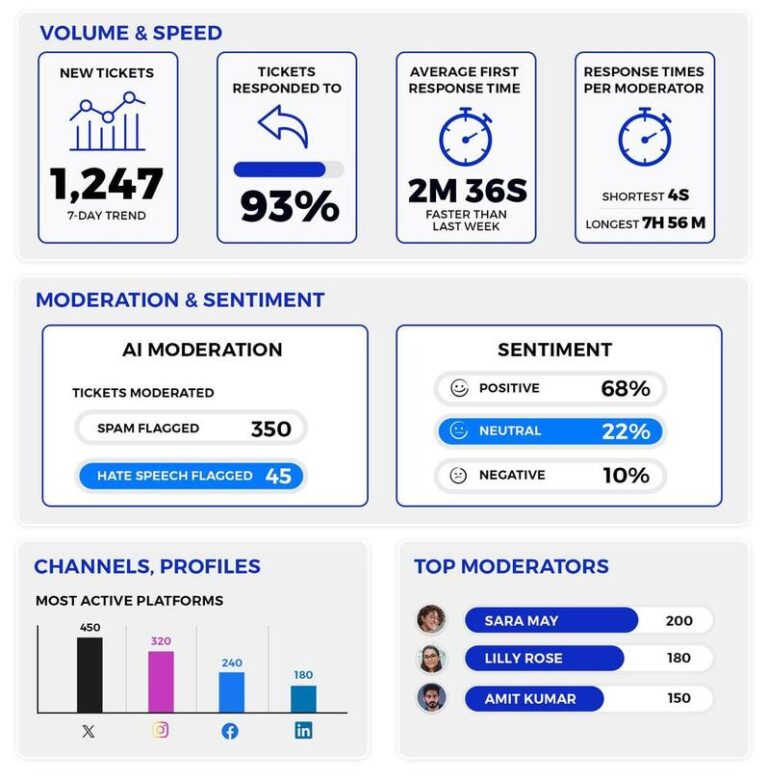
Track your team’s moderation performance on YouTube
Improve your response times on YouTube by tracking overall moderation performance, including interaction volumes and team efficiency. So you can make the right decisions and know when exactly to use YouTube comment automation to support your human moderators.
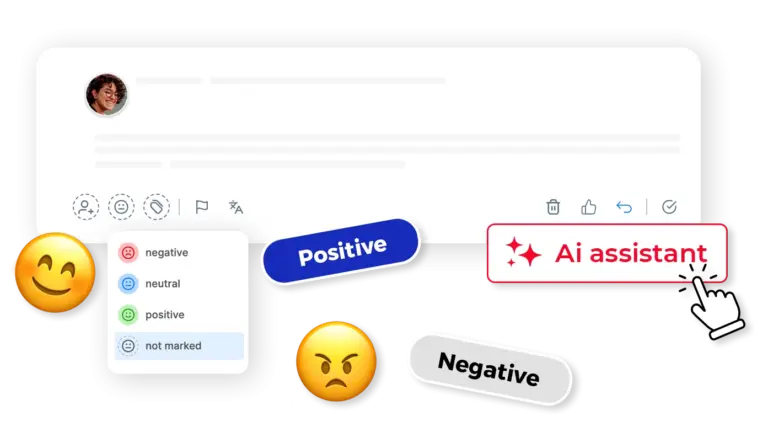
Let AI decide which YouTube comments need human attention
Automation can help your moderators quickly decide what they need to handle themselves – and what can indeed be automated. The AI Assistant will tag all incoming comments accordingly, so you know what should be handled with a spam filter and what needs to be delegated to a human moderator for a longer conversation.
Automate YouTube comments to build genuine relationships




Here’s why our clients love NapoleonCat
Join businesses that save hours every week with auto-moderation.

NapoleonCat saves up to one-third of a full-time position. That’s time we would otherwise spend manually moderating thousands of comments each month using the Meta Business Suite, profile by profile and comment by comment. Time we can now use for growth. NapoleonCat is the best tool of its kind on the market, and it’s still constantly evolving and improving by introducing new AI features.

It’s hard to imagine our work without a tool that includes so many valuable features. It won’t be an overstatement when I say that NapoleonCat saves us multiple full-time positions that would be dedicated to just moderating comments or manually generating reports.

NapoleonCat gives us the full picture of social media interactions. It’s easier to pick up urgent threads that need taking immediate action. And with conversation history, it’s much easier to continue the work of another team member while they’re out of office.

We work with multiple clients, and with NapoleonCat, we don’t waste time switching between multiple software tools. We can also deliver reliable data from a single source. We tested other social media moderation and analytics tools before, but none of them lived up to what NapoleonCat delivers. They’re the best, and I personally love using the tool. 🙂

NapoleonCat is now an indispensable tool that we use for moderation and analytical purposes, as well as content publishing. We’re curious to see new capabilities of the tool and test its new uses, for example, to moderate TikTok ad comments, as we predict this social media channel to become more and more important for our clients.

It’s the first social media engagement tool we have ever tried that is truly intuitive and that makes it easy for us to include the clients in the process. The service and support is great and personal. And the value for money is great!

We were looking for a tool that would allow us to consolidate and manage comments and private messages from Messenger in one place. Analytics and reports were also very important to us, as they would show us the level of our social media customer service. That’s why, in 2017, we decided to choose NapoleonCat.
How NapoleonCat stacks up for YouTube comment management
| Feature | NapoleonCat | Hootsuite | Sprout Social | Buffer |
|---|---|---|---|---|
| YouTube Comment Automation | ✅ Advanced (keywords, sentiment, AI tags) | ⚠️ Limited rules | ⚠️ Limited filtering | ❌ No |
| AI-Powered Spam Detection | ✅ AI-based auto removal | ⚠️ Limited (rules / add-on) | ❌ No auto removal | ❌ No |
| AI Reply Suggestions | ✅ Yes | ✅ Yes | ✅ Yes | ❌ No |
| Auto-Replies for Common Questions | ✅ Yes (rotating replies) | ⚠️ Limited | ⚠️ Limited | ❌ No |
| Sentiment Analysis & Tagging | ✅ AI-supported tagging | ⚠️ Basic | ⚠️ Labels only | ❌ No |
| Multi-Account YouTube Management | ✅ Yes | ✅ Yes | ✅ Yes | ✅ Yes |
| Comment Moderation Reports | ✅ Yes (detailed) | ⚠️ Basic | ⚠️ Limited | ❌ No |
| GDPR Compliance | ✅ EU-based, GDPR-first | ⚠️ CA-based | ⚠️ US-based | ⚠️ US-based |
FAQs
Can NapoleonCat auto-moderate comments on YouTube?
Yes. NapoleonCat’s Auto-moderation lets you set up rules that automatically hide or delete YouTube comments based on keywords, AI-detected spam and hate tags, or sentiment. It works around the clock, so spam never stays visible for long.
Does the AI Assistant work with YouTube comment replies?
Absolutely. The AI Assistant generates context-aware reply suggestions for YouTube comments based on your conversation history and any knowledge base content you provide, such as FAQs or help center articles.
Can I manage multiple YouTube channels from one dashboard?
Yes. NapoleonCat’s Social Inbox collects comments from all your connected YouTube channels (and other social media platforms) into one unified view, so you never have to switch between accounts.
How does NapoleonCat detect spam on YouTube?
NapoleonCat uses an AI Assistant that automatically tags incoming comments as spam, hate speech, or by sentiment (positive, negative, neutral). You can then use Auto-moderation rules triggered by these AI tags to remove unwanted comments automatically.
Will auto-replies on YouTube look robotic to my audience?
Not at all. You can create multiple response variations for each Auto-moderation rule, and the system rotates them randomly. Combined with AI reply suggestions that sound human and match your brand voice, your audience won’t notice the difference.
Is NapoleonCat compliant with GDPR for YouTube management?
Yes. NapoleonCat is an EU-based company with a GDPR-first approach. Your data is processed and stored within the European Economic Area, making it a strong choice for brands that prioritize data privacy.
How do you automate YouTube comment replies for brands?
Most brands automate YouTube comment replies by combining two things in NapoleonCat: Auto-moderation rules that automatically reply to common, repetitive questions (with rotating reply variants, so they don’t sound copy-pasted), and AI reply suggestions for everything that needs a human touch. Add AI-based spam and hate removal on top, and your team only handles the conversations that actually matter. It works across multiple channels, too – which is why agencies managing several brands love it.
Is NapoleonCat an auto comment bot for YouTube?
Not in the spammy sense. An auto comment bot for YouTube usually means software that mass-posts comments on other people’s videos – which violates YouTube’s spam policies and can get a channel suspended. NapoleonCat is different: it works through the official YouTube API and automates comment management on your own channel – auto replies, spam filtering, and sentiment tagging. Safe for your channel, and actually helpful for your audience.
What’s the best YouTube auto commenter?
That depends on what you need it to do. If it’s just multi-account comment management, most social media tools will get you there. But if you want a YouTube auto commenter that also removes spam automatically, tags sentiment with AI, and sends rotating auto replies to repetitive questions, NapoleonCat is the only tool that combines all of these (see the comparison table above).
Are YouTube auto comments against YouTube’s rules?
Posting auto comments in bulk on videos you don’t own is – that’s classic engagement spam, and YouTube actively removes it. YouTube auto comment replies on your own channel are a different story. Sent through an official API-based tool like NapoleonCat, they’re a standard customer service practice – just keep them relevant and use rotating reply variants.
How do I set up an auto reply for YouTube comments?
In NapoleonCat: connect your YouTube channel, open Auto-moderation, and create a rule – pick a trigger (keywords, sentiment, or AI-detected tags), add a few reply variants, and turn it on. That’s it, no coding needed. You can test it during the 14-day free trial (no credit card required)
Automate the comments under every video
Free 14-day trial – full access, zero commitment.
No credit card required