
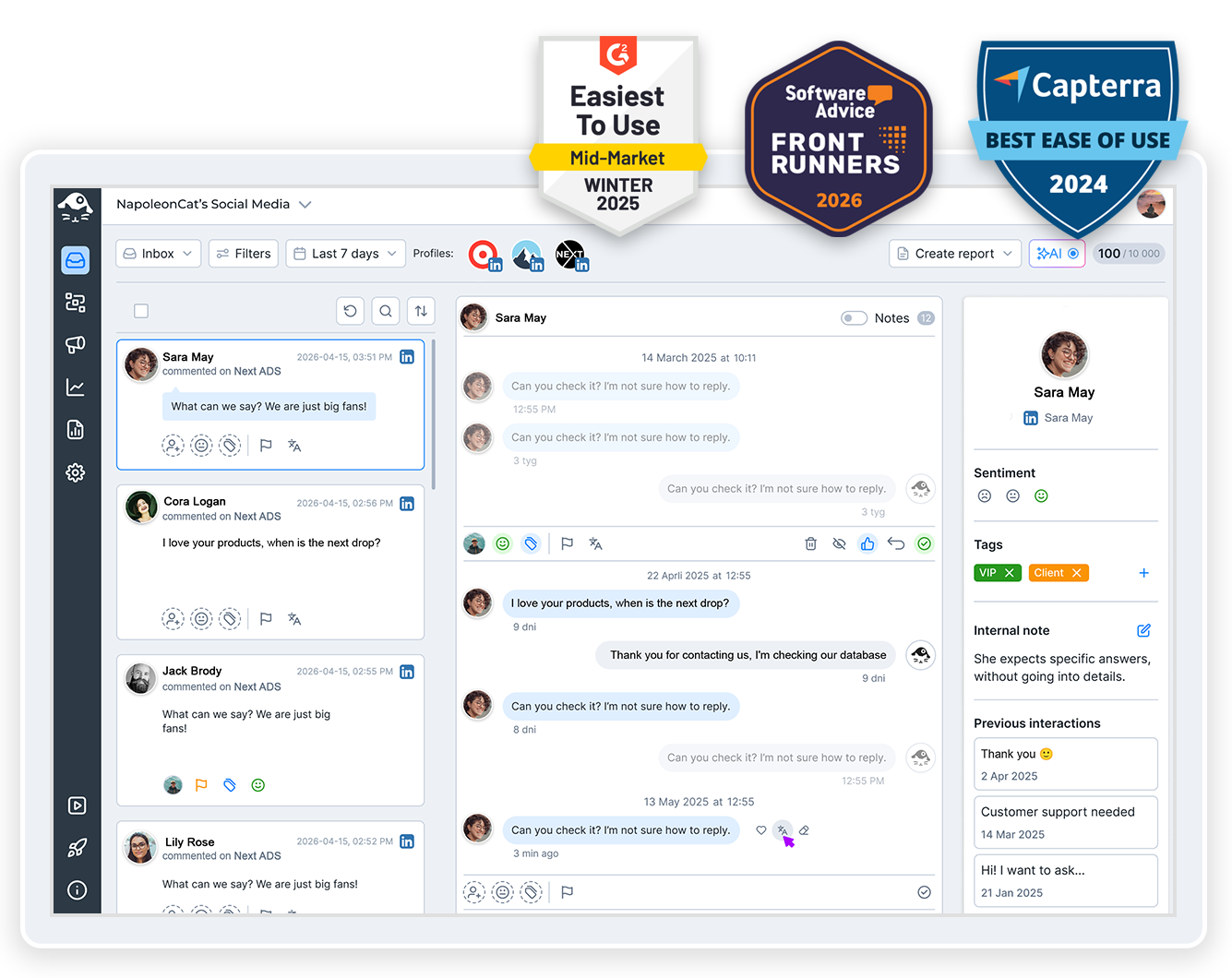
Social media engagement tools with AI-driven moderation that keep your unified inbox clean, your team aligned, and your customers happy – all from one place.
Social Media Engagement Tools – One Unified Inbox, Powered by AI
Trusted by:




Choose our unified Social Inbox
if you need to:
Manage Multiple Accounts
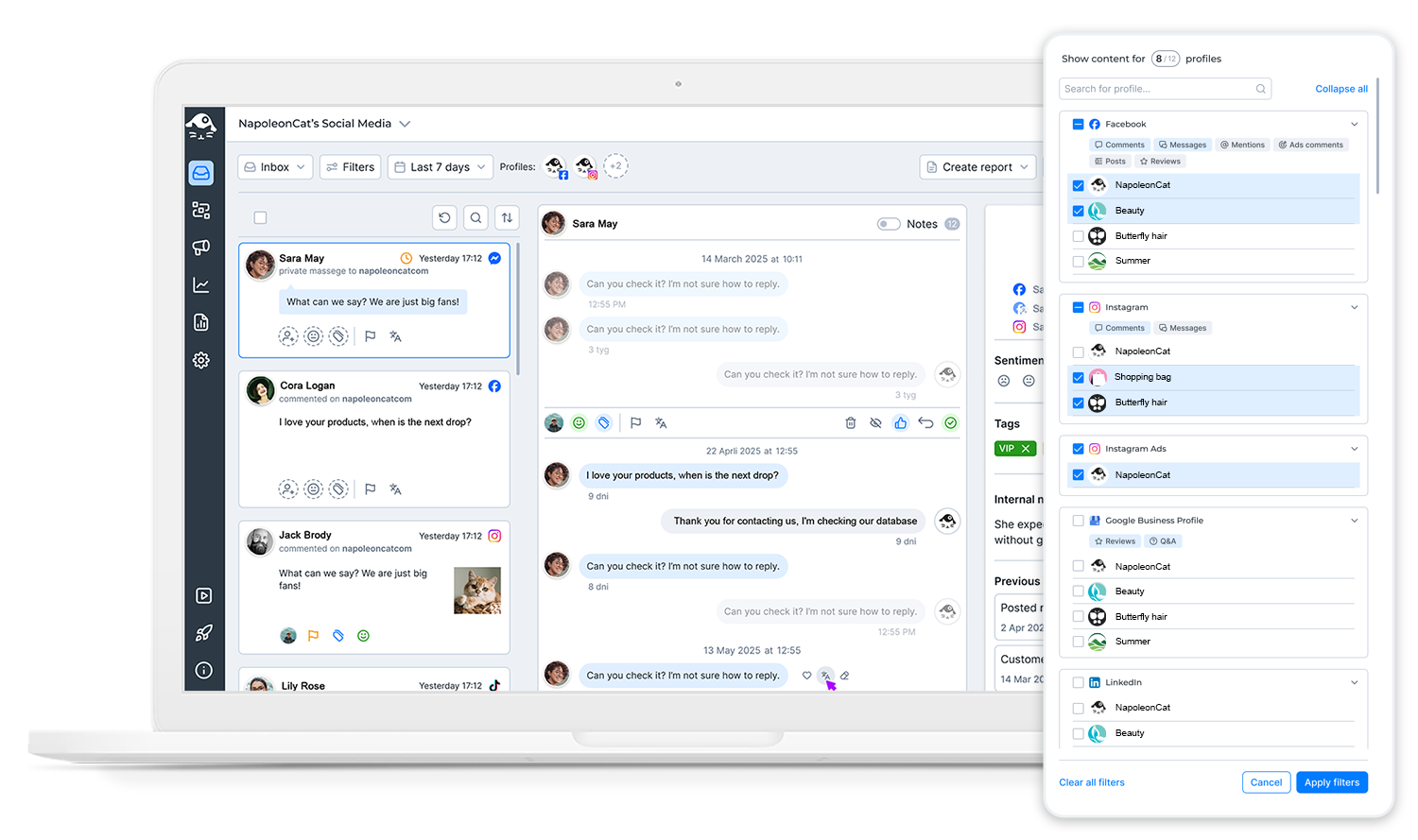
Our social media engagement tools let you manage all social media in one place – every account on every platform – the ideal solution for marketing agencies, moderation teams, and businesses with multiple locations.
Quickly Respond to All Interactions
Instantly respond to comments and messages – including those from ads – as well as reviews, mentions, and more, improving customer service quality and keeping your community engaged.
AI drafts the reply. You decide what gets sent.
Generate comment reply suggestions directly in your Social Inbox, based on your brand voice, FAQs, and custom rules you define. Review, edit, or discard – nothing gets sent without your approval.
Streamline Processes
Enhance moderation of comments and reactions with auto-moderation features to quickly identify and eliminate unwanted content, such as spam or offensive comments. For teams whose day is mostly comments, the Inbox doubles as a social media moderation tool.
Utilize Intelligent Filtering
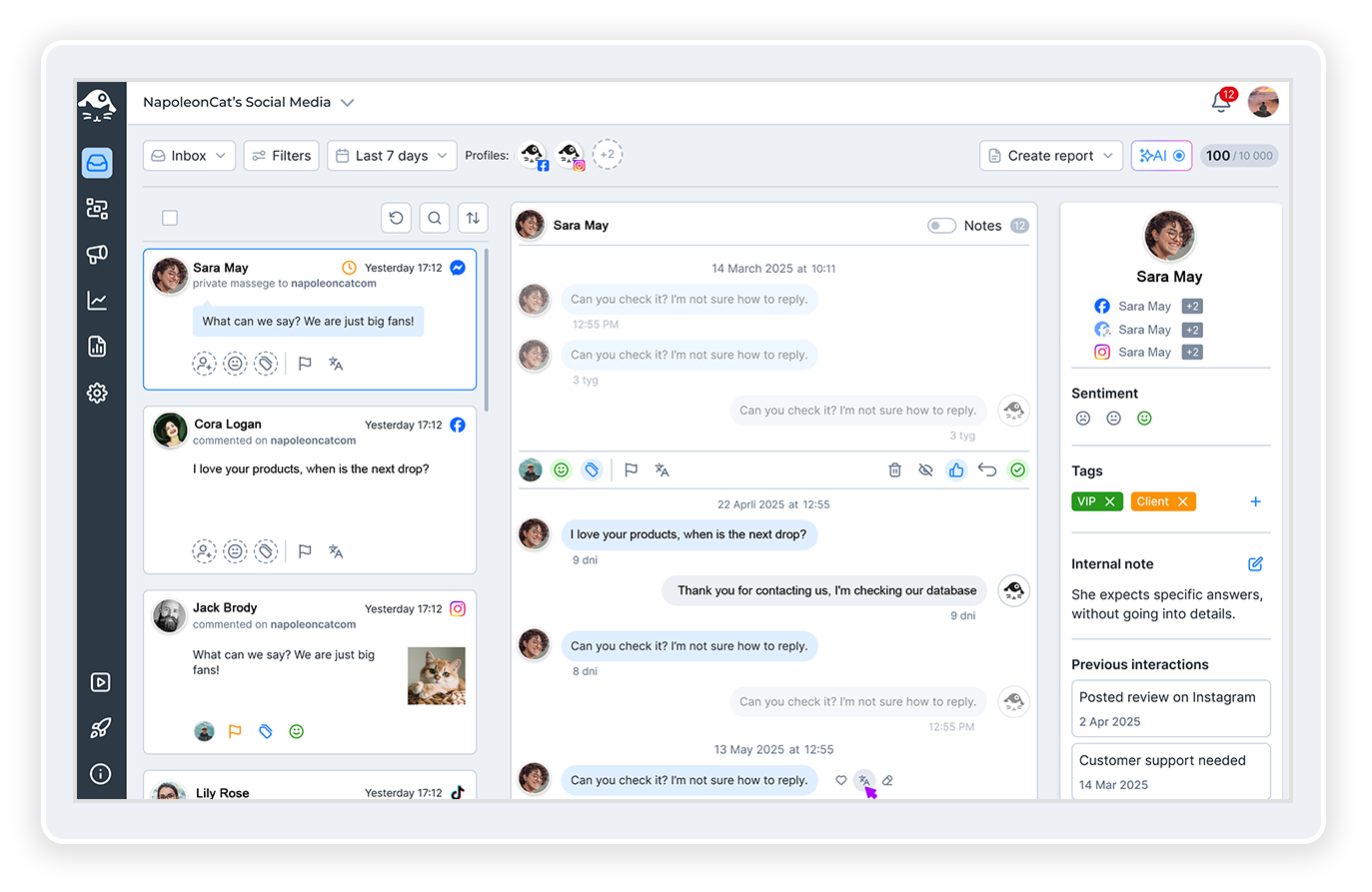
Easily sort messages and comments by priority and focus on the most important interactions first. When most of what arrives is spam rather than questions, our content moderation tools hide it before it reaches the queue.
Collaborate with Ease
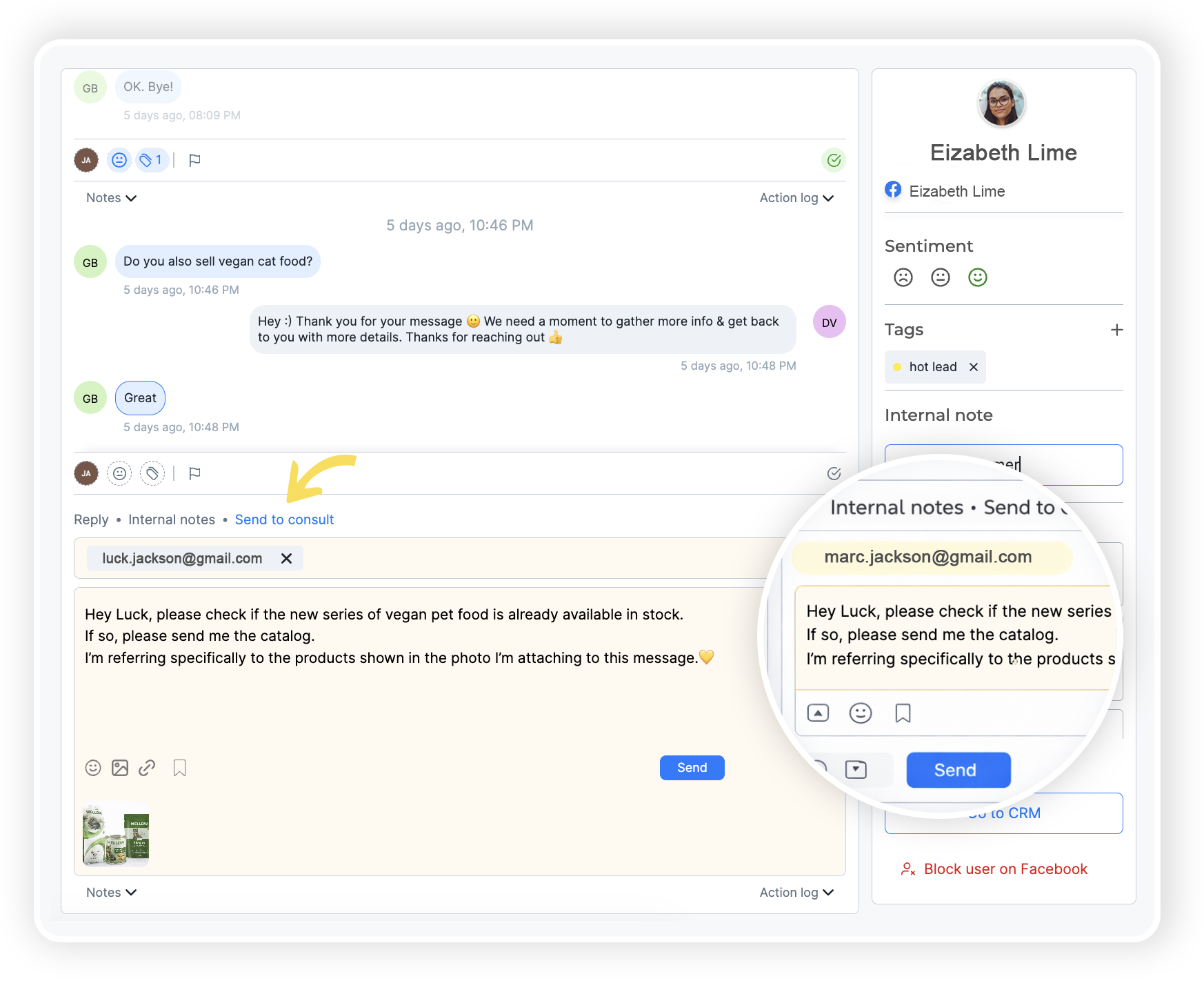
Simplify your team’s collaboration on campaigns. Consult on customer questions and securely share information without switching between applications.
Analyze Results
Monitor your moderation team’s performance with detailed social inbox reports – track response times, ticket volumes, and sentiment trends to continuously improve your customer service quality.
Ensure Data Security
We guarantee full compliance with GDPR by storing data within the EU.
Supported platforms:








Key Features
Multi-Platform Social Inbox Support
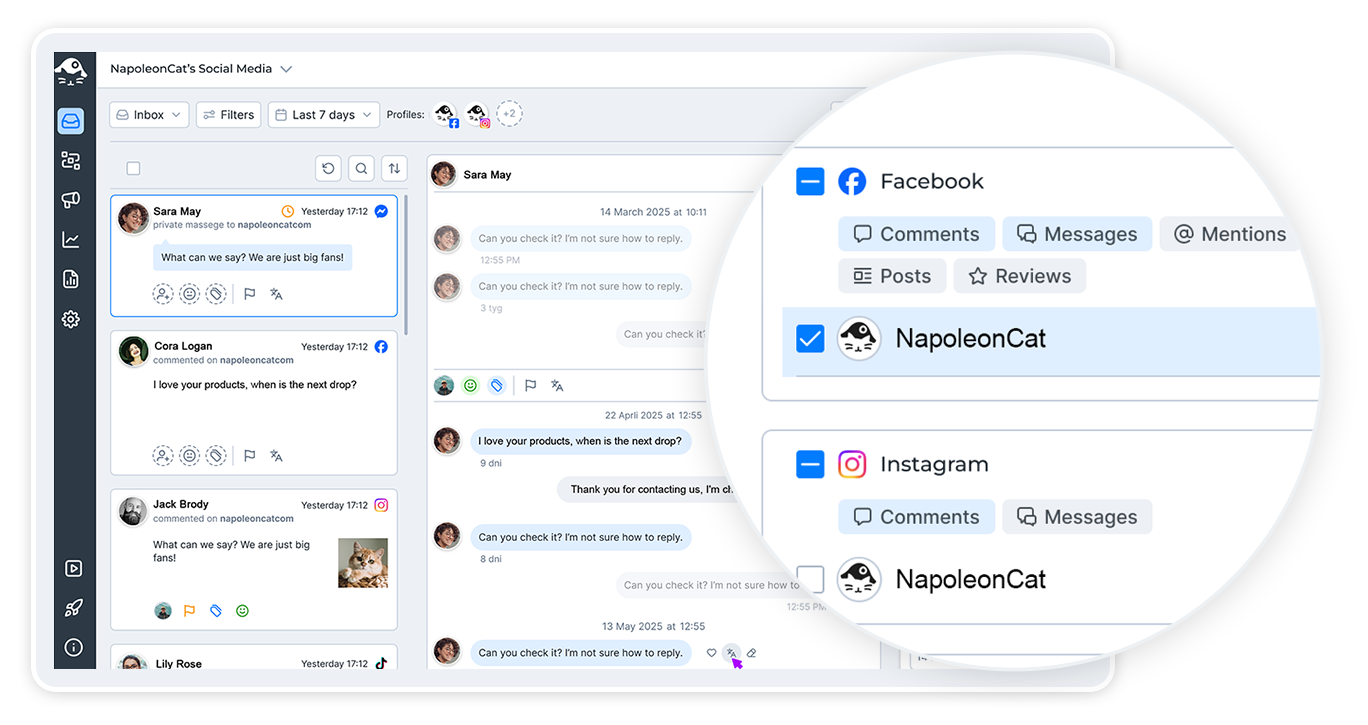
Our social media engagement tools support all major platforms: Facebook, Instagram, TikTok, LinkedIn, Messenger, YouTube, Google My Business, Google Play Store, Apple App Store and comments on ads from Facebook, Instagram, TikTok, and YouTube – all in one place.
Review Management
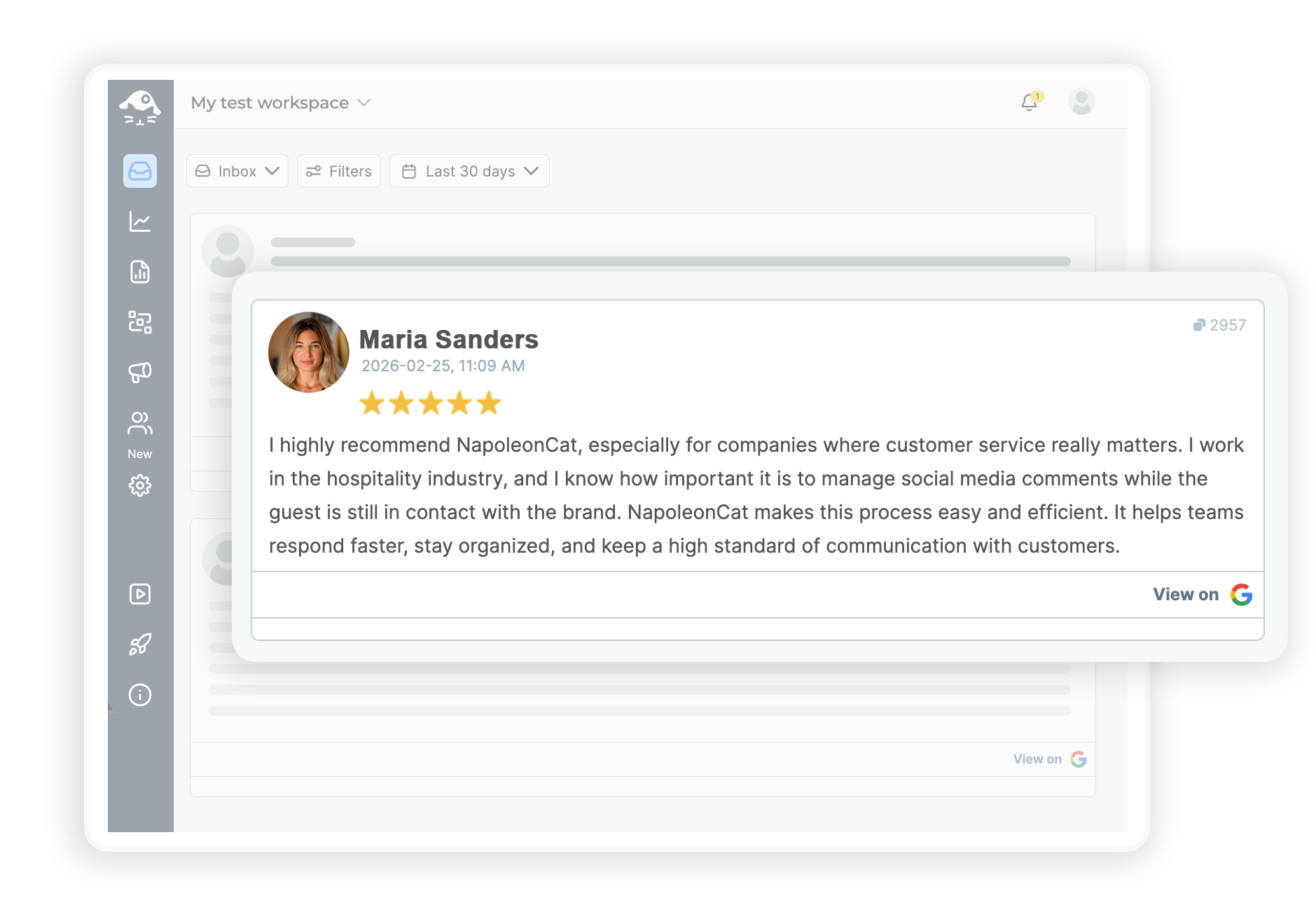
Use our social media inbox to respond to reviews from Facebook, Google My Business, Apple App Store, and Google Play Store in one location.
Social Customer Service
Stay updated with all conversations and check the distribution of current tasks. Create CRM profiles for users, utilize internal notes, conversation history, and contact information, and use the built-in message translator to ensure every interaction is tailored to your customers’ needs.
Team Collaboration
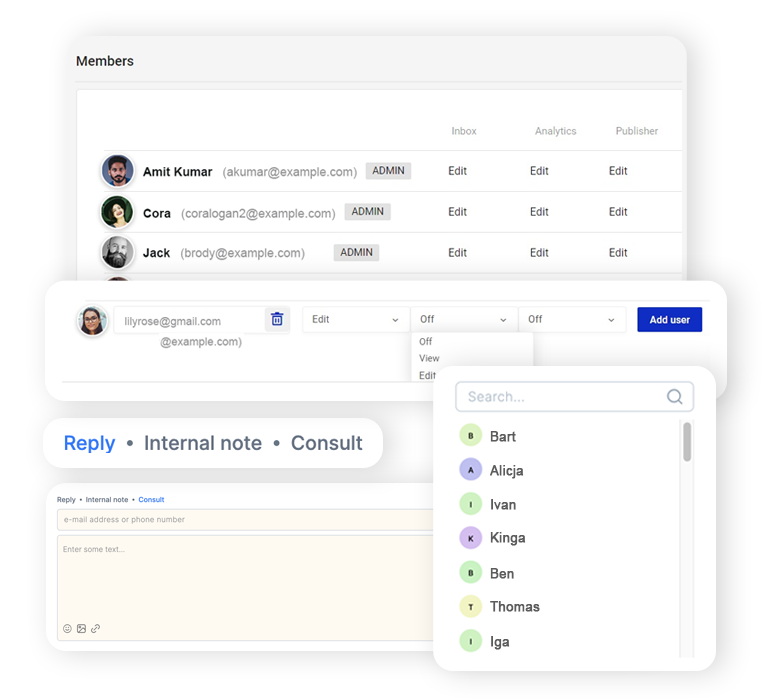
Assign tasks to team members and monitor their completion. Maintain a complete history of interactions. Consult with clients or other departments without switching to other tools. Categorize and prioritize messages to focus on what requires attention first.
Auto-Moderation
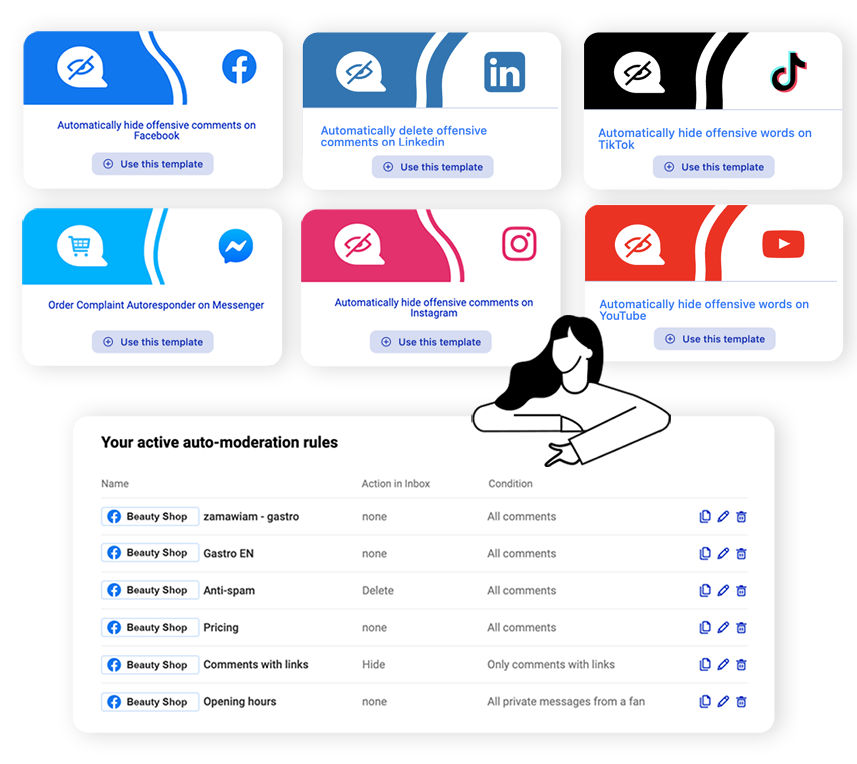
Use Auto-moderation to quickly identify and delete spam or offensive comments. Provide quick, on-brand responses powered by our AI Reply feature.
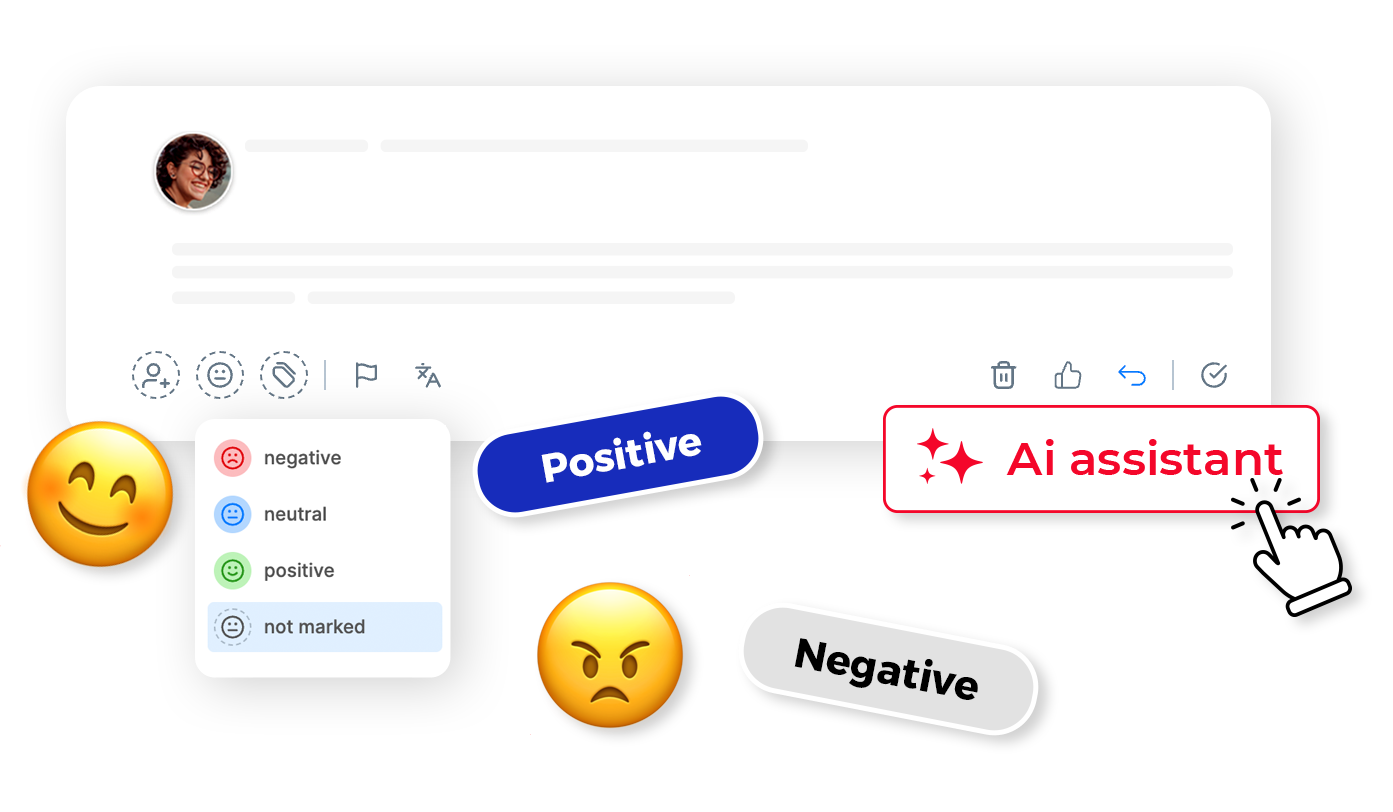
AI Sentiment Tagging
Automatically classify your customers’ sentiments – from positive to neutral to negative. Tailor responses to the emotions expressed in a user’s message or comment to increase engagement.
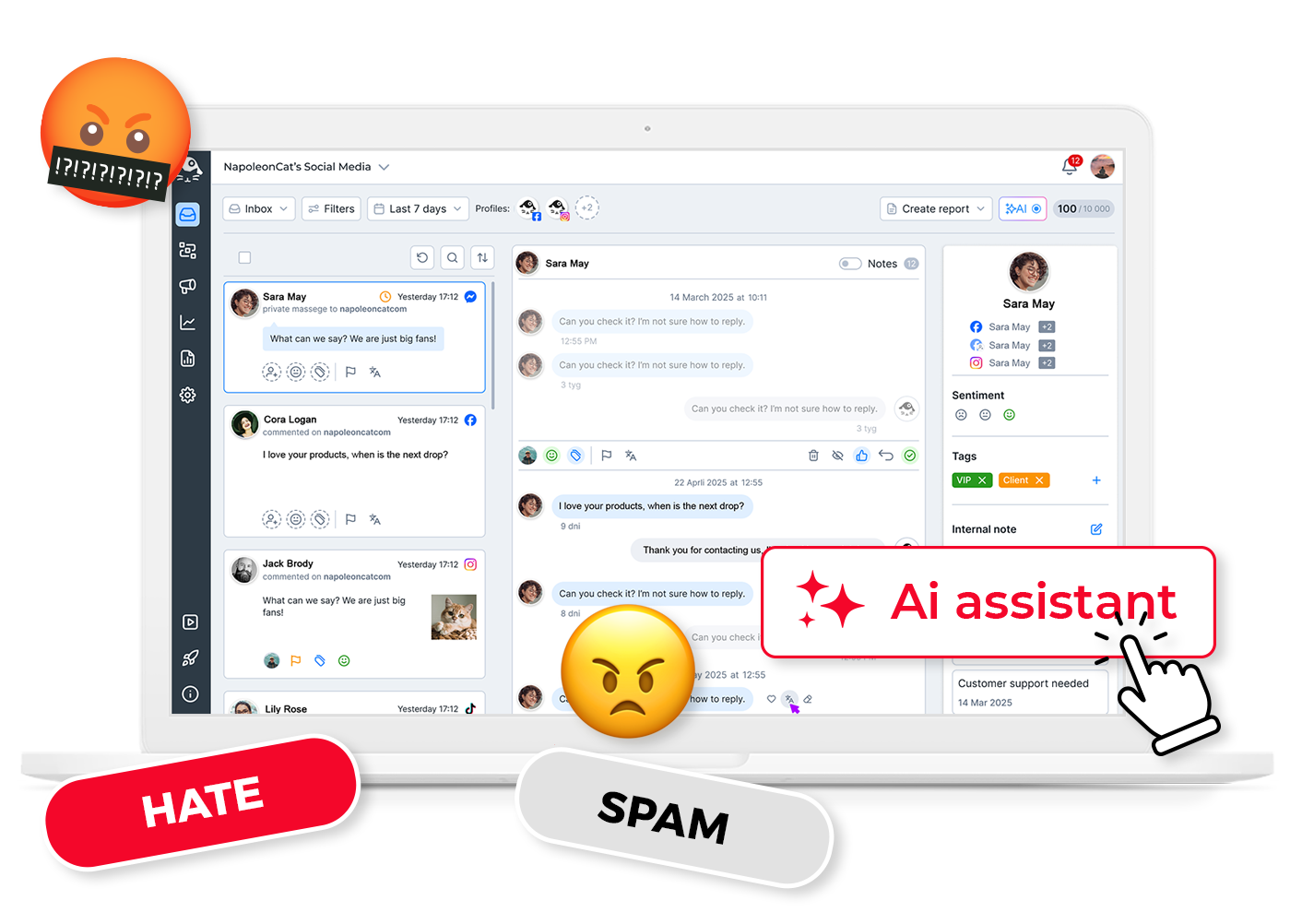
AI-Powered Spam and Hate Speech Detection & Auto-Removal
AI features detect and label spam and hate speech in your social media comments, enabling faster responses to harmful content. Combined with auto-moderation, they remove toxic comments, keeping your community safe and your channels organized.
Our Clients love NapoleonCat because:

It’s hard to imagine our work without a tool that includes so many valuable features. It won’t be an overstatement when I say that NapoleonCat saves us multiple full-time positions that would be dedicated to just moderating comments or manually generating reports.

NapoleonCat saves up to one-third of a full-time position. That’s time we would otherwise spend manually moderating thousands of comments each month using the Meta Business Suite, profile by profile and comment by comment. Time we can now use for growth. NapoleonCat is the best tool of its kind on the market, and it’s still constantly evolving and improving by introducing new AI features.

It’s the first social media engagement tool we have ever tried that is truly intuitive and that makes it easy for us to include the clients in the process. The service and support is great and personal. And the value for money is great!

We work with multiple clients, and with NapoleonCat, we don’t waste time switching between multiple software tools. We can also deliver reliable data from a single source. We tested other social media moderation and analytics tools before, but none of them lived up to what NapoleonCat delivers. They’re the best, and I personally love using the tool. 🙂

NapoleonCat is now an indispensable tool that we use for moderation and analytical purposes, as well as content publishing. We’re curious to see new capabilities of the tool and test its new uses, for example, to moderate TikTok ad comments, as we predict this social media channel to become more and more important for our clients.
Best-in-class social media inbox management tool:
| Feature | NapoleonCat | Hootsuite | Sprout Social | Sendible | Buffer |
|---|---|---|---|---|---|
| Unified Inbox (comments, DMs, reviews) | ✅ Yes | ✅ Yes | ✅ Yes | ⚠️ Basic | ⚠️ Comments only |
| Inbox for Paid Ad Comments | ✅ Yes (FB, IG, TT, YT ads) | ⚠️ Limited | ⚠️ FB & IG only | ❌ No | ❌ No |
| AI Sentiment & Spam Categorization | ✅ AI-supported | ⚠️ Basic | ⚠️ Labels only | ❌ No | ❌ No |
| AI Reply Suggestions | ✅ Yes | ✅ Yes | ✅ Yes | ❌ No | ✅ Yes |
| Auto-moderation (spam removal) | ✅ AI-based + rule-based | ⚠️ Limited (add-on) | ⚠️ Limited | ❌ No | ❌ No |
| Social CRM Profiles | ✅ Yes | ⚠️ Basic | ⚠️ Basic | ⚠️ Basic | ❌ No |
| Inbox Activity Reports | ✅ Yes (advanced) | ⚠️ Limited | ⚠️ Limited | ❌ No | ❌ No |
| Headquarters | ✅ EU (Poland), GDPR-first | Canada | USA | UK | USA |
| 1:1 Onboarding & Support | ✅ Included | ✅ Enterprise only | ✅ Add-on | ⚠️ Limited | ❌ No |
Designed for Social Media Teams
Across the Board
Agencies
Work together to provide great service for multiple clients in one place.
CUSTOMERS

Finance and banking
Respond faster to nuanced questions and build trust along the way.
CUSTOMERS


Customer success
Process more requests and reduce missed comments and messages.
CUSTOMERS
eCommerce and online services
Collaborate on messages, share context, and respond faster.
CUSTOMERS

Support
Keep messages organized across channels without losing the personal touch.
CUSTOMERS


Try NapoleonCat for free!
See how our social media engagement tools can help you streamline all communication in one place.
Social Inbox – Frequently Asked Questions
What social media platforms can I connect to Social Inbox?
- Facebook Page
- Instagram Business Account
- Instagram Ads (500 Active ads per profile)
- TikTok Business and Private Accounts
- TikTok Ads
- LinkedIn Company Page
- YouTube Channel
- Google My Business location
- Google Play Store
- Apple App Store
Does Social Inbox support private messages and comments from multiple platforms simultaneously?
Yes, Social Inbox supports private messages, comments, and mentions from multiple social media platforms such as Facebook, Instagram, TikTok, LinkedIn, YouTube, and Messenger. This allows you to manage all interactions from one dashboard without switching between different platforms.
What types of messages can I manage in my Social Inbox (private messages, comments, mentions)?
Social Inbox supports various messages, including private messages, comments, mentions of your brand, and reviews. You can manage all these interactions from a single view.
Does Social Inbox allow me to monitor my team’s performance?
Absolutely! With Social Inbox, you can generate moderation reports that provide information on activity, moderation time, and response times. You can also see in real-time who is responding to a message or comment in a given thread.
Is there a limit on the number of profiles I can manage with NapoleonCat?
No! You can purchase a package to manage up to 100 profiles. If you want to manage more, contact us, and we will prepare a tailored offer to meet your needs. To see available packages, check our pricing page. Remember that you can increase or decrease your package at any time.
How does sentiment analysis work?
Within Social Inbox, you can identify sentiments in comments and messages. You can do this manually or use our AI Assistant to save time.
Can I automate responses?
Yes! You can use predefined response templates that will save you time. Here are 25 ideas on how to utilize our Auto-moderation rules.
Does Social Inbox allow filtering messages by social channel or type of interaction?
Yes, Social Inbox offers advanced message filtering options. You can filter messages by social channel (e.g., Facebook, Instagram), type of interaction (e.g., comments, private messages), and other criteria, making it easier to manage and quickly find the most critical content.
How does sorting and prioritizing messages work in Social Inbox?
Social Inbox allows you to sort messages based on criteria such as receipt time, priority level, or response status. You can set your priorities for specific types of messages to help manage multiple inquiries and respond quickly to the most important interactions.
Every comment, DM and review in one inbox
Free 14-day trial: full access, zero commitment.
No credit card required
Got questions?
We’ve Got the Answers!
We’re here to assist you. Let us know what’s on your mind or check our resources:

Video tutorials
See how to use NapoleonCat’s tools to get where you’re going quicker and more efficiently.
Watch and learn
Knowledge base
Let us show you how NapoleonCat works through the step-by-step guides. Actionable tips inside!
Read and learn
Chat
You can ask us about any burning issues via chat. Our support team usually replies in a few minutes!
Let’s talk ☕