
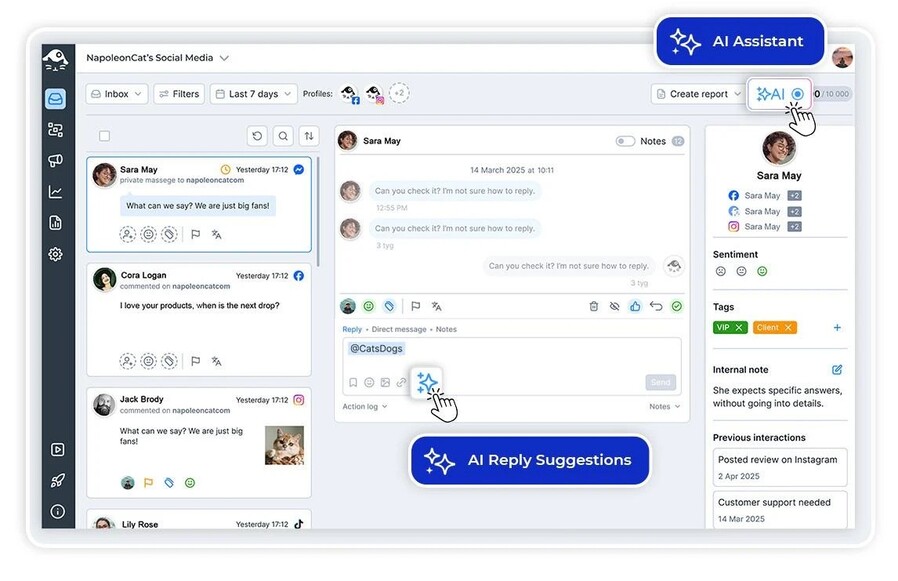
LinkedIn comments giving you a hard time? Use auto commenting AI for LinkedIn for a little break and more time for actual conversations and networking.
Auto-Commenting AI for LinkedIn – Personal & Company Pages
Trusted by:




Supported platforms








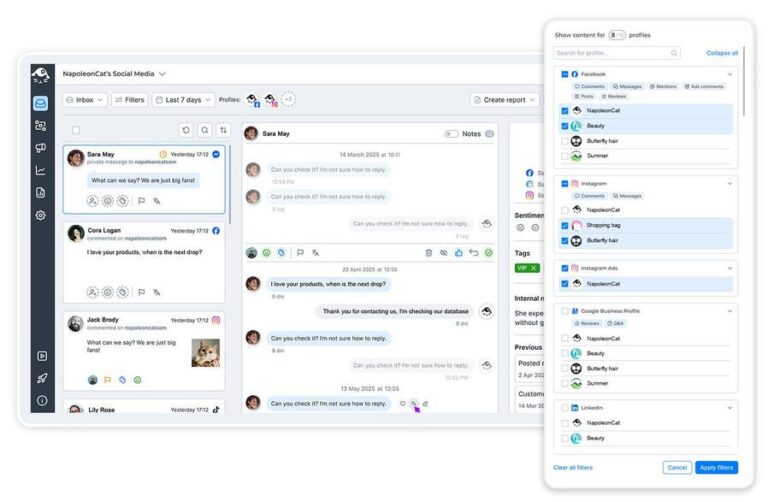
Manage all LinkedIn comments from one unified dashboard
LinkedIn’s notifications can be pretty erratic sometimes. But you don’t have to care when you have the Social Inbox – your one dashboard for all comments, across multiple LinkedIn accounts (company and private), along with all your other social media channels.
Reply, hide, assign to moderators, and more – all without having to switch between company pages and personal accounts all the time.
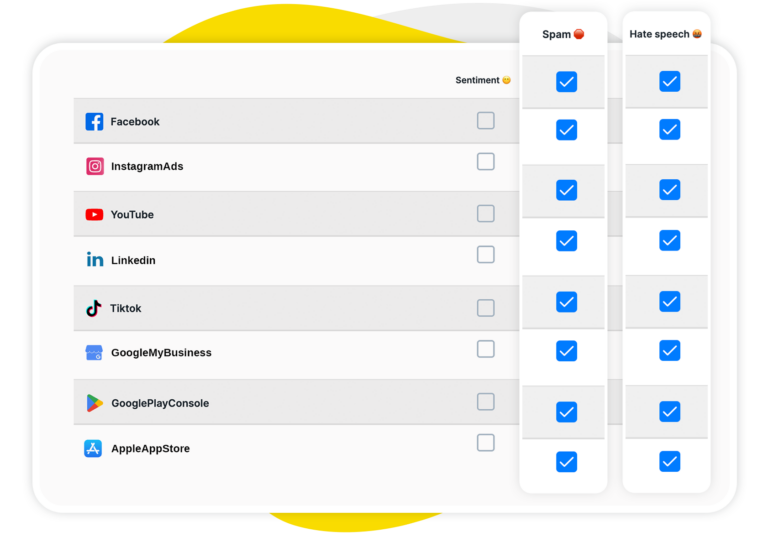
AI assistant: Auto-detect spam, hate speech, and sentiment on LinkedIn
Let AI help you detect spam and hate automatically, at scale, and in real time. Your AI Assistant will also tag positive, negative, and neutral sentiment for you. So when you open the Inbox, you already know how to prioritize comments at a glance.
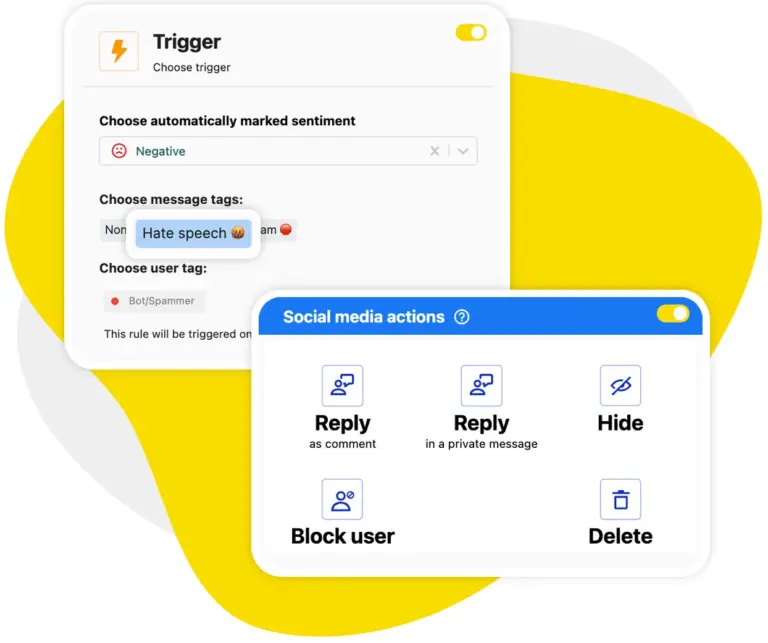
Auto-moderation: Automatically remove spam comments on LinkedIn
Set up Auto-moderation rules to automatically remove spammy comments. These can be triggered by a list of keywords or by the AI Assistant’s tags (or both, for maximum anti-spam coverage). And you can forget about manually removing spam and hateful comments once and for all.
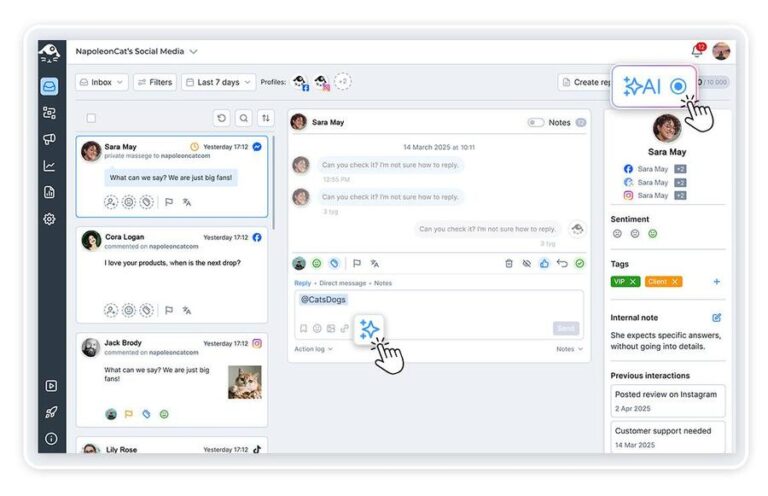
AI reply suggestions: Get smart response recommendations for every LinkedIn comment
Speed up replying to LinkedIn comments with the help of AI. It can automatically generate reply suggestions based on your comment history as well as any content you feed it (think FAQs, help articles, etc.). The result is on-brand and factually correct responses you can instantly approve or adjust to your liking.
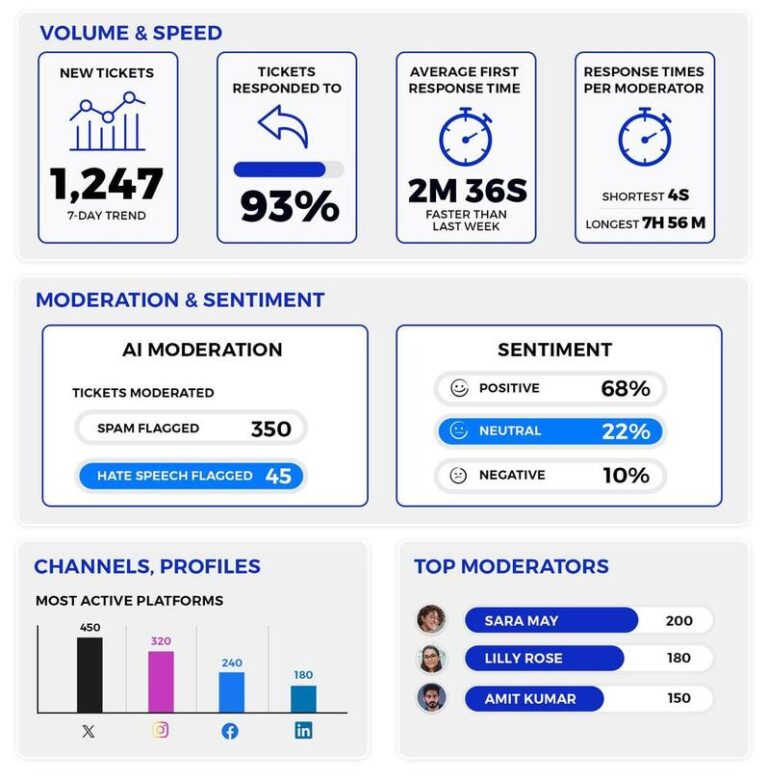
Moderation reports: Track response time performance & more on LinkedIn
Get a clear picture of how your LinkedIn moderation works – response times, interaction volumes, and even individual moderator performance. So you’ll get a better sense of where to support your moderation team with LinkedIn comment automation and always stay on top of the important comments.
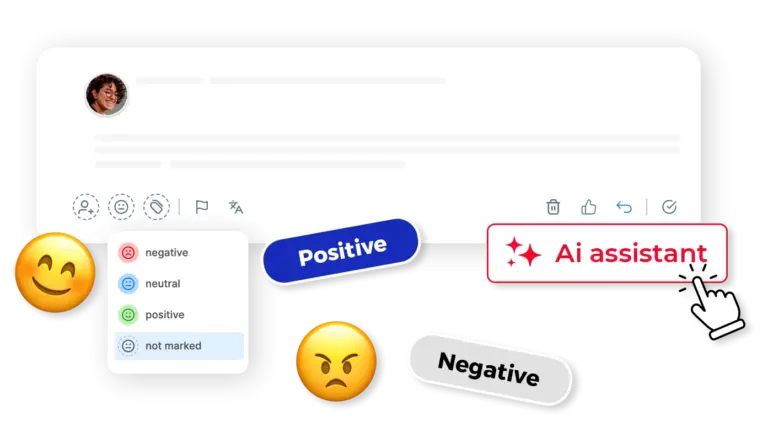
Smart filtering: Let AI decide which LinkedIn comments need human attention
AI’s there not just to automate LinkedIn comments, but also to categorize and filter them for you. And because it can do it at scale, faster than any human team ever could, your actual human team (or you, the human reading this) can easily filter out those conversations that need a human to engage.
Forget the LinkedIn spam, enjoy genuine interactions




Here’s why our clients love NapoleonCat
Join businesses that save hours every week with LinkedIn automation.

NapoleonCat saves up to one-third of a full-time position. That’s time we would otherwise spend manually moderating thousands of comments each month using the Meta Business Suite, profile by profile and comment by comment. Time we can now use for growth. NapoleonCat is the best tool of its kind on the market, and it’s still constantly evolving and improving by introducing new AI features.

It’s hard to imagine our work without a tool that includes so many valuable features. It won’t be an overstatement when I say that NapoleonCat saves us multiple full-time positions that would be dedicated to just moderating comments or manually generating reports.

NapoleonCat gives us the full picture of social media interactions. It’s easier to pick up urgent threads that need taking immediate action. And with conversation history, it’s much easier to continue the work of another team member while they’re out of office.

We work with multiple clients, and with NapoleonCat, we don’t waste time switching between multiple software tools. We can also deliver reliable data from a single source. We tested other social media moderation and analytics tools before, but none of them lived up to what NapoleonCat delivers. They’re the best, and I personally love using the tool. 🙂

NapoleonCat is now an indispensable tool that we use for moderation and analytical purposes, as well as content publishing. We’re curious to see new capabilities of the tool and test its new uses, for example, to moderate TikTok ad comments, as we predict this social media channel to become more and more important for our clients.

It’s the first social media engagement tool we have ever tried that is truly intuitive and that makes it easy for us to include the clients in the process. The service and support is great and personal. And the value for money is great!

We were looking for a tool that would allow us to consolidate and manage comments and private messages from Messenger in one place. Analytics and reports were also very important to us, as they would show us the level of our social media customer service. That’s why, in 2017, we decided to choose NapoleonCat.
How NapoleonCat compares for LinkedIn comment moderation
| Feature | NapoleonCat | Hootsuite | Sprout Social | Kontentino |
|---|---|---|---|---|
| LinkedIn Comment Management | ✅ Advanced (keywords, sentiment, AI tags) | ⚠️ Limited rules | ⚠️ Limited filtering | ❌ No |
| Automated Spam Removal | ✅ AI-based auto removal | ⚠️ Limited (rules / add-on) | ❌ No auto removal | ❌ No |
| AI-Powered Reply Suggestions | ✅ Yes | ✅ Yes | ✅ Yes | ❌ No |
| Comment Sentiment Analysis | ✅ AI-supported tagging | ⚠️ Basic | ⚠️ Labels only | ❌ No |
| Multi-Account LinkedIn Support | ✅ Yes (company + personal) | ✅ Yes | ✅ Yes | ⚠️ Limited |
| Smart Comment Filtering | ✅ AI tags + keyword rules | ⚠️ Basic | ⚠️ Limited | ❌ No |
| Moderation Performance Reports | ✅ Yes (detailed) | ⚠️ Basic | ⚠️ Limited | ❌ No |
| GDPR Compliance | ✅ EU-based, GDPR-first | ⚠️ CA-based | ⚠️ US-based | ✅ EU-based |
FAQs
Can NapoleonCat auto-moderate LinkedIn comments?
Yes. You can set up Auto-moderation rules that automatically remove spammy or hateful comments on LinkedIn. Rules can be triggered by specific keywords, AI-detected spam and hate tags, or a combination of both for maximum coverage.
Does NapoleonCat support both LinkedIn company pages and personal profiles?
Yes. NapoleonCat’s Social Inbox lets you manage comments from both company pages and personal LinkedIn accounts in one unified dashboard – no more toggling between profiles.
How does AI help with LinkedIn comment replies?
The AI generates context-aware reply suggestions based on your past conversation history and any reference content you provide, such as FAQs or help articles. The result is professional, on-brand responses you can approve or fine-tune before sending.
Can I track my team’s LinkedIn response times?
Yes. NapoleonCat’s moderation reports give you detailed insights into response times, interaction volumes, and individual moderator performance on LinkedIn – helping you identify where automation could support your team.
Is NapoleonCat a good choice for B2B brands active on LinkedIn?
Definitely. B2B brands often deal with high volumes of LinkedIn engagement, including spam and promotional comments. NapoleonCat’s AI-powered moderation, sentiment tagging, and team collaboration tools help you keep conversations professional and responsive.
Does NapoleonCat comply with GDPR for LinkedIn data?
Yes. NapoleonCat is EU-based and follows a GDPR-first approach. All data is processed within the European Economic Area, which is especially important for European businesses managing LinkedIn interactions.
Automate the comments on your LinkedIn pages
Free 14-day trial – full access, zero commitment.
No credit card required